
Waking Up from the Digital Standstill
2025 isn't just another year on the calendar. It's a tectonic shift in the technology that small and midsize businesses (SMBs) run on.
For the past decade, we've lived under the illusion that automation meant intelligence. We filled our websites and customer touchpoints with chatbots: reactive, static entities stuck in an endless, frustrating loop of pre-scripted questions, actions and answers.
These tools work fine for handling low-level traffic, but they're basically answering machines. They wait passively for an input to return a set output, with no memory, no context and no ability to take initiative.
As I kept telling my clients, like a mantra:
Automation is the fast lane for people who aren't in a hurry (quote). We have to keep monitoring constantly and by hand, or we end up automating bad habits.
Today we're standing at the edge of a new era, where things are no longer linear but reactive.
the era of Agentic Intelligence.
The difference between a chatbot and an AI Agent runs deep. It's about what the thing is, not just what we call it. A chatbot is built to "talk", while an AI agent is designed to "act".
An agent has autonomy. It perceives its digital environment, reasons about how to reach a complex goal, plans a sequence of actions, uses external tools and changes the world around it to get a task done.
We're no longer talking about software that "answers", but software that "does".
Gartner predicts that by 2026, 40% of enterprise applications will include task-specific AI agents, marking the final shift from static automation to proactive, intelligent systems.
For an SMB, this means dropping the cost-center mindset and adopting the value-generator one.
With agentic automation, the system doesn't just tell the customer "Your order is late". It:
spots an anomaly in the supply chain
contacts the supplier on its own
reschedules the delivery
offers the end customer a personalized discount
all without human intervention.
How Digital Work Is Built in 2025
Beyond Automation: Distributed Cognition
Adopting AI agents means rethinking your company's IT architecture from the ground up. We're no longer building systems only around user interfaces (UIs) made of screens and forms for human input, but around machine-readable interfaces, autonomous workflows and agent-driven decision-making, where humans are involved very little.
AI is doing to the web what the web did to retail: today most stores are digital storefronts for logistics giants like Amazon.
In this new model, APIs (Application Programming Interfaces) stop being simple pipes for moving data and become the tendons that let agents move nimbly across the whole business.
Looking further ahead, APIs alone won't be enough. Organizations will have to rethink their data and processes around an "agent-first" model. That means structuring information not for humans to read, but for Large Language Models (LLMs) to ingest and reason over.
The main challenge won't be technical, but organizational and human. Scaling agents across a company brings coordination and judgment challenges we've never faced before. While chatbots will evolve into lightweight agents for routine tasks, we'll see multi-agent systems emerge where specialized AI "teams" work together: one agent for legal research, one for creative synthesis, one for fact-checking.
💡
A behind-the-scenes look at Marketing Hackers. While most of the research and writing is still done by "humans", a large crew of agents handles code creation, debugging, flow generation, dynamic prompt writing, brand consistency, source checking, proofreading, translations, trend and performance analysis and much more.
How do I get started?
The bad news is that it isn't exactly easy. The good news is that new professions are emerging and more and more people are building the skills you need. Over the last 3 years I've personally worked on building a Pietro 3.0, turning myself into a Marketer PrograMaker. A mythological hybrid of what I was in the early 2000s, a Marketer (1.0); in the '10s, a maker riding the rise of social media (2.0); and today, a half-programmer thanks to vibe coding (3.0). Plenty of people are making the same leap, so you won't struggle to find help. But first you need to understand this strange new contraption and, as usual, we'll do it in a very hands-on way. We'll build your first advanced agent: we'll use Flowise, but there are tons of alternatives out there and many more on the way.
Flowise AI
Platforms like Flowise are emerging as true "nervous systems" for orchestrating the digital workforce.
Flowise is a "drag-and-drop" tool built on top of the LangChain framework, which is becoming the go-to programming framework of the agent world.
If you've started poking around the chaotic world of automation, you've surely read about n8n and Langflow, the other two rising stars. Especially n8n, whose apparent simplicity gives you that feeling of omnipotence that feeds the Dunning-Kruger effect, fooling us into thinking we know it all. So why do I pick Flowise, the niche option?
Tools like n8n excel at general workflow automation and moving data between apps (ideal for integrating systems you already have), and LangFlow focuses on pure experimentation and rapid prototyping for data scientists. Flowise finds its "sweet spot" in easy deployment, practical integration of complex logic and a focus on agents. And if you're wondering: yes, you can combine these tools.
The platform lets you visualize, build and manage complex reasoning chains (Chain of Thought) and plug in external tools. Because it can expose flows instantly as APIs, to build apps or embeddable chat widgets, it's ideal for SMBs that need a fast time-to-market: you can turn an idea into a working agent in hours instead of weeks.
Comparison Table: Picking the Right Weapon
FeatureFlowise AIn8nLangFlowCore PhilosophyVisual LLM & RAG OrchestrationGeneral-Purpose Workflow AutomationAI Prototyping & ExperimentationMain StrengthFast deployment of Agents & ChatbotsHeavy-duty business integrations (ERP, CRM)Visual interface for Python componentsAccessibilityHigh (Low-Code/No-Code focus)Medium (Requires programming logic)High (but unstable for production)Ideal UsersSMBs, Technical Marketers, Product OwnersDevOps, Automation EngineersAI Researchers, Data ScientistsDeploymentNative (API/Embed Widget ready)Self-hosted or solid CloudOften requires code exportGovernanceFocus on RAG and memory managementFocus on triggers and conditional logicFocus on model tuning
This comparison shows that the tool you pick isn't neutral: it sets the speed and depth of your automation. If you want to build digital "brains" rather than simple data "pipes", Flowise is the practical leader.
Enough talk, let's get started! In this guide we'll build an assistant for a real estate agency that, with a few tweaks, can be adapted to any context.
First, go to Flowise and create a free account (it's free, at least at the time of writing). https://flowiseai.com/
The Knowledge Forge: Data Engineering in Flowise
Intelligence runs on knowledge. LLMs, all the various ChatGPTs, "know everything", more or less fuzzily, but they know little or nothing about your company. And what they do know, they interpret statistically: they give you the most plausible answer based on how a "trainer" told them to respond. You'll agree that's unacceptable. To fix it, we supply the information context they work in. We create a long-term memory to pull information from, using the RAG (Retrieval Augmented Generation) technique.
Let's build our "memories".
The documents
One of the most demanding and vital jobs an operator has is creating documents with well-organized, non-redundant, up-to-date information. For our agency, I've created two documents you can use as templates to organize your own information:
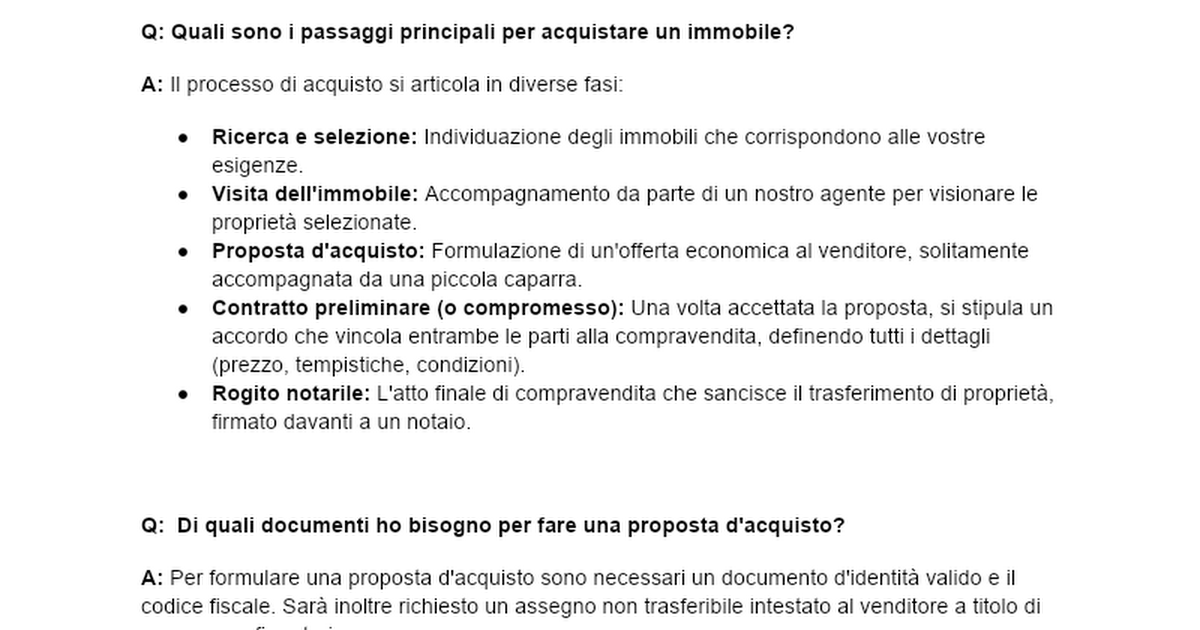
property list

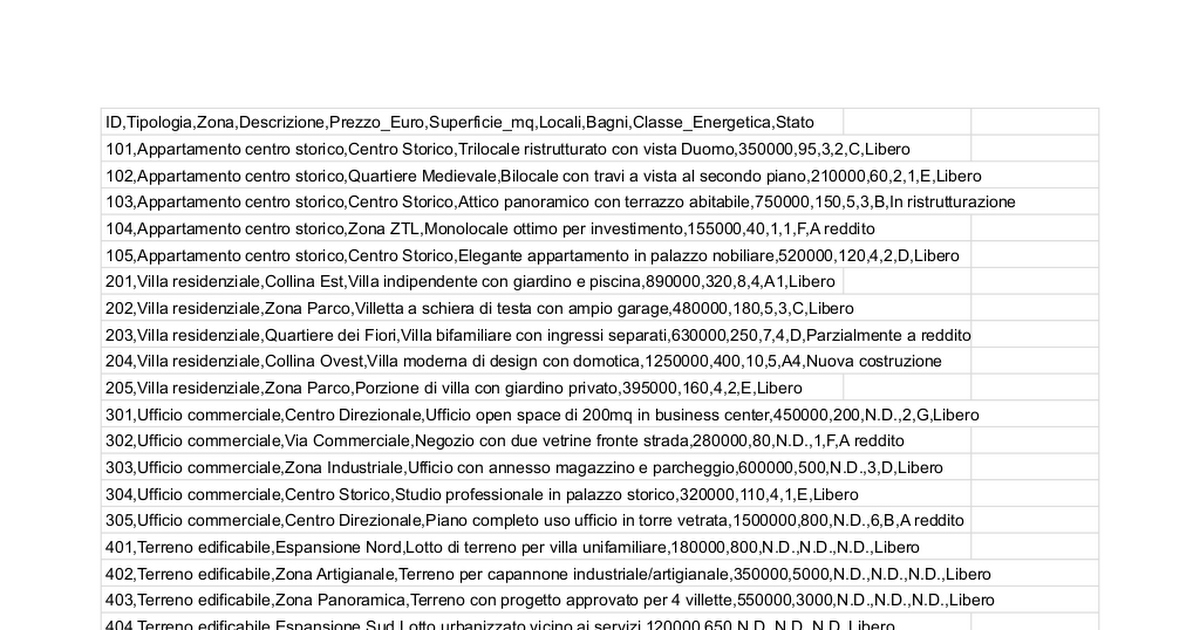
Let's create the Document Store in Flowise
Go to Dashboard → Document Stores → Create New
Name: "Casa Dolce Casa Knowledge Base"
This will be the container for all our real estate documents.
Available Document Loaders
DOCX Loader - use this one for the Word document with the real estate FAQs and procedures.
CSV LoaderWeb - use it for the property database with prices and features.
Scraper - use this to pull data from real estate sites and portals. (we won't use it this time)
Uploading the Real Estate FAQs
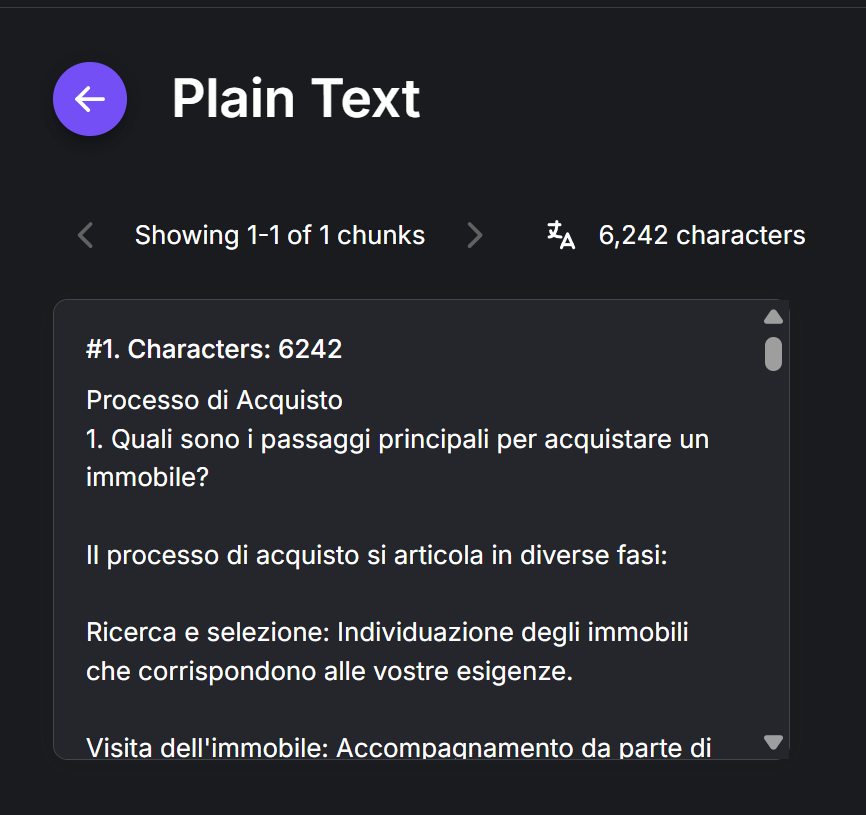
We select DOCX File Loader and upload the FAQ document.
The Science of Text Splitting: Keeping the Context
One of the most critical and often underrated parts of building an effective agent, especially with Retrieval Augmented Generation (RAG), is how it handles long documents.
When we load an operations manual, a set of legal contracts or a technical knowledge base, we can't just "feed" the whole thing to the model in one block. We'd be inviting misinterpretations.
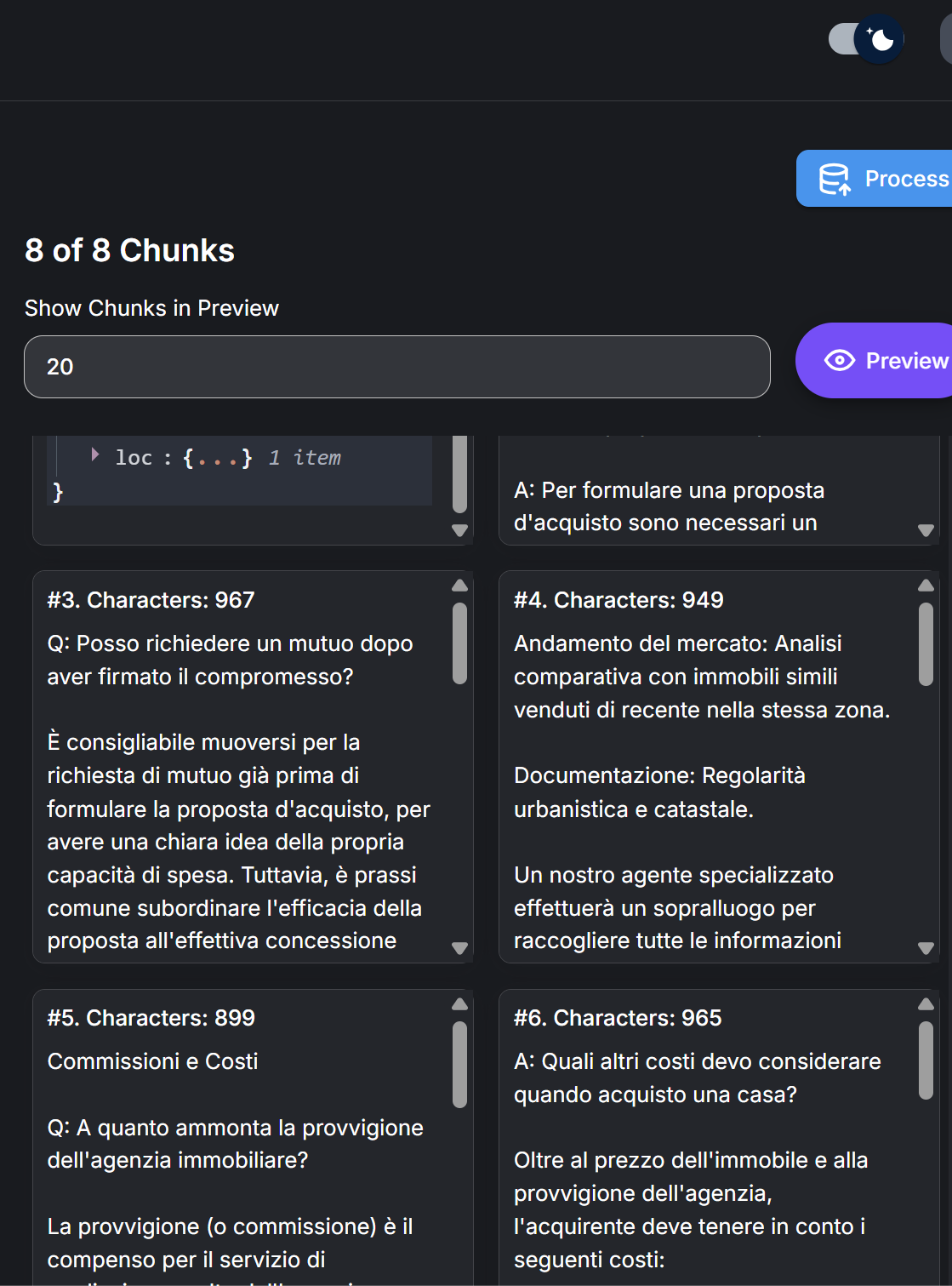
The limits of LLM context windows, the costs and, above all, the need for semantic precision when retrieving information mean we have to split the text into smaller pieces, called chunks.
Flowise offers several methods. Here we'll pick the Recursive Character Text Splitter.
Cruder splitters chop the text every n characters and risk cutting sentences or ideas in half. This algorithm works with a kind of "grammatical intelligence".
It tries to keep the context intact by splitting the text based on a user-defined hierarchy of separators (like double line breaks for paragraphs, single line breaks for lines, periods for sentences and finally spaces).
The "Golden Ratio" of the Setup: 1000/200
A standard Flowise setup, which the technical community has settled on as best practice, uses a chunk_size of 1000 characters and a chunk_overlap of 200 characters.
Chunk size is the maximum number of characters in a block, while chunk overlap is the number of characters carried over into the next block. This keeps the blocks logically connected.
Here's the technical reasoning behind these seemingly arbitrary numbers:
Chunk Size 1000: this size has been tested in practice as the ideal compromise. It's big enough to hold a complete idea, a thorough technical definition or a dense argumentative paragraph. At the same time, it's small enough for the embedding model (we'll get to what that is in a moment) to capture a precise, focused vector representation of the meaning.
If the chunk were too big (e.g. 4000 characters), the resulting vector would be a watered-down "semantic average" of too many unrelated ideas, making retrieval less precise. If it were too small (e.g. 200 characters), it wouldn't have enough context to make sense.Chunk Overlap 200: the overlap is the secret to keeping the "narrative thread". If we cut the blocks cleanly, a key sentence that bridges paragraph A and paragraph B would get lost or split. A 20% overlap (200 out of 1000) makes sure the context flows from one chunk to the next. This sharply cuts the risk of "cut-off hallucinations", where the model loses track of a sentence's subject because it sat in the previous chunk.
💡
Critical Technical Insight: keep in mind that if the separators set in the node are too "strong" (like a forced double line break \n\n), the system may put semantic separation ahead of the overlap and create disconnected chunks. In Flowise, the logic assumes that if the user visually separates two paragraphs, they may not want overlap. But to keep the agent's thinking fluid, you often need to remove overly aggressive separators from the default setup.
The Vector Matrix: Embeddings and Dimensions
Once the text has been split with surgical care, it has to be translated into the machines' native language, vectors, and the vectors loaded into a database that can handle them. In our case we'll pick Pinecone.
This is where precision becomes vital: a single configuration mistake can bring the whole system to a halt. A common point of failure in Flowise setups is a dimension mismatch between the chosen embedding model and the vector database index.
Take the most common use case: integrating with Pinecone using OpenAI's new models. The text-embedding-3-small model, which replaced the venerable ada-002 as the de facto standard, generates vectors with 1536 dimensions.
When you set up the Pinecone index through the Flowise interface, you must set the dimension (Dimension) to exactly 1536. If the index were set to 768 dimensions (common for open source models like the ones on Hugging Face) or 3072 dimensions (for text-embedding-3-large), every attempt to "upsert" (update/insert) the data would fail outright with mismatch errors.
This technical detail isn't trivial: it's the "resolution" at which the AI sees the world. Choosing text-embedding-3-small in Flowise gives you real advantages:
Better Performance: it keeps the same dimensions as its predecessor (1536), yet scores much higher on multilingual benchmarks (MIRACL jumped from 31.4% to 44.0%) and English ones (MTEB from 61.0% to 62.3%).
Cost Efficiency: it's tuned for latency and storage, which makes it ideal for SMBs that need to balance budget and performance.
Compatibility: it keeps backward dimensional compatibility with
ada-002, so you can migrate existing indexes without re-engineering the whole pipeline.
In practice:
Vector Store: Pinecone Setup
create a free account on pinecone.io
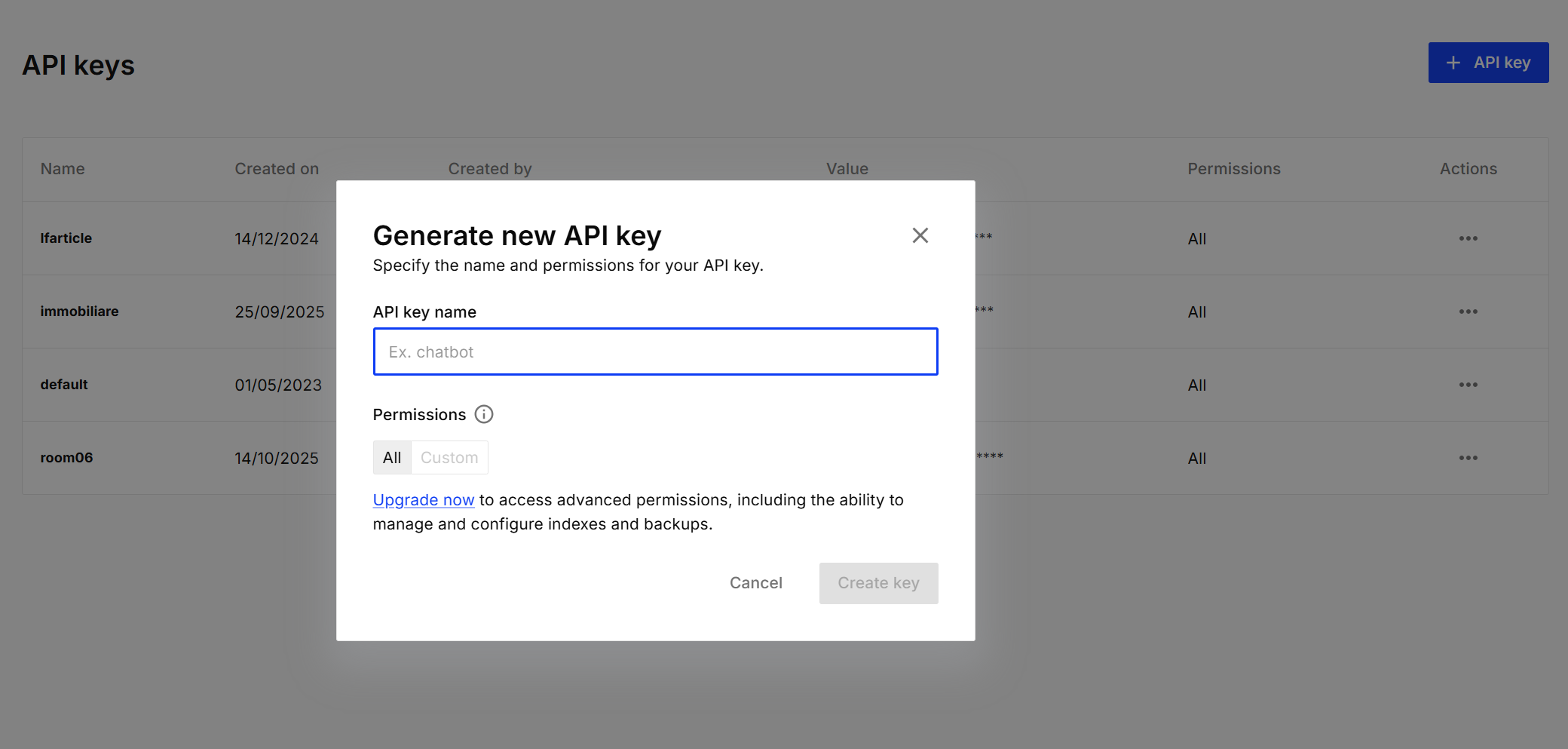
go to API Keys and create an API Key, copy it and set it aside
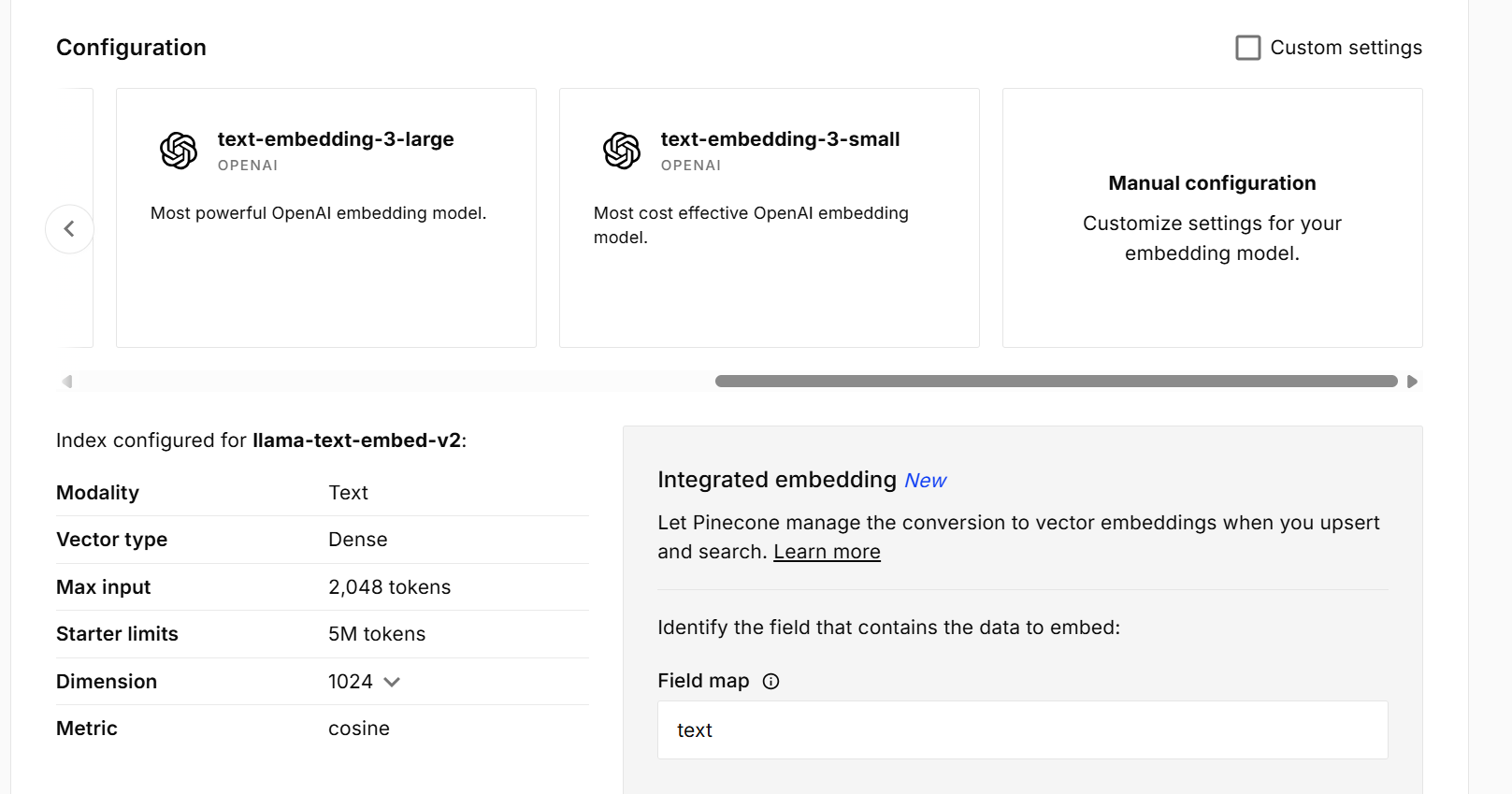
create an index
give the project a name
select the embedding model
text-embedding-3-small, choose 1536 as the dimension
Set Up Flowise
Go to Openai, create an account and create an API key, copy it and set it aside (you'll find 1000 tutorials online)
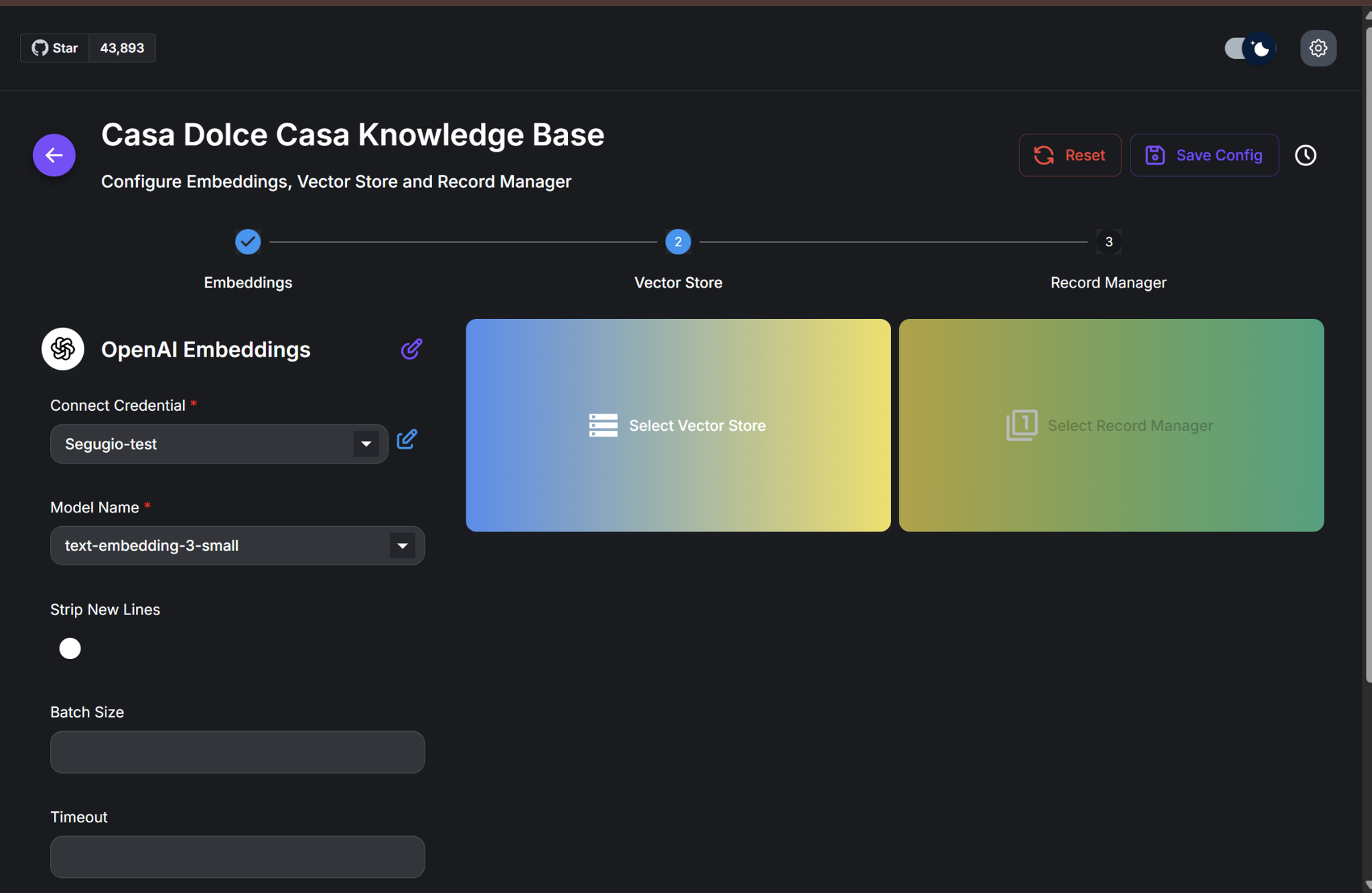
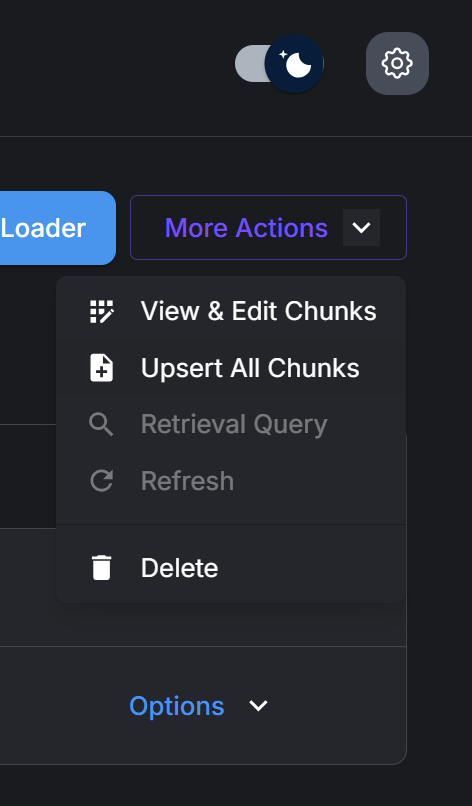
Click Upsert All Chunks in Flowise
Enter your OpenAI credentials and choose
text-embedding-3-smallchoose "select vector store"
choose Pinecone
Connect to Pinecone using the API Key we created earlier (credentials)
In the "Pinecone Index" field, type your project (index) name
Move on to the Record Manager, which tells Flowise what to do every time you change the "brain". I use Sqlite as the database to store what it has to do, and "Full" as the action.
Save and upsert. The Brain is ready
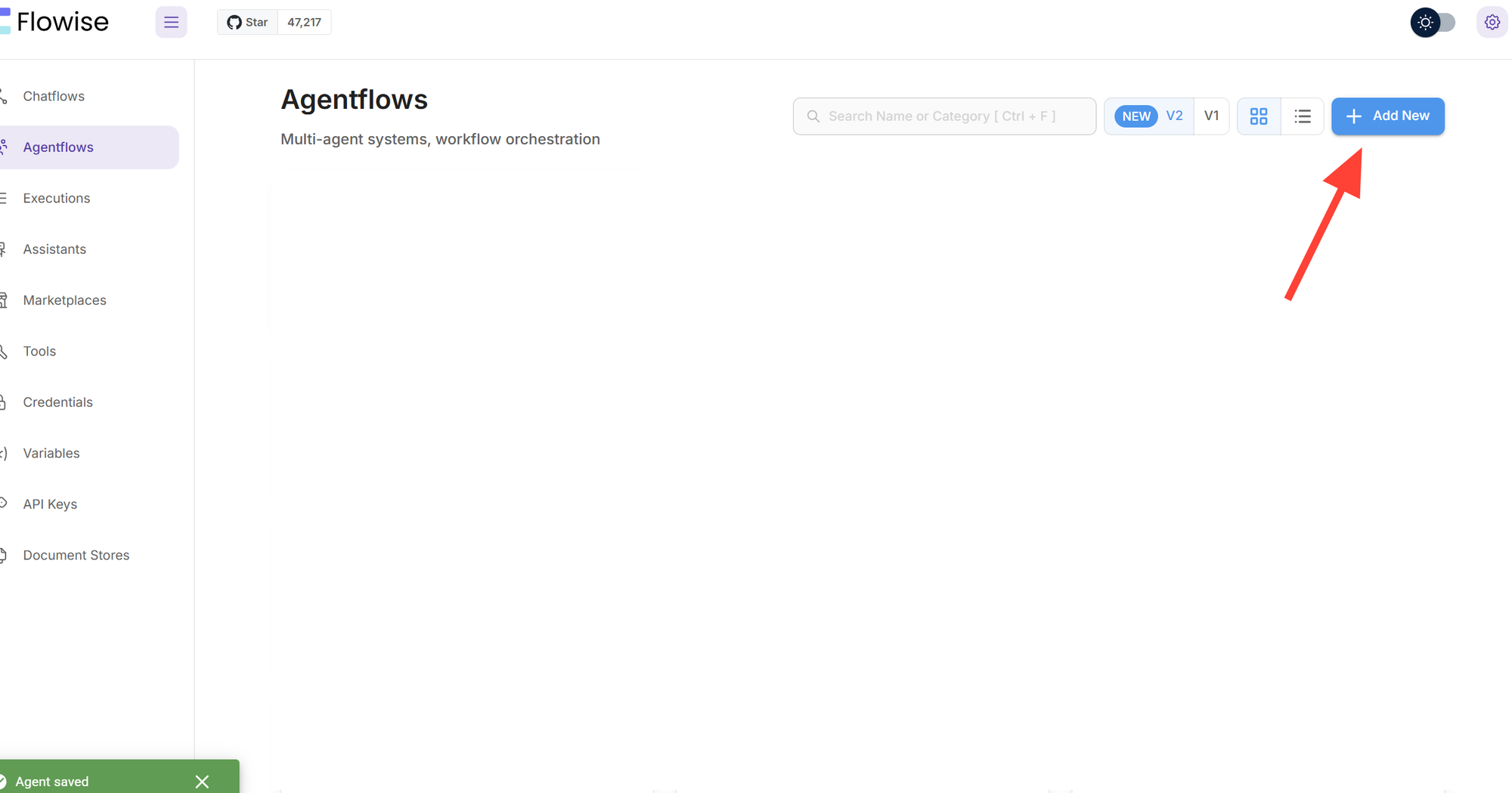
Creating the AgentFlow
Let's start by creating a new AgentFlow called "Real Estate Agent".
This agent will be built into the agency's website to help clients 24/7.
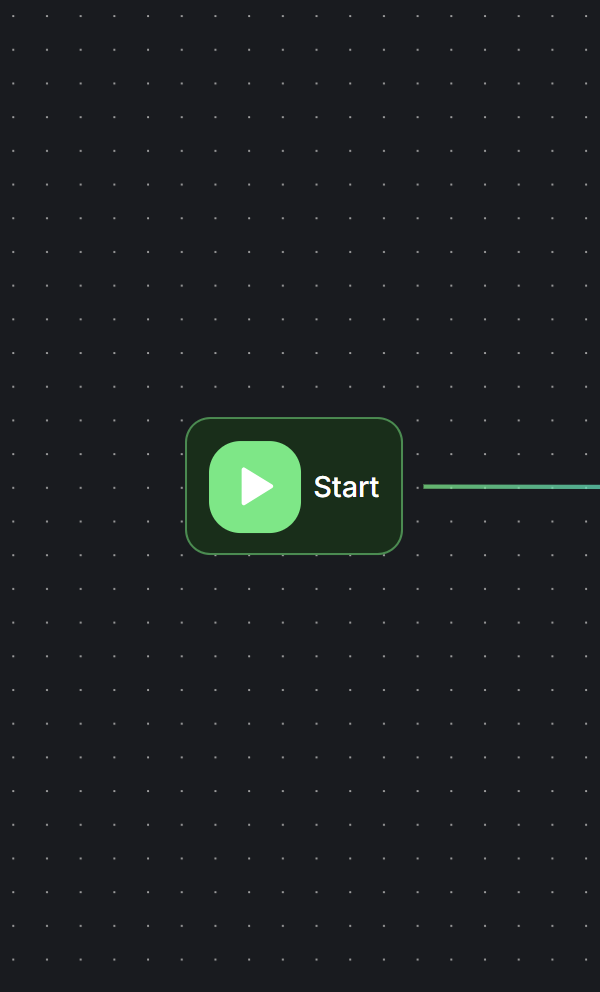
Add the Start node. It's the starting point, where the agent receives the user's message and where you set the variables that hold the data the system needs to remember.
Add an agent node and connect them
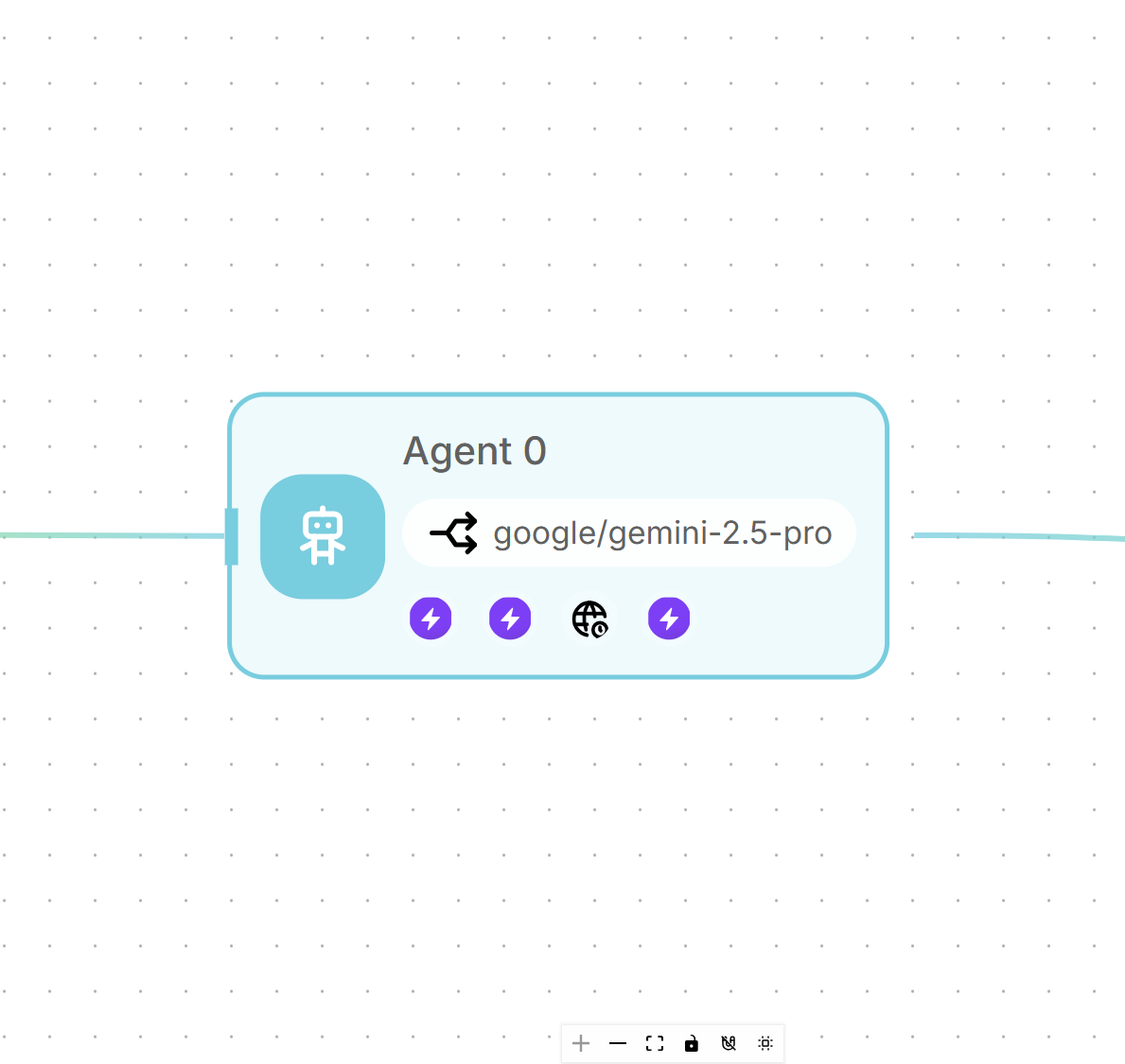
now pick which model you want to run your agent, keeping costs in mind and making sure it's an agent that can use tools.
The tools. MCP Servers, the "USB ports" of AI
If AI agents are the engine of the new digital economy, the Model Context Protocol (MCP) is the standardized road they run on. Introduced by Anthropic and open-sourced at the end of 2024, MCP solves the biggest problem in AI integration: fragmented, fragile connections.
Until recently, connecting an LLM to a company database, a Slack channel or a Google Drive repository meant writing custom code for every single integration. It was expensive, hard to maintain and prone to breaking every time an API changed.
Think of MCP as the USB-C port for AI applications. Before USB, connecting a printer, a mouse or a camera took different ports (parallel, serial, PS/2) and specific drivers. USB standardized everything: one port, one protocol, endless devices. MCP does exactly the same for AI: it provides an open standard protocol that lets LLMs "plug into" any data source or tool that supports the standard. You no longer have to teach the AI how to talk specifically to Mailchimp or Salesforce: they just both need to speak MCP's universal language.
Flowise speaks that language. In our case, I chose Composio, which brings together hundreds of MCPs, to connect to the tools I need: Gmail for client follow-ups and Calendar for booking appointments.
In practice:
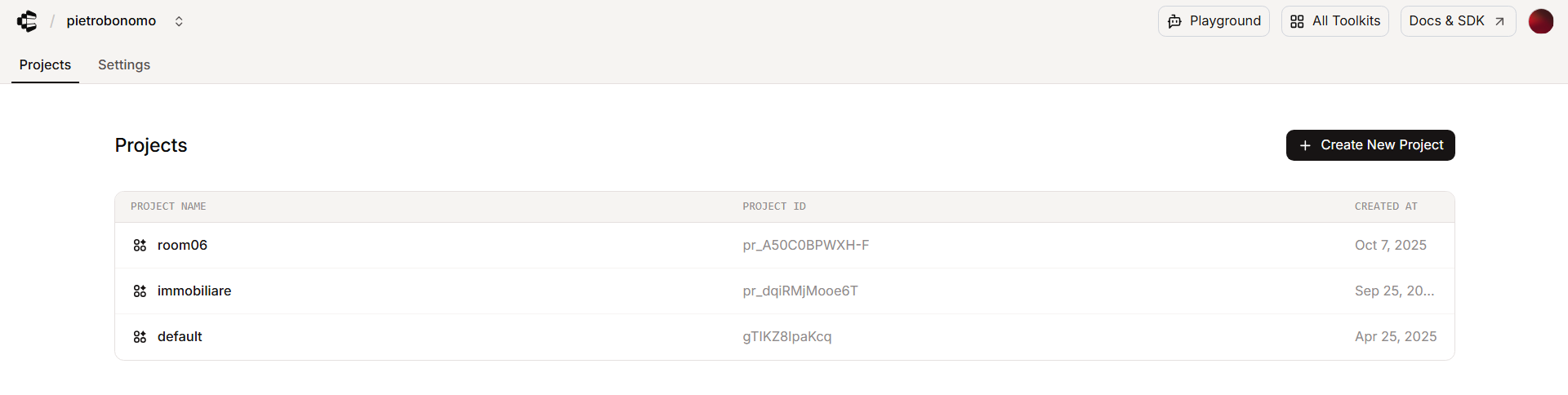
After creating the usual free account and grabbing the usual API key (setting>new api key), we create a new project
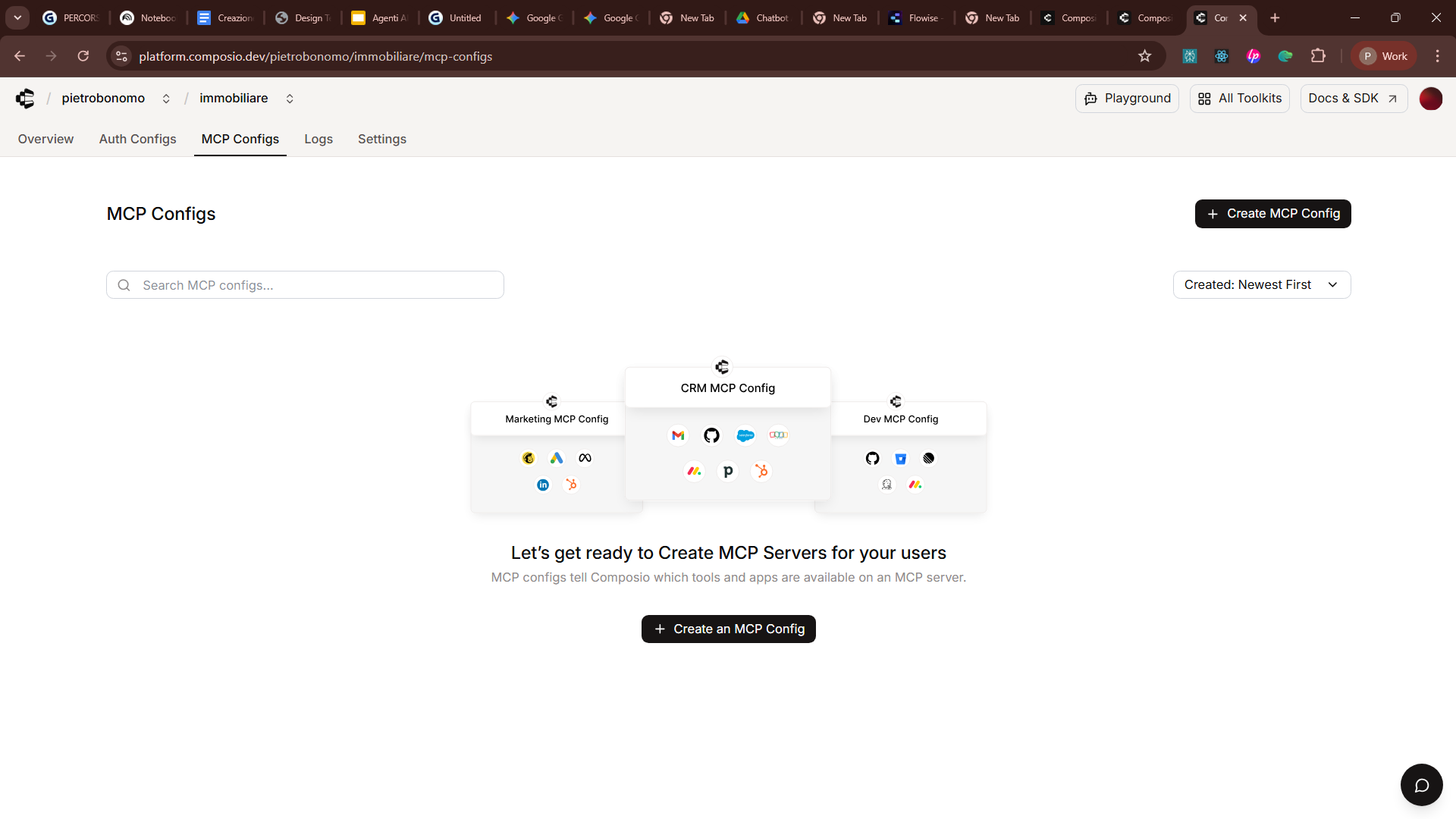
Select MCP Configs
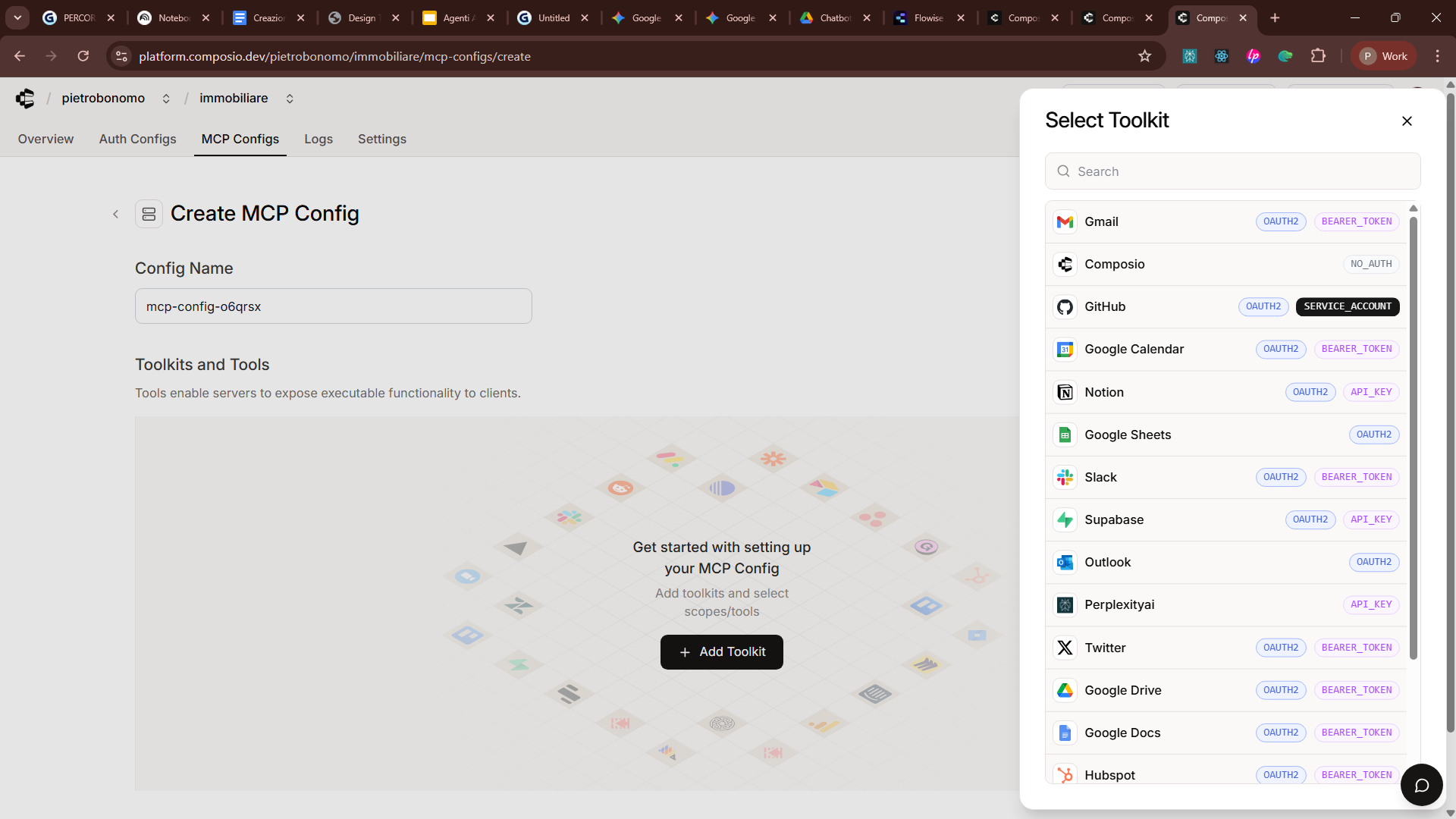
Select the app you want to connect to
Connect
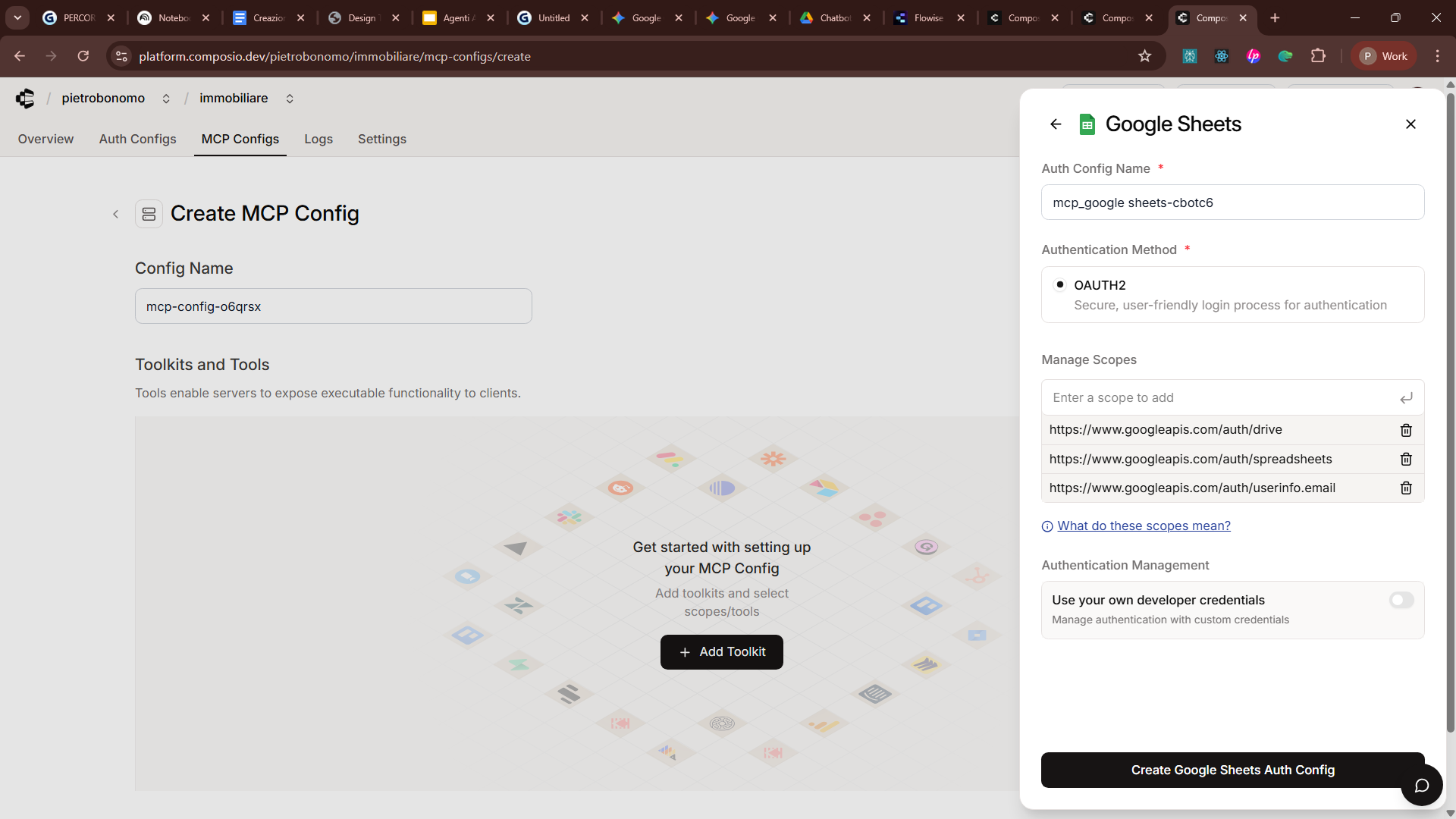
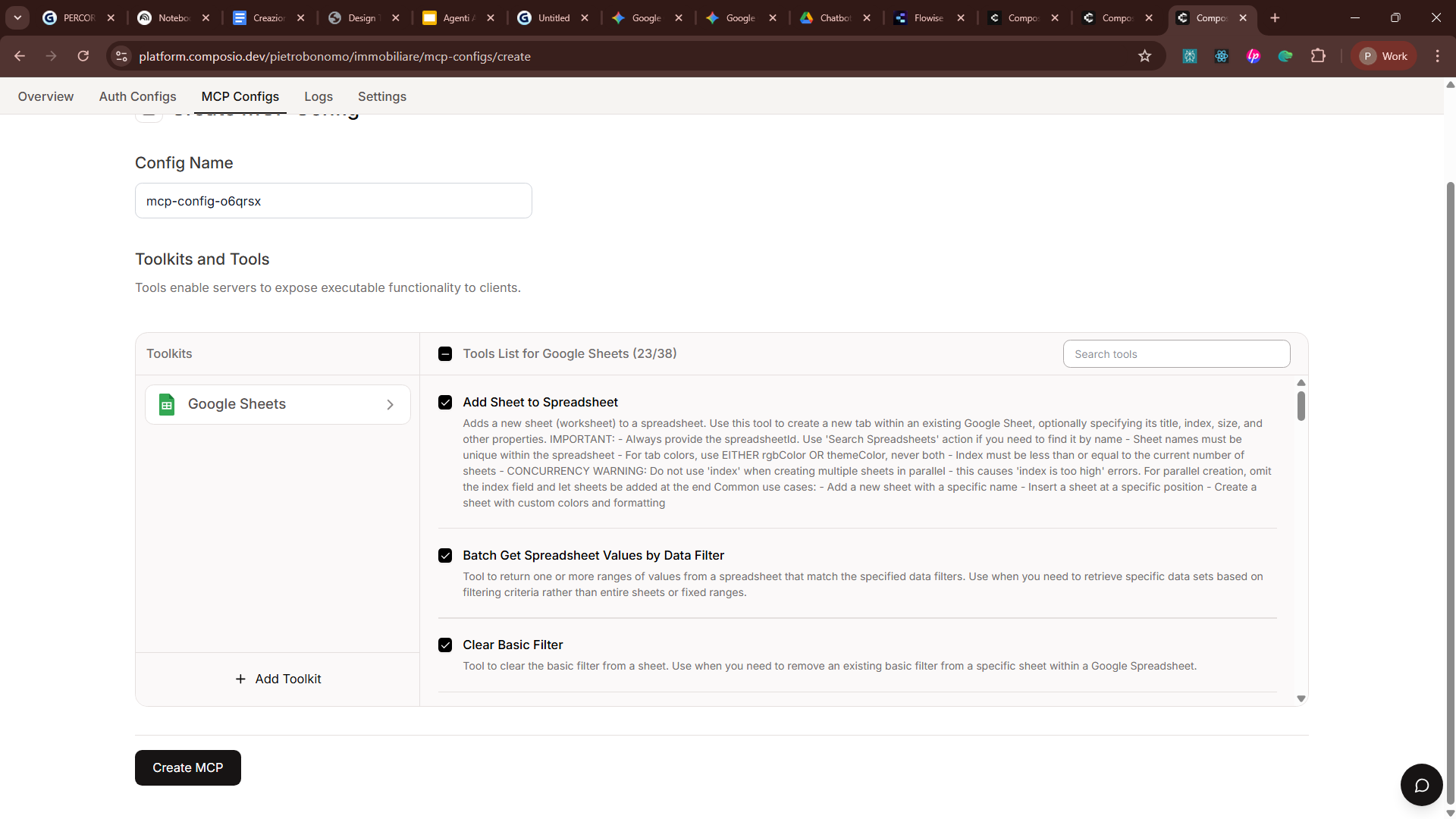
Select the actions you want to authorize (I leave them all on)
For User ID, type "default"
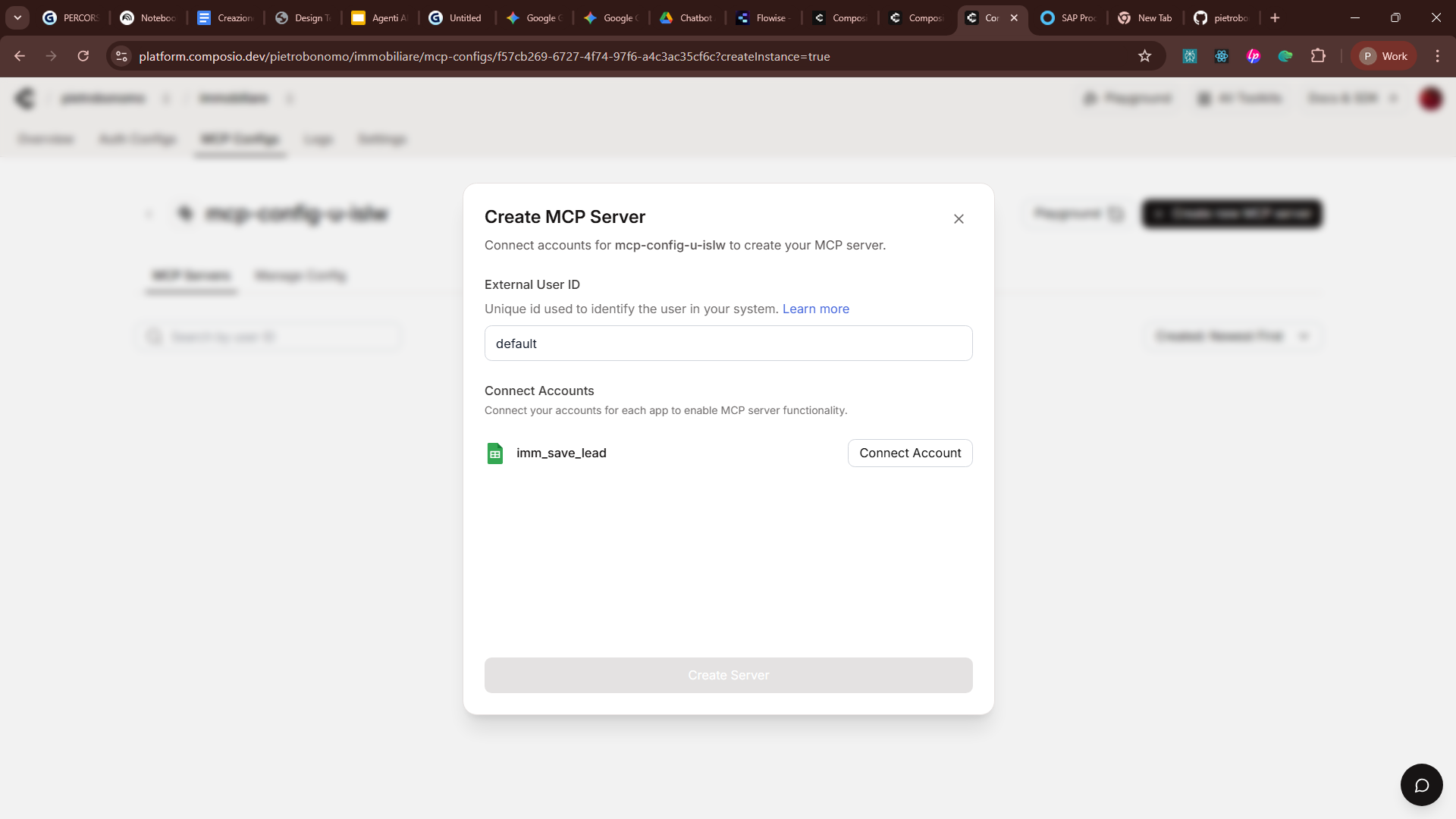
Finally, create the server and you're ready to connect to Flowise.
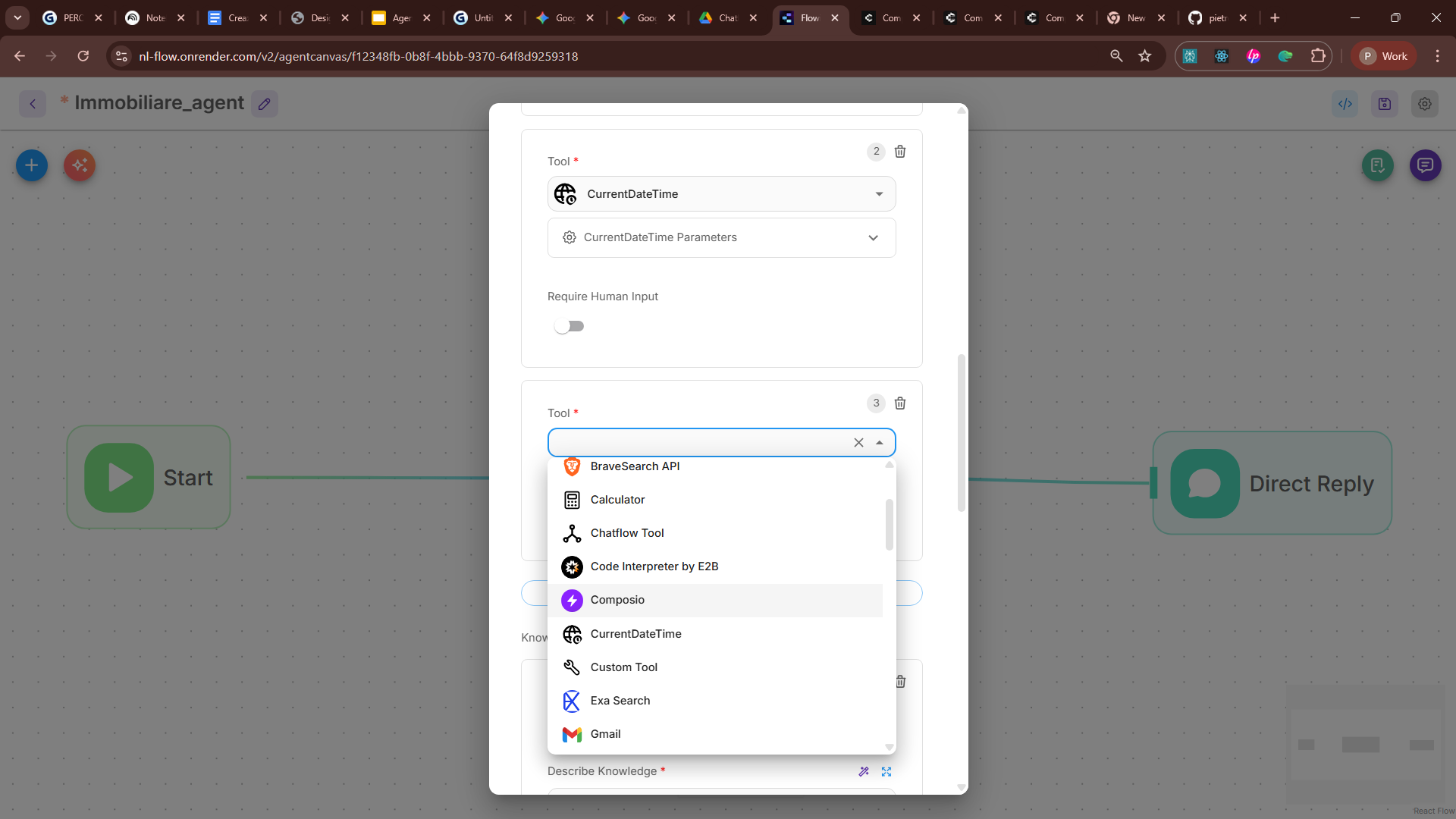
enter your credentials (the usual API Key)
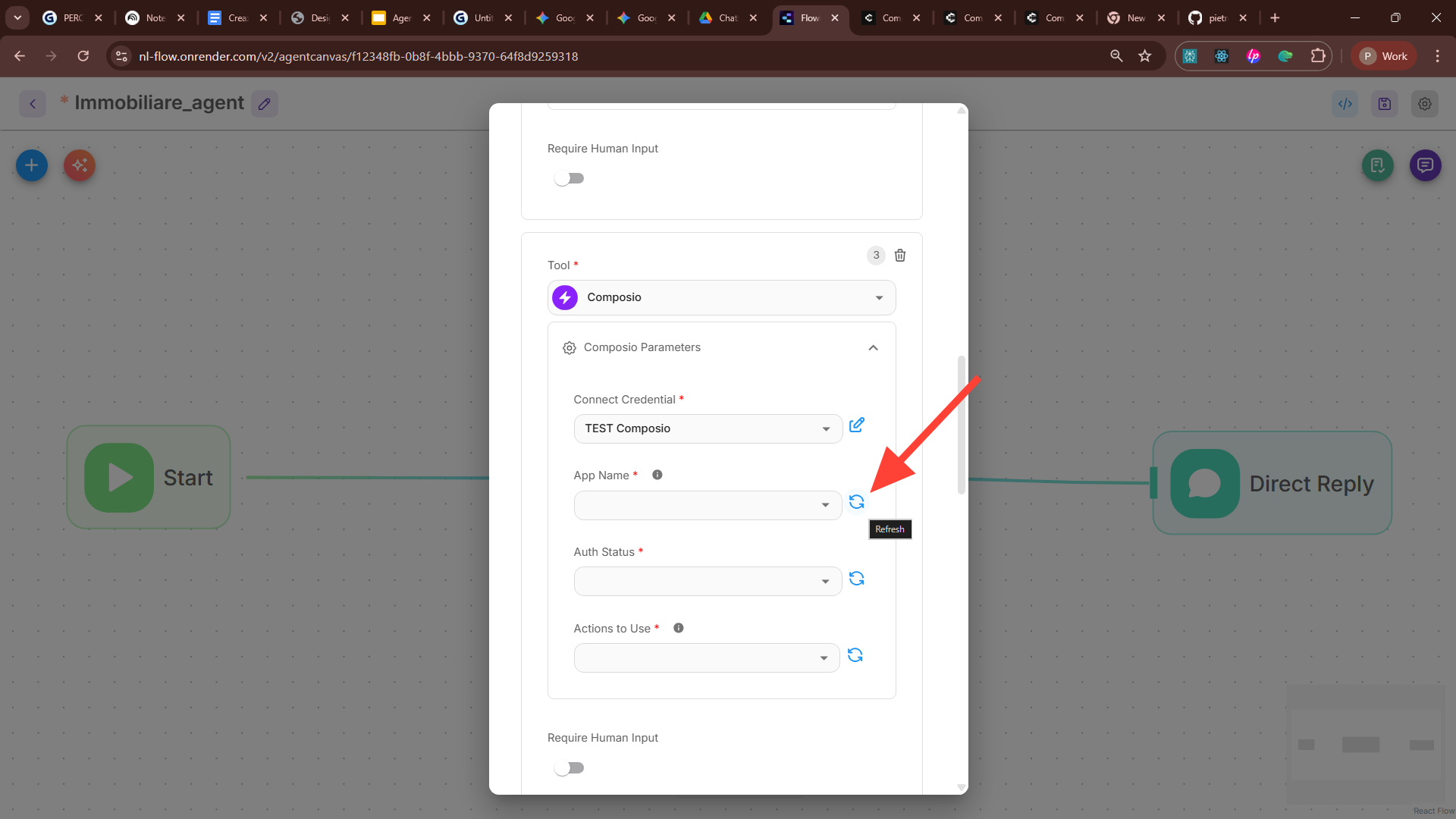
Click refresh and you'll see it connect to our MCPs, and you can pick the actions you need to perform.
Prompt Engineering
This is the heart of it all: get this wrong and your agent will give nonsense answers. Since I'm guessing you're not a prompt engineer, here's an almost magical one to copy and paste.
Conversation Persistence: Beyond Amnesia
An agent with no memory is only good for one-off, disconnected tasks. To build relationships, run sales processes or provide ongoing tech support, the agent has to remember.
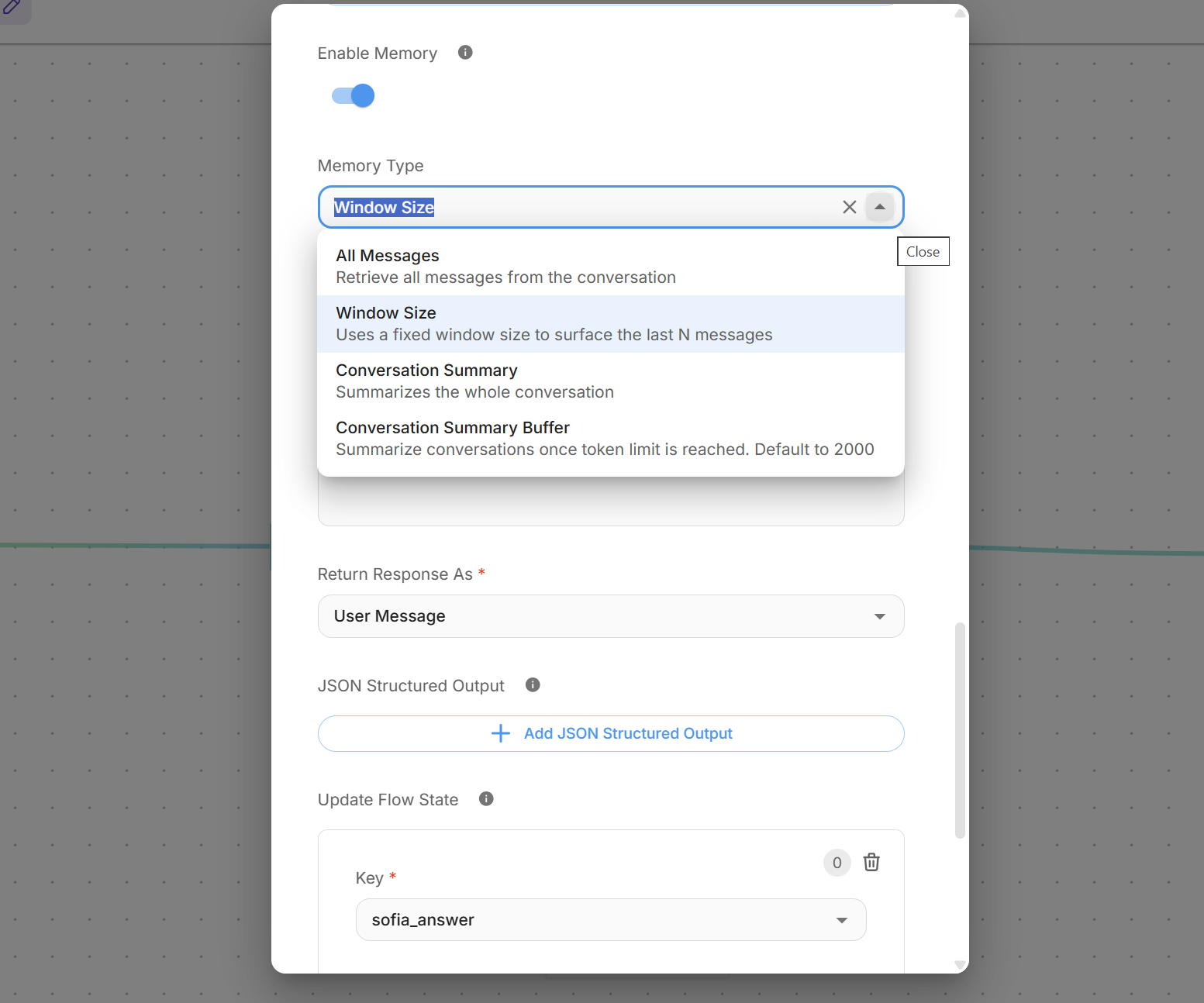
You choose the memory based on the kind of conversation you expect, the token budget the model can handle and the money you're willing to put in.
Done! Your first advanced agent is ready to be integrated
To save you more work, you can download the Complete Flow here and import it into Flowise:
Sofia, the 24/7 real estate agent
Christmas gift!
The prompt-by-prompt guide to building your marketing campaign with AI

If you found this useful, help me grow. The goal is to become a large, knowledge-hungry community, so we can ask companies for discounts, early access, event invites, funding to keep the project going and perks for Marketing Hackers members. Membership will always be free.
The more of us there are, the more we'll get. So if you like the project, share it with your colleagues and friends and invite them to sign up, so the knowledge spreads and nobody gets left behind.
Cosa ottieni iscrivendoti:
- Accesso a tutti gli episodi della newsletter
- Guide e corsi completi sull'AI per marketer
- Strumenti AI professionali (BrandPix, Short Video Suite)
- Crediti gratuiti per iniziare subito