ChatGPT: from a simple chat to a place where real work gets done
By now even the rocks have heard of ChatGPT. So why write this guide? Two reasons.
The first is that it keeps evolving, and fast. The technology moves and people, inventive as ever, keep finding new use cases. We spot them every day thanks to the "Marketing Hackers Intelligence", newsletter. If you haven't subscribed yet, now's the time.
So I'll keep this guide updated with new techniques and features.
The second reason is that it's free. Anyone, with some limits, can use all the features that used to be reserved for paying users.
ChatGPT has three types of users: Free, Plus and Team.
- Free users: they get every feature, but the number of messages they can send to GPT-4 is capped. Once they hit the limit, they're moved to GPT-3.5, the dumber cousin.
- Plus users: they get the same access as Free users, minus the message cap, so they can use GPT-4o almost without limits.
- Team users: they get full access to every feature inside a shared workspace, where they can share memories, Custom GPTs and chat history.
As usual, I'll keep things short and practical, and go deeper only where it's needed. We already covered ChatGPT in general in Getting Started with ChatGPT: Everything You Need to Know. If you've never heard of ChatGPT, start with that guide.
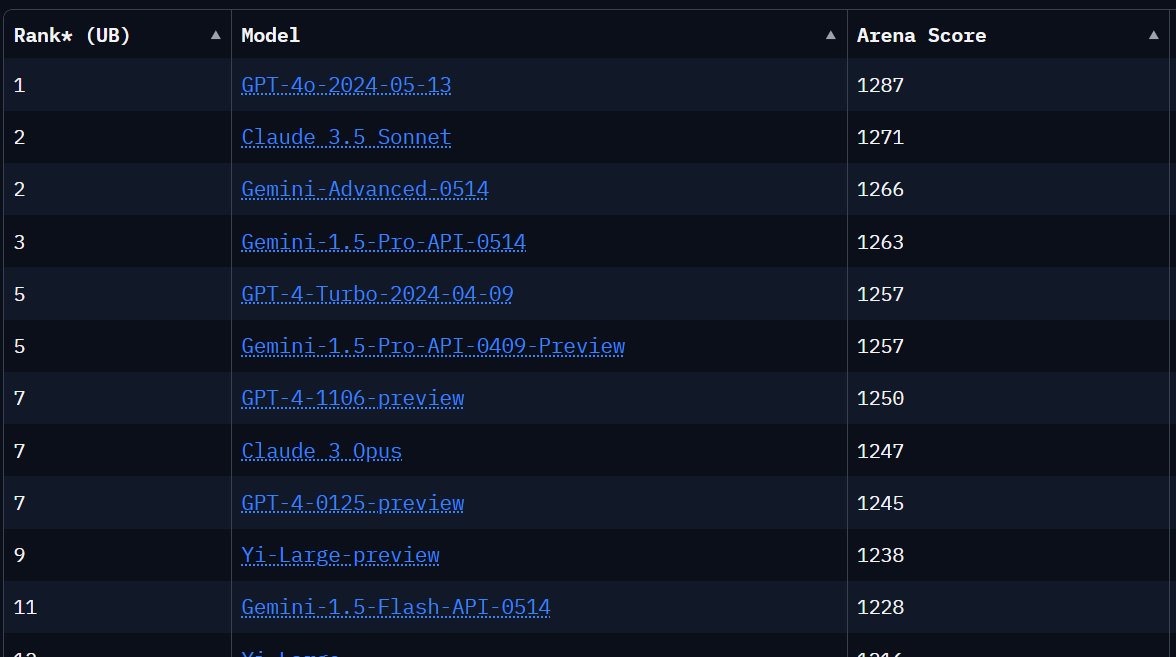
How does ChatGPT stack up against the competition today? Does it still matter? Is it still the best?
This is the leaderboard as of July 4, 2024, according to Arena Leaderboard. The most advanced model behind ChatGPT, GPT-4o, is still on top, with Anthropic's Claude close behind.
What can it do?
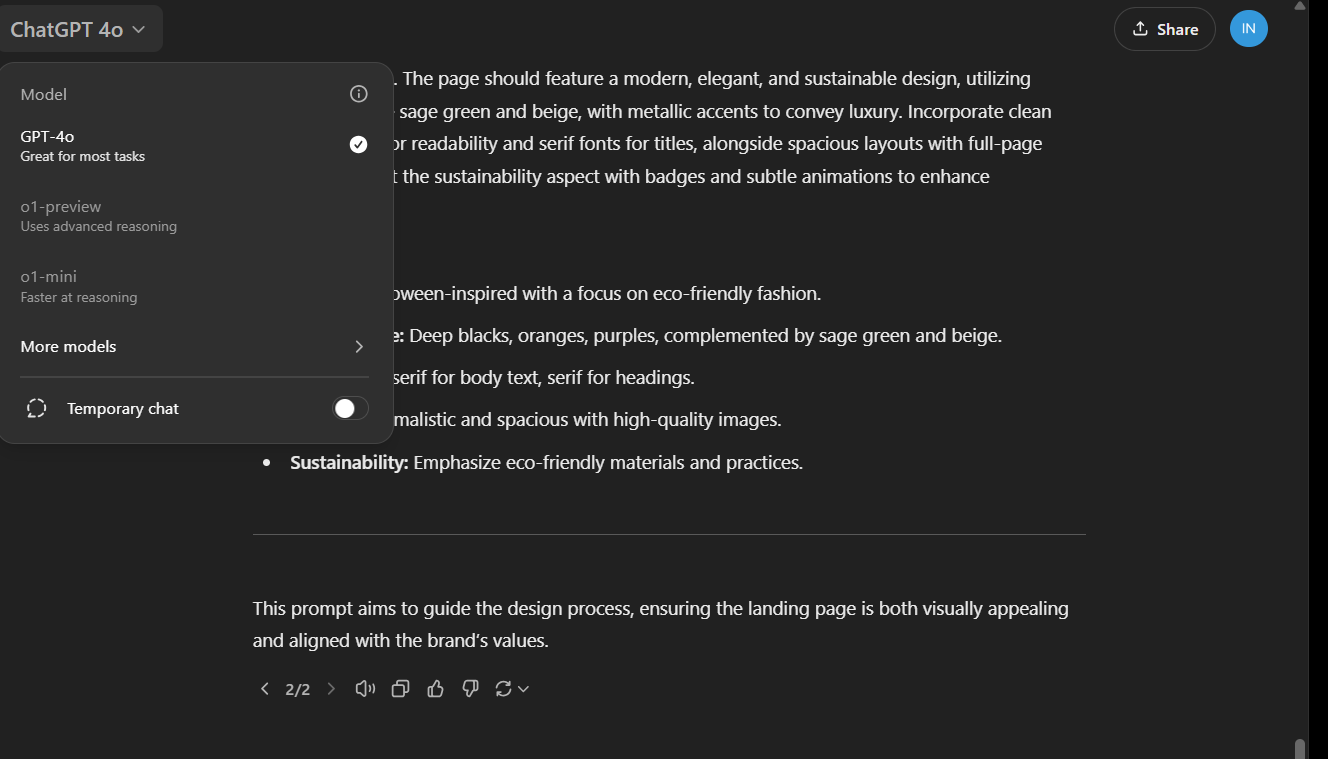
ChatGPT is a tool, not an AI model: it wraps a set of features around an AI model. At the time of writing, the main model built in is GPT-4o, which understands and generates text, voice and images.
With the power of OpenAI's models and ChatGPT's features, you can
- Get answers from both the model and the web
- Analyze data and build charts
- Talk about the photos you take
- Upload files and get help summarizing, writing or analyzing them
- Discover, create and use GPTs and the GPT Store
- Get a more useful experience with Memory
- Write and run code
On September 13, 2024, new models called "O1 Mini" and "O1 Preview" were added in beta, launched by OpenAI as part of its new O1 family of AI models. These models mark a major step for artificial intelligence, with the goal of bringing human-like reasoning to a level of access and accuracy never seen before.
O1 Mini is built to cut costs without losing effectiveness. This compact model gives users access to advanced technology that, until recently, only a small group of specialists could use. With stronger skills in areas like math and programming, O1 Mini is a great fit if you want a powerful AI tool on a tight budget, and it could change how people use AI in fields like education, research and innovation.
On September 13, 2024, OpenAI released a preview of the "O1 Mini" and "O1 Preview" models, kicking off a new chapter for AI. These models raise the bar for how accessible and accurate AI can be. O1 Mini is built for people who want power at a good price: it delivers advanced capabilities for less, opening AI up to fields like education, research and innovation. O1 Preview, on the other hand, pushes the limits of creative work with AI, with top performance and almost human reasoning. Both models are only the start: they'll soon get features like browsing and file uploads.
Vision
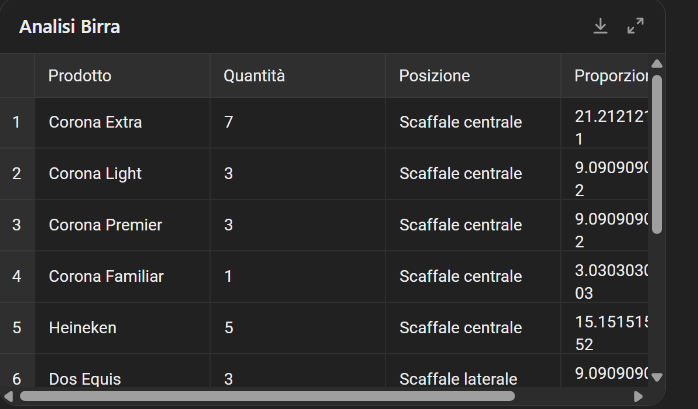
GPT-4o can understand and discuss the images you share. For example, you can snap a photo of a billboard in another language and talk to GPT-4o to translate it, identify the company or find information about it. Or you can photograph supermarket shelves and ask which products are in the picture and how they're laid out.

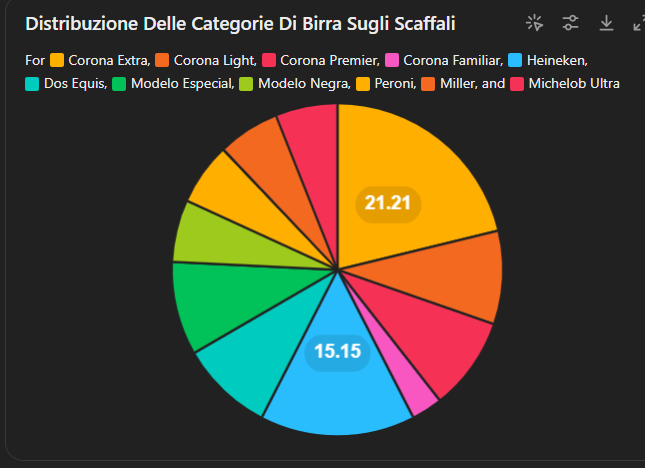
If you're curious about the tech behind ChatGPT's vision capabilities, you can read more here: GPT-4V: the third eye. What you can do with ChaGPT's Computer Vision.
Voice
Voice capabilities have opened up even more ways to interact with ChatGPT, which now supports 50 languages. Users can have voice conversations through the mobile app. You can dictate, talk back and forth or have it read a text to you.
Ephemeral Chat
Another major update is Temporary Chat, which lets users have private, non-persistent conversations that aren't saved to their history or used to train the models. It's ideal if you care about privacy or just want a quick, throwaway exchange with ChatGPT.
Managing your privacy
You can also opt out of model training, especially if you're working on a confidential project and don't want someone to find out about it by asking ChatGPT about you (this really happened).
How to turn off OpenAI model training
Memory
OpenAI has focused on improving ChatGPT's memory. This feature lets the AI remember details from past conversations, so future chats feel more personal and get to the point faster.
Users have full control over what the AI remembers and can manage or delete those memories as needed. For example, I've saved all my company's details, and I can ask ChatGPT to pull them up whenever I want. That saves me a lot of time.
How ChatGPT memory works
When you want ChatGPT to remember something, just tell it to. Sometimes the tool decides to remember things on its own, quite arbitrarily. Under Setting>Personalization>Manage, you can delete what you don't want it to keep.
CustomGPT
A while ago OpenAI added the option to create custom GPTs. They're simply versions of ChatGPT trained for specific tasks, and you can connect them to the world outside ChatGPT through APIs, calling specific services to pull in information.
For example, you could connect to a business registry's API, pull your competitors' data and analyze it right inside ChatGPT.
You can keep your GPTs to yourself, share them through a link or publish them on the GPT Store, which is a directory of all public GPTs. If you have a Team account, you can also share them with your team.
I say directory and not marketplace, as OpenAI calls it, because they promised revenue sharing and so far we've seen nothing. They can help with SEO, since they rank well. At least for as long as SEO exists.
 Pietro Bonomo

One really handy feature is that you can call your Custom GPTs from inside the general chat and get answers exactly the way you want, without ever leaving the conversation. For example, the GPT I use most is GPT-ProEditor: Your Personal Assistant for Editing Italian Text and this is how I call it up when I need it:
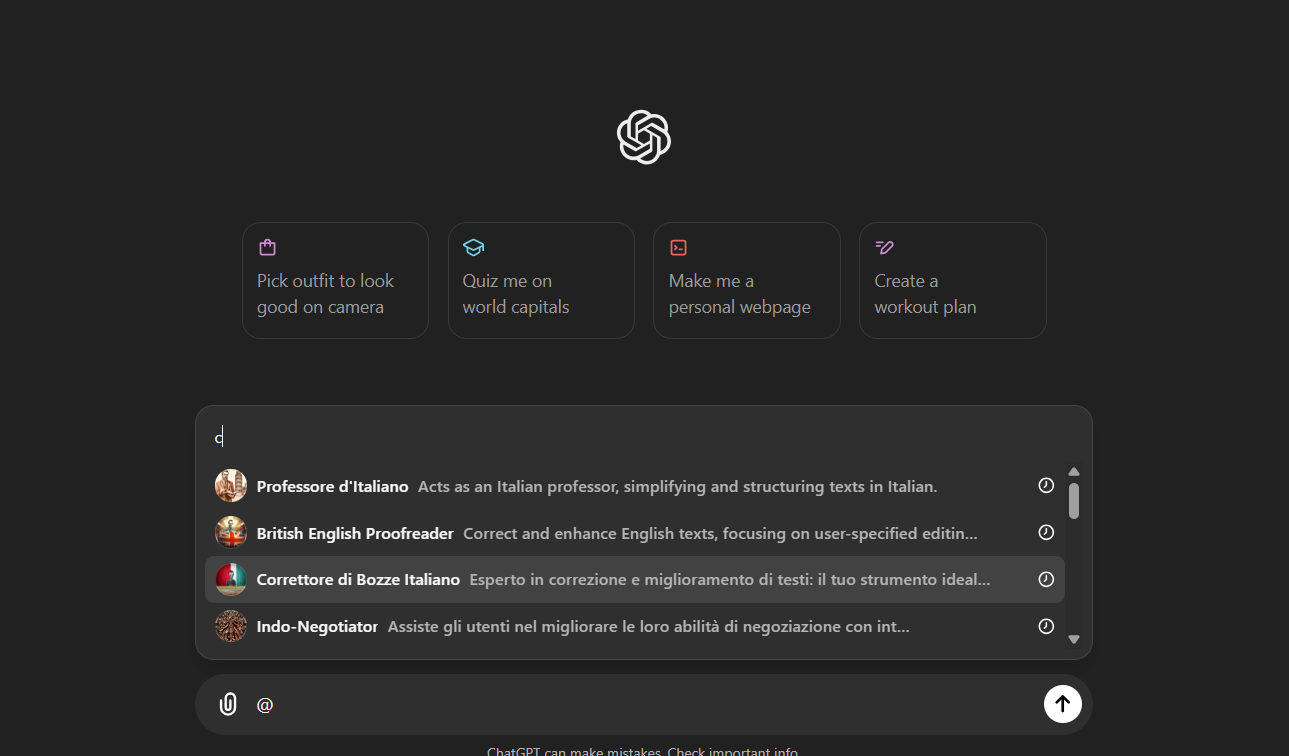
Type @ and I get the list of all the GPTs I've built. I have a lot of them. How about you?
Customizing the General Chat
As I showed you, we can build fully custom GPTs, but we can also customize the general chat by giving it a role and some behavior guidelines.
If you're not familiar with the topic, I recommend this guide:
Pietro Bonomo
Just go to Customize ChatGPT and tell it how to behave
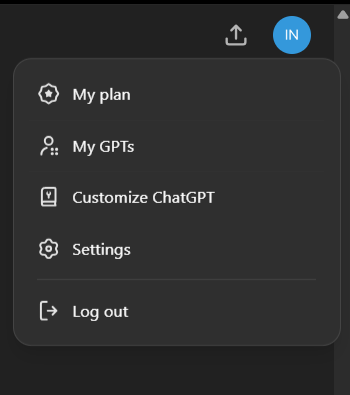
I use it to set stop-words, the words ChatGPT tends to overuse, like delve, cutting-edge, however, in essence...
Working with your files.
You can work with the content of your files by uploading them directly or by connecting ChatGPT to your Google Drive or Microsoft OneDrive.
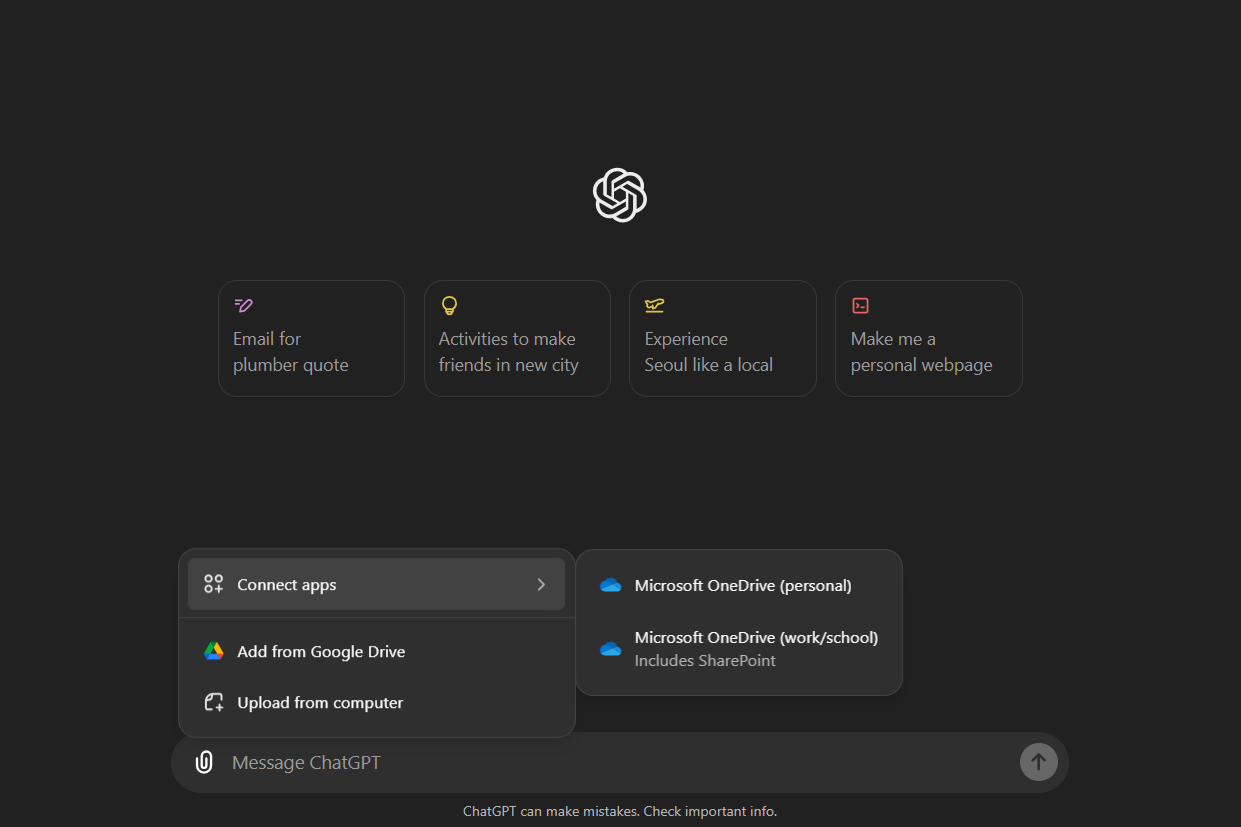
There's a lot you can ask ChatGPT to do with your documents: build an interactive chart from an Excel file, paraphrase it or summarize it. It all comes down to the prompt.
Speaking of prompts and summaries. A while back I tested and tweaked, with great results, a paper by Salesforce AI, MIT and Columbia University on a technique for writing summaries packed with information. I think you'll find this prompt extremely useful.
Pietro Bonomo
Highlighting
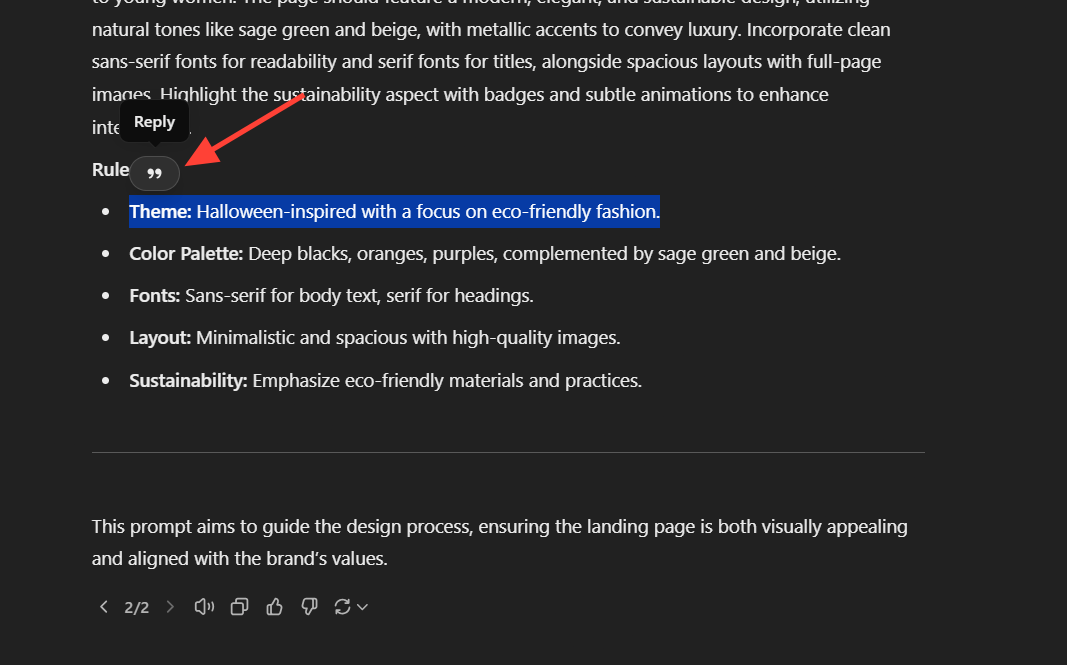
Another useful feature is highlighting, which lets users select specific parts of ChatGPT's answers to ask follow-up questions or request targeted rewrites. It's perfect when you want more detail on a specific topic or want to dig into a point quickly without breaking the flow of the conversation.
Images
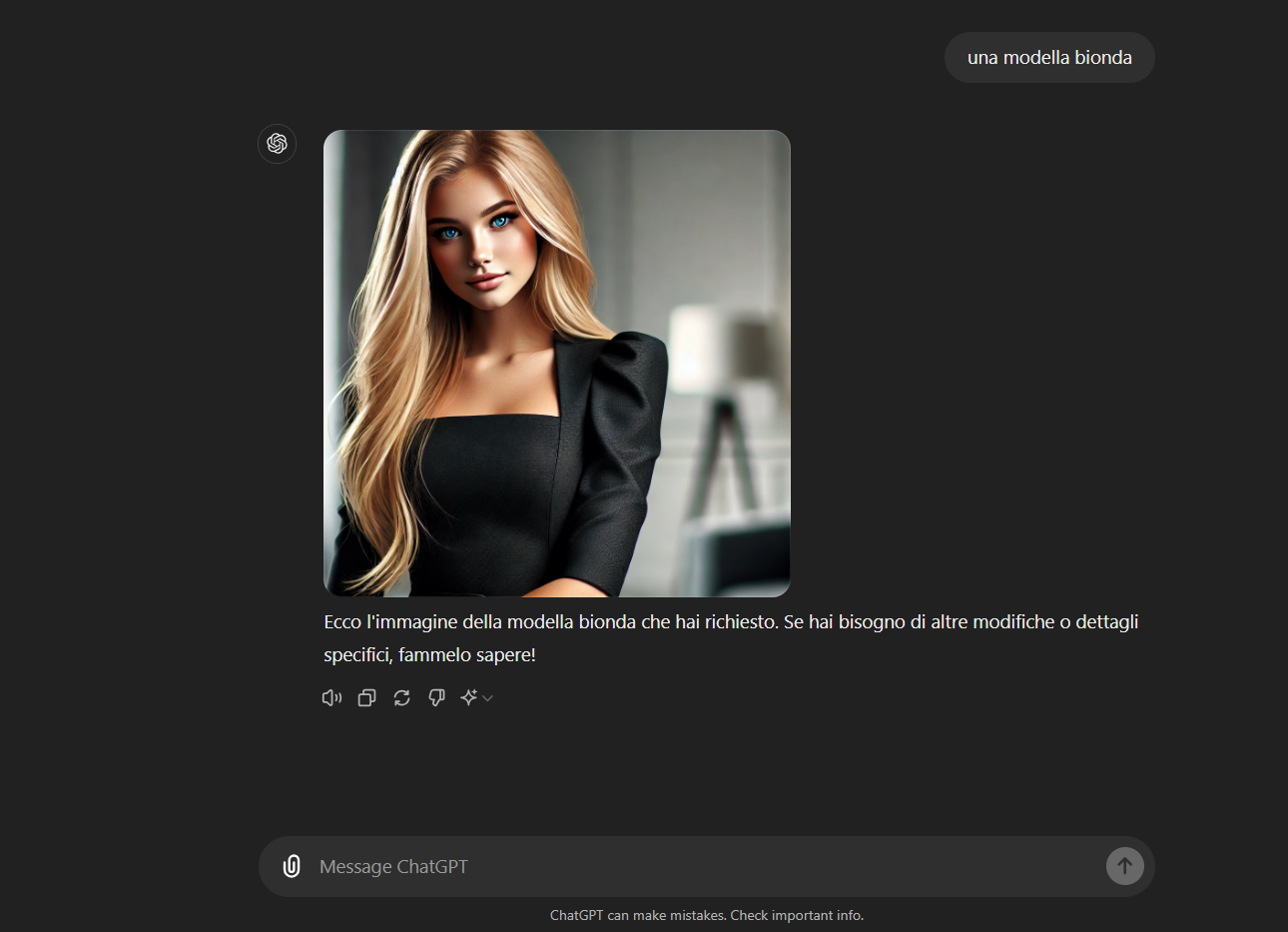
Besides the language model, OpenAI has built an image model, DALL-E, which is built into ChatGPT. In the middle of a chat you can ask it to generate an image and then edit it if you want.
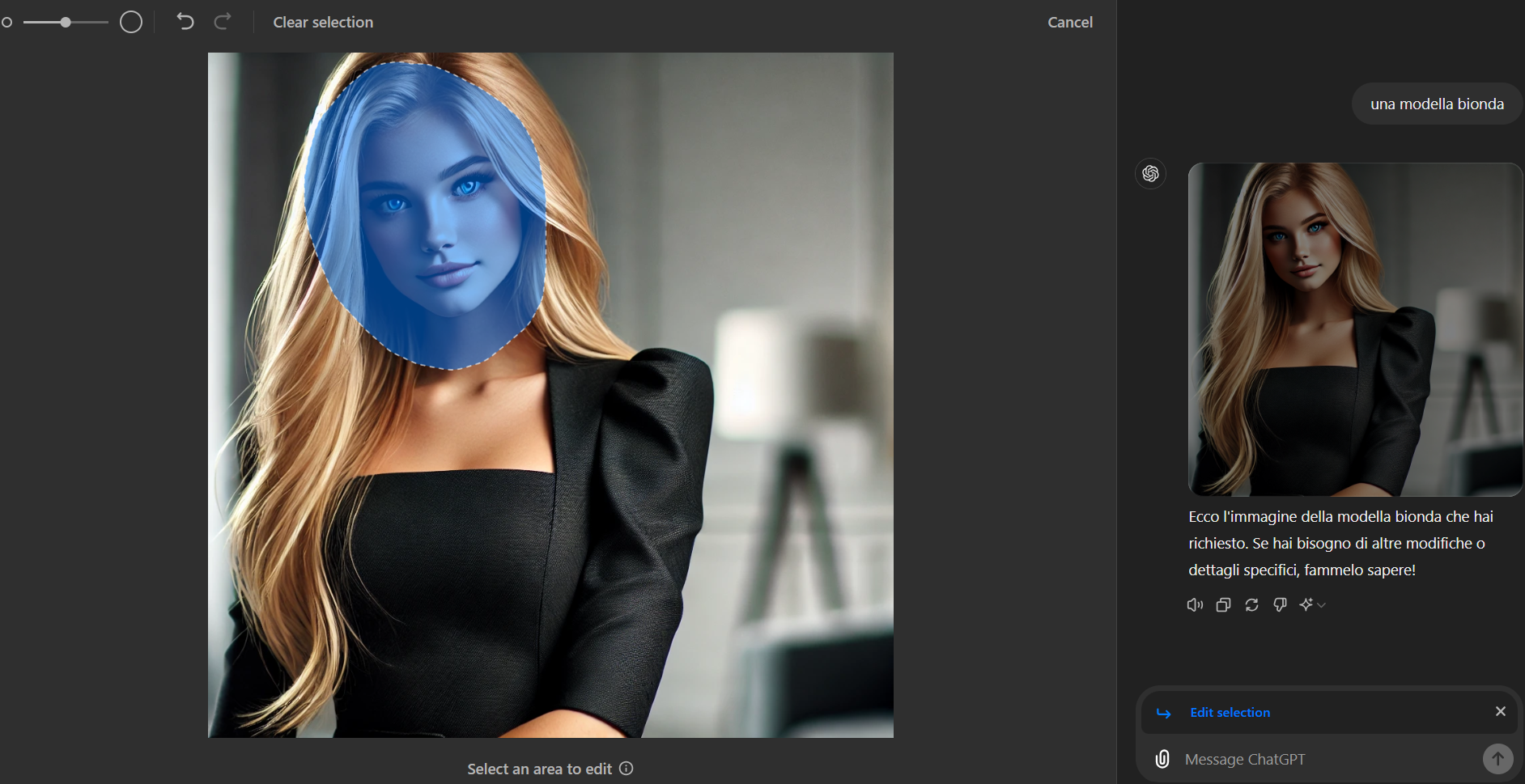
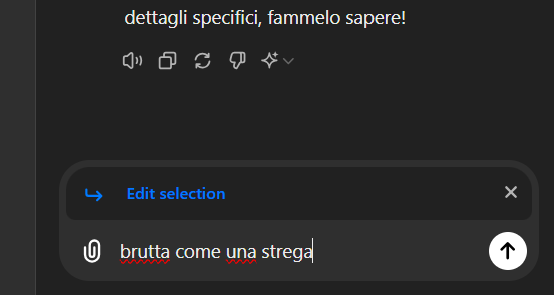
Just click the generated image, select the part you want to change and say how to change it.

Honestly, if you're serious about generating images, this isn't the right tool. There are tools that play in a different league.
Canvas: use ChatGPT like a text editor
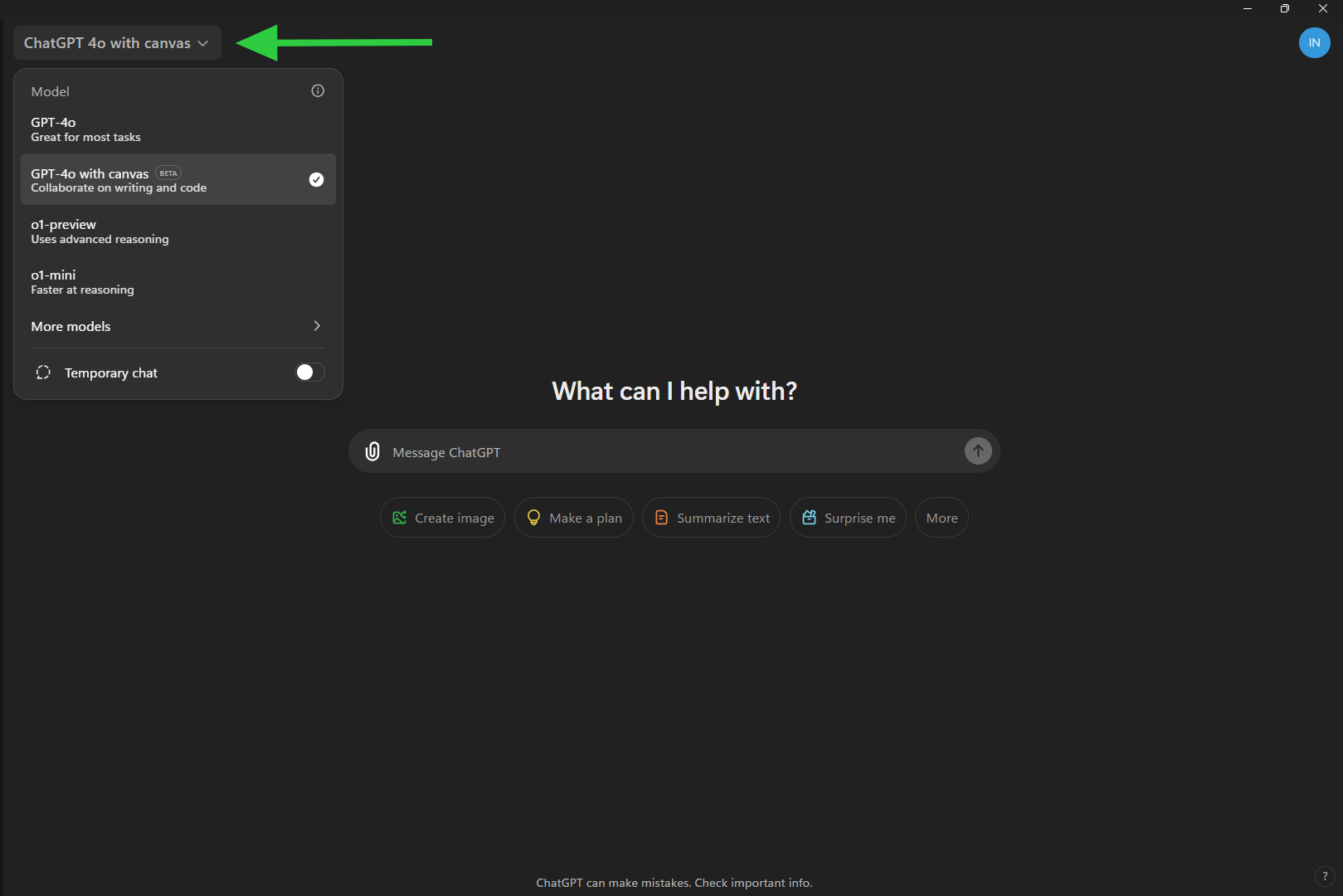
Canvas is an interface that makes ChatGPT even better for writing and coding projects, going beyond the limits of a plain chat. With Canvas, you open a separate window and work together in depth and in a structured way, editing text and code with direct revisions, much like you would in a text editor.
With Canvas you can do a lot more than chat. You can highlight specific parts of the text or code to show ChatGPT exactly where to focus, and get detailed suggestions and feedback that fit the context of the project. Built-in shortcuts let you quickly do things like shorten the text, change the reading level or improve the code by adding logs and comments for debugging.
Adjust the length of the text
Add emoji
Canvas gives you full control of the project: you can edit the text or code directly, ask for targeted revisions or restore earlier versions with a single click. For example, if you're writing a complex document, you can ask ChatGPT to add a "final polish" to improve grammar and clarity, or to suggest changes that get you to the level of professionalism you're after.
Change the reading level of the text to match who will read it
Edit or format the text inline, by hand or by asking ChatGPT
...and add the final polish before you publish
On top of the usual text editor tools, like going back to a previous version, viewing changes and copying the text.
move back and forth between versions, view changes, copy the text or code
For coding projects, Canvas helps you improve your code. It can add comments, suggest changes for efficiency or readability, fix bugs and even translate the code into other languages like JavaScript, Python or C++. This makes working with ChatGPT more productive and intuitive, a kind of virtual teamwork that goes beyond plain text answers.
Desktop App
OpenAI has also launched a new ChatGPT desktop app for macOS and Windows, designed to fit right into everything you do on your computer. With a simple keyboard shortcut (Option + Space), you can ask ChatGPT a question instantly. You can also take screenshots and discuss them right in the app.
You can now have voice conversations with ChatGPT straight from your computer: tap the headphones icon in the bottom-right corner of the desktop app to start one.
Chat History Search
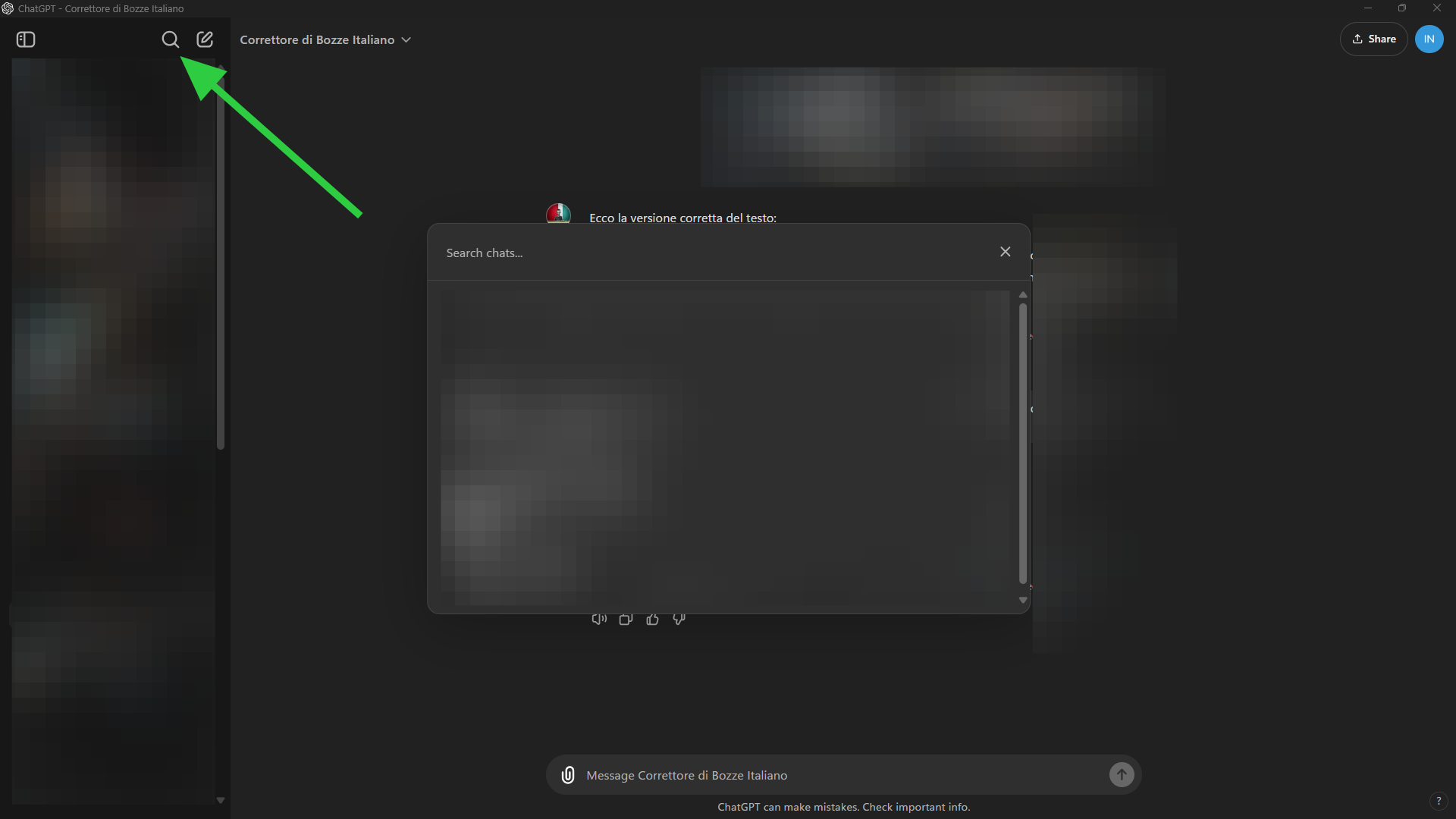
With chat history search, OpenAI lets you find your old ChatGPT conversations by keyword. It's handy for digging up ideas and projects, but be careful: privacy isn't guaranteed, because of how conversation data is handled. If you're working on secret projects, you're better off turning history off in the settings.
In essence, as ChatGPT would say...
I'd say I've covered every feature you're likely to need, plus a few tricks of the "trade", if you can call it a trade when it's been around for everyone for less than two years.
Models keep getting better at understanding what users ask, but the prompt is still what separates amateur use from a professional approach.
On that note, I put another paper through the wringer, this time by researchers at Mohamed bin Zayed University of AI in Abu Dhabi. It laid out some interesting prompt engineering principles, and I adapted them to chat to build my own system.
Pietro Bonomo
That's all for now, but probably not for long.
If you found this useful, help us grow. The goal is to become a large, knowledge-hungry community, so we can ask companies for discounts, early access, event invites, funding to keep the project going and perks for Marketing Hackers members. Membership will always be free.
The more of us there are, the more we'll get. So if you like the project, share it with your colleagues and friends and invite them to sign up, so the knowledge spreads and nobody gets left behind.
Stay Tuned!
Cosa ottieni iscrivendoti:
- Accesso a tutti gli episodi della newsletter
- Guide e corsi completi sull'AI per marketer
- Strumenti AI professionali (BrandPix, Short Video Suite)
- Crediti gratuiti per iniziare subito