
How many times have you had a good idea, even a simple one, only to remember that we live in a digital media matrix built out of lines of code, while you were trained on Excel, gut instinct, pen and paper and so on. Basically, Machines vs. Humans.
At that point you need a programmer. There are two kinds of programmers: the good one who works at Apple, and the s***ty one who muddles through. Not much in between.
Your idea doesn't call for an Apple-level programmer, because building it would cost too much, and the s***ty programmer would drive you to the madhouse and turn your idea from revolution into tragedy...
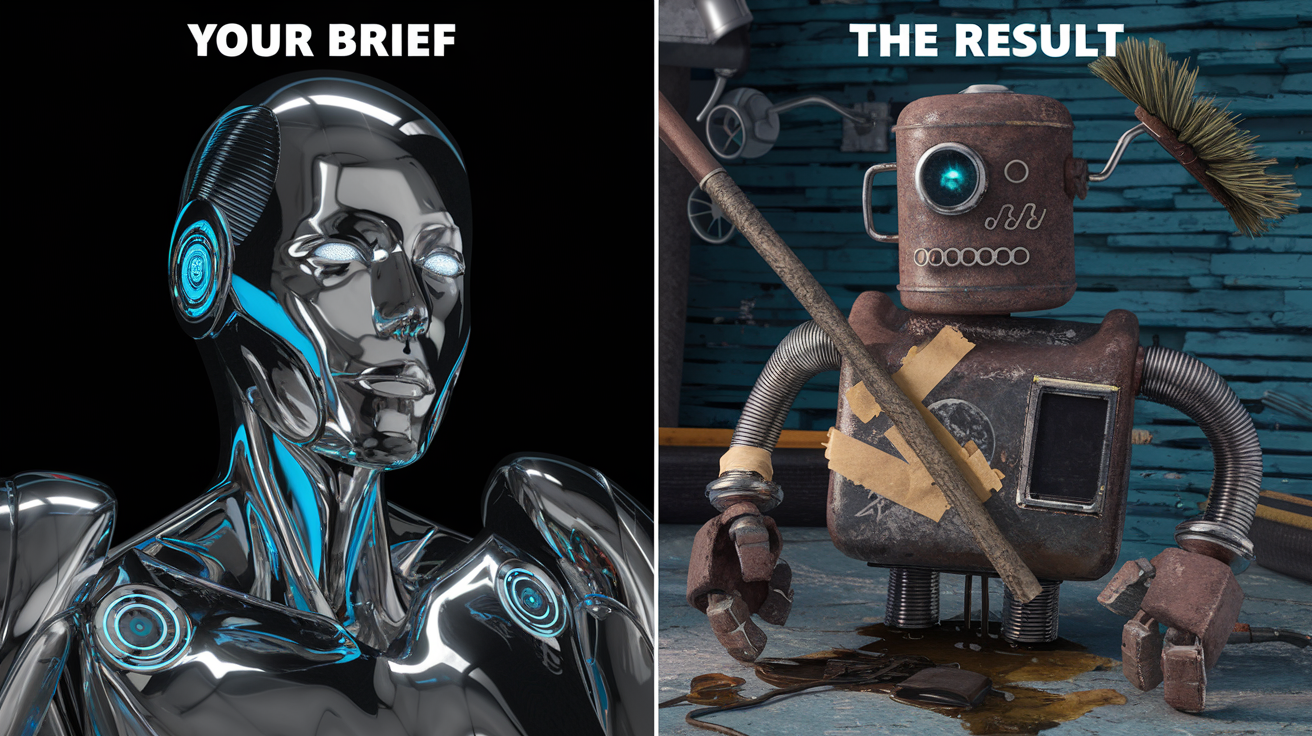
So all that's left is to bottle it up and talk it over with your therapist. Well, that was true until a few months ago, or at least until you read this guide. Now, thanks to three things that have changed, and keep changing, the way we use AI and work – models specialized in code, agents and IDEs for programming – we can become "programmers" without knowing anything about code, and the s***ty programmers can become "good enough" to build our ideas decently, in a reasonable time
We already know models can write code. Now imagine having an AI copilot that doesn't just complete or write your lines of code, but understands the context of your project and suggests new solutions. This isn't science fiction. It's what the new agents and coding platforms already offer. There are plenty of them out there, of varying quality. Today we're talking about Cursor.
With more than 40,000 active users, including many programmers at OpenAI, Cursor promises to automate up to 95% of the code-writing process, freeing programmers to focus on the more creative and strategic parts of software development. But how does this technology actually work, and what does it mean for the future of programming?
This guide is all about Cursor. From its origins as a fork of Visual Studio Code to its evolution into a powerful tool for collaboration and automation, all the way to my personal method for building apps even if you can't code.
Whether you're a budding programmer or a marketer interested in the latest tech, this article will give you valuable insights on how to start building software, bring your idea to life and test it fast.
Key concepts:
- AI Democratizes Coding: models, agents and IDEs like Cursor make programming accessible to non-experts.
- Cursor Highlights: AI-driven IDE built on VSCode, automates 95% of code, Freemium model.
- Benefits for Marketers: marketing automation, API management, dashboard building, small high-impact projects.
- Main Features: .Cursorrules rules, Composer for prompt-driven coding, Notepad for context, Docs integration, AI-powered Git.
- AI Limits: unoptimized code, erosion of human skills, potential bias and vulnerabilities.
In the first section, we'll take a close look at Cursor's architecture, a bit of history, and how its deep integration with artificial intelligence is redefining what an IDE even is.
The origins
With more than 40,000 active developers, Cursor is the product of a bold vision: automate up to 95% of the code-writing process and radically change the way programmers work.
Michael Truell, CEO of Anysphere, shaped Cursor around a clear mission:
"We want to democratize software development, making programming more accessible and efficient through intelligent automation."
That vision caught the attention of respected names like Andrej Karpathy, who called Cursor
"a turning point for developer productivity, able to break down the traditional barriers of programming."
What sets Cursor's architecture apart is its deep integration with artificial intelligence, which goes well beyond simple code completion. The IDE works as a true copilot for the developer, offering context-aware suggestions, automating repetitive tasks and making debugging easier through advanced predictive analysis.
The platform supports real-time collaboration, so teams can work in sync no matter where they're physically located.
Cursor's monetization strategy is classic Freemium. Paid subscriptions open up the advanced features that teams and professional developers need, while the basic version stays free so the technology reaches a wide user base, true to the mission of democratizing coding.
Cursor's impact on software development runs deep. As Karpathy points out:
"Intelligent automation doesn't replace the programmer, it amplifies their abilities, letting them focus on the more creative and strategic aspects of coding."
This philosophy fits neatly with emerging trends in the tech industry, where artificial intelligence is becoming a productivity multiplier rather than a substitute for human talent.
Cursor's open architecture allows integration with many programming languages and frameworks, which makes it a versatile tool for projects of any size. The platform keeps evolving, adding new AI technology based on user feedback and to hold on to its competitive edge in a fast-moving industry.
Anysphere's vision for Cursor is a quantum leap in the evolution of development tools. As Truell puts it:
"We're not just building another IDE, we're redefining the relationship between developers and code, creating a future where programming becomes a more natural and accessible experience."
This quiet revolution in programming is already showing real results, with teams reporting productivity gains of up to 40% after adopting Cursor.
In the next section we'll look at how knowing Cursor, or tools like it, translates into concrete use cases for marketers and industry professionals, showing how Cursor can speed up your workflows, give you skills you don't have and combine them with yours, becoming a real "sliding door" for marketers.
Use cases for modern marketers
For a digital marketing professional, Cursor is a powerful tool that goes well beyond simply writing code – which isn't our goal, because we're not programmers – and becomes an exceptional means to an end.
The editor is especially valuable for automating and improving a wide range of marketing tasks across three main areas: building Chrome extensions, managing APIs, creating analytics dashboards or producing creative at scale.
For example, let's try creating an animated banner for Google.
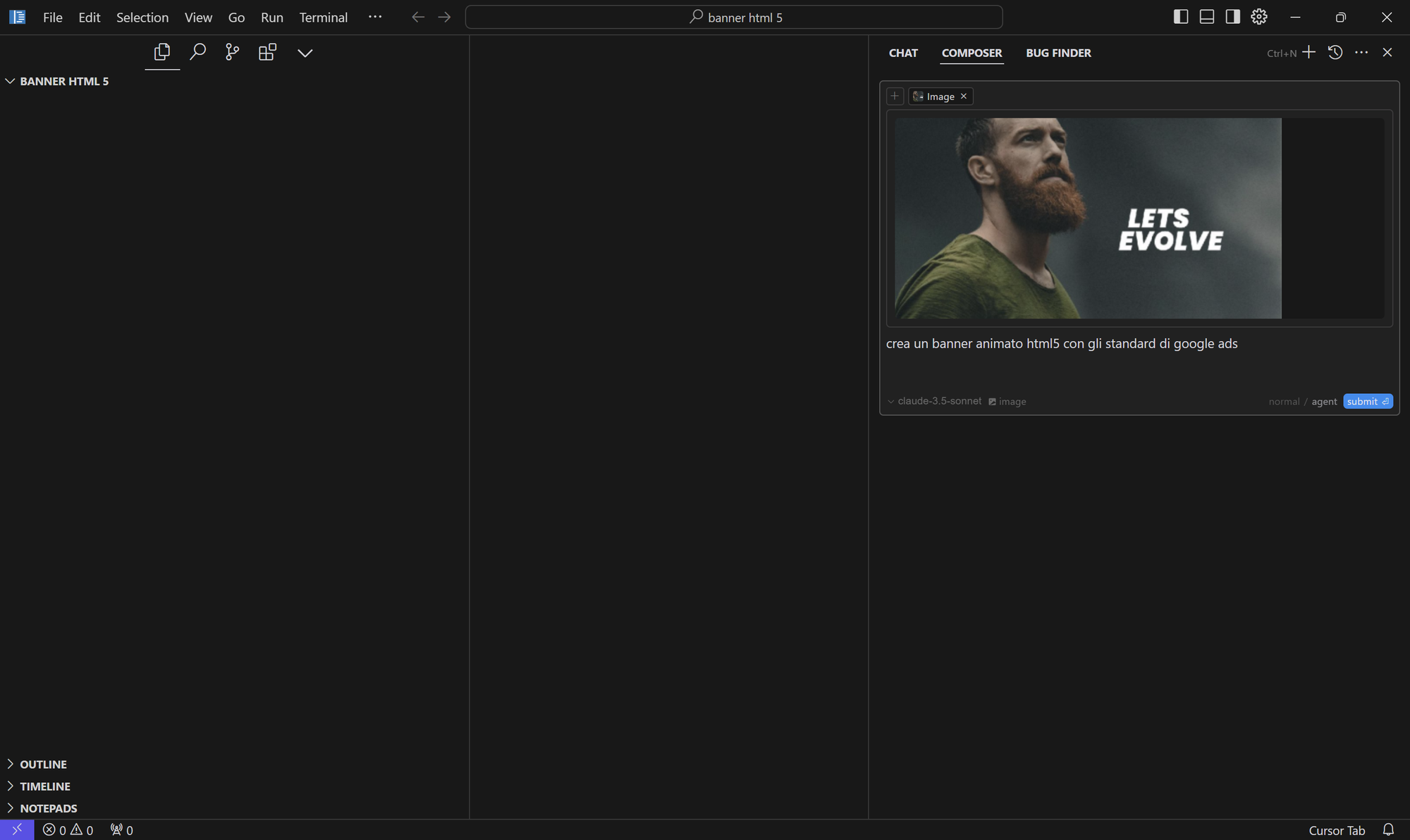 From a simple request and a photo...
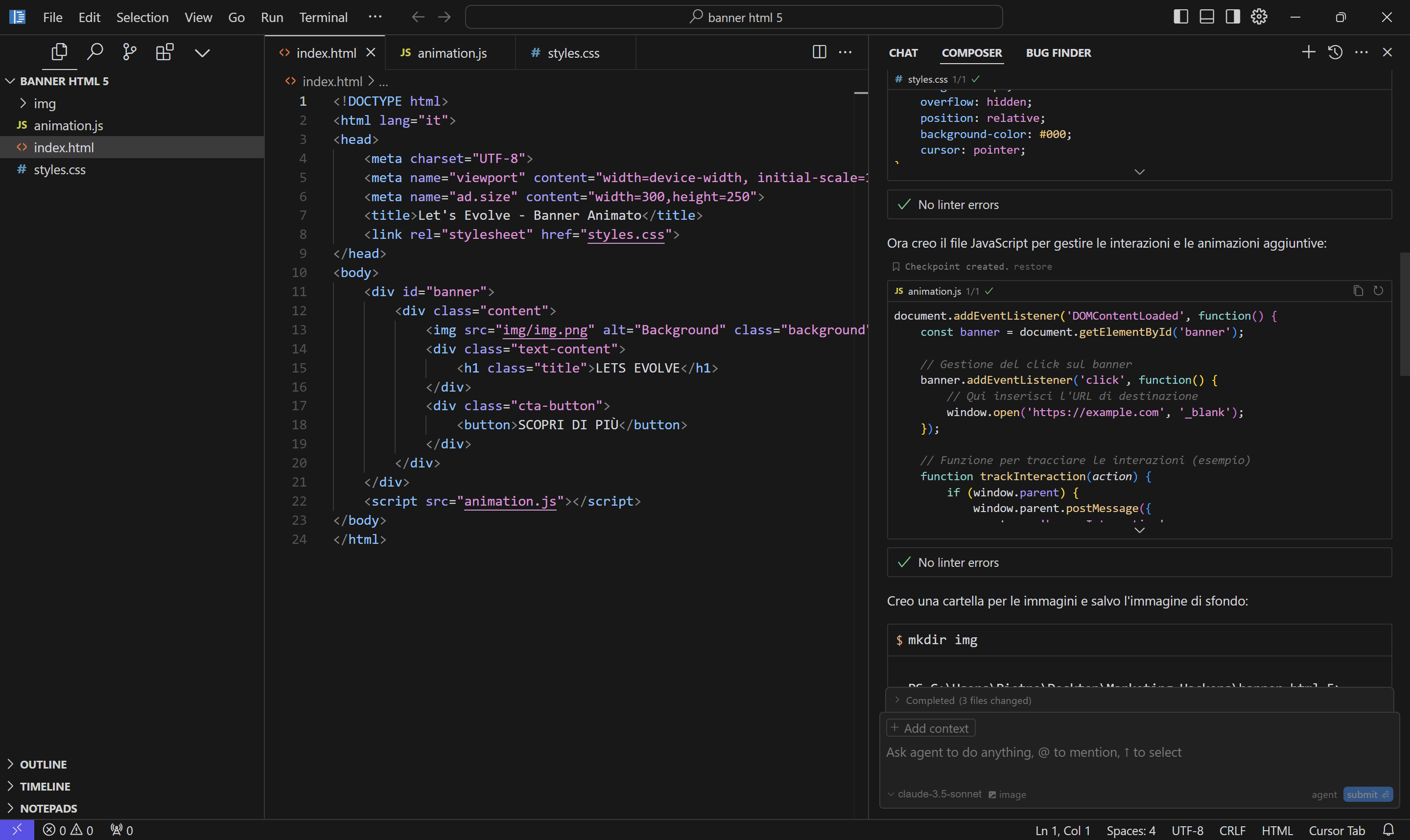 We get the code and...
Net time from request to banner: 10 seconds.
For example, you can build Chrome extensions that pull user comments from a Facebook page while you're browsing it, or extend what some tools can do. Time and imagination are the only limits.
Writing scripts that connect to APIs to pull and process data is perhaps where Cursor can really make a difference for a marketer. The editor makes it easier to integrate tools by building connectors, the basic building blocks of a connected marketing stack. Through APIs you can also automate content distribution on social media, sync data across different marketing platforms and run content syndication strategies at scale. For example, a marketer can use Cursor to build scripts that automate publishing content across several social platforms, keeping it consistent and well timed.
As for building reporting dashboards, Cursor can turn you into a Python Master at handling complex data and visualizing it. You can build custom interfaces that pull data from different sources (Google Analytics, social media, CRM) into a single central view. The editor supports data visualization libraries and frontend frameworks, so you can create interactive, responsive dashboards.
APIs can also be used for market research, connecting to public registry databases to pull data on competitors, like shareholders, revenue, profit and risk profiles. Or you can use them to pull public tenders and grants, finding the ones that best fit your needs, or to enrich your CRM.
As I always say: [Follow the Money]
In the next section, we'll go through the main features and a few tricks I've picked up.
Tips and Tricks to Get the Most Out of Cursor AI - a step-by-step guide
Now that the previous section has covered Cursor's origins, vision and opportunities, let's get into its core features. I want to walk you through them not as the usual list, but as a process: my process.
So I'll talk about features I've tested myself and methods I've refined over countless hours of work and study. I won't go deep into the details: we'll cover those in the Quick Win section, with micro-guides for fast, painless wins.
I'll skip some features, either because they're not especially interesting for a non-programmer or because I don't know them well enough. If you're a programmer, this guide isn't for you.
This is where the public version of the guide ends and we enter the member zone. If you haven't signed up yet, you can do it below in a minute.
Please note: I'm not a programmer. I'm light years away from being one. I'm messy, and my brain runs faster than my thoughts, which pile up on top of each other. My name is Pietro, and I manage to make typos in my own name, all 6 letters of it, 70% of the time. But I have a lot of experience in UX, Project Management, Martech and marketing processes, which lets me understand what I need and what the end result should look like.
I can promise you this: if I've already built 25 pieces of software on my own to automate my work, you can do it too by following these steps.
These apps are how I built my best practices. I'd love to hear yours.
If you don't know me and you're wondering why you should listen to me, take a look at some of what I've done over the last 25 years as a Marketing and Marketing Technology consultant.
As we said, this is an IDE that started life as a fork of Visual Studio Code, inheriting its power and adding AI features on top.
Visual Studio Code (VSCode) is one of the most popular Integrated Development Environments (IDEs) in the world.
As Michael Truell puts it:
"We chose VSCode as our base because it offers an architecture that is robust and familiar to developers, a foundation on which to build our vision of AI-first development."
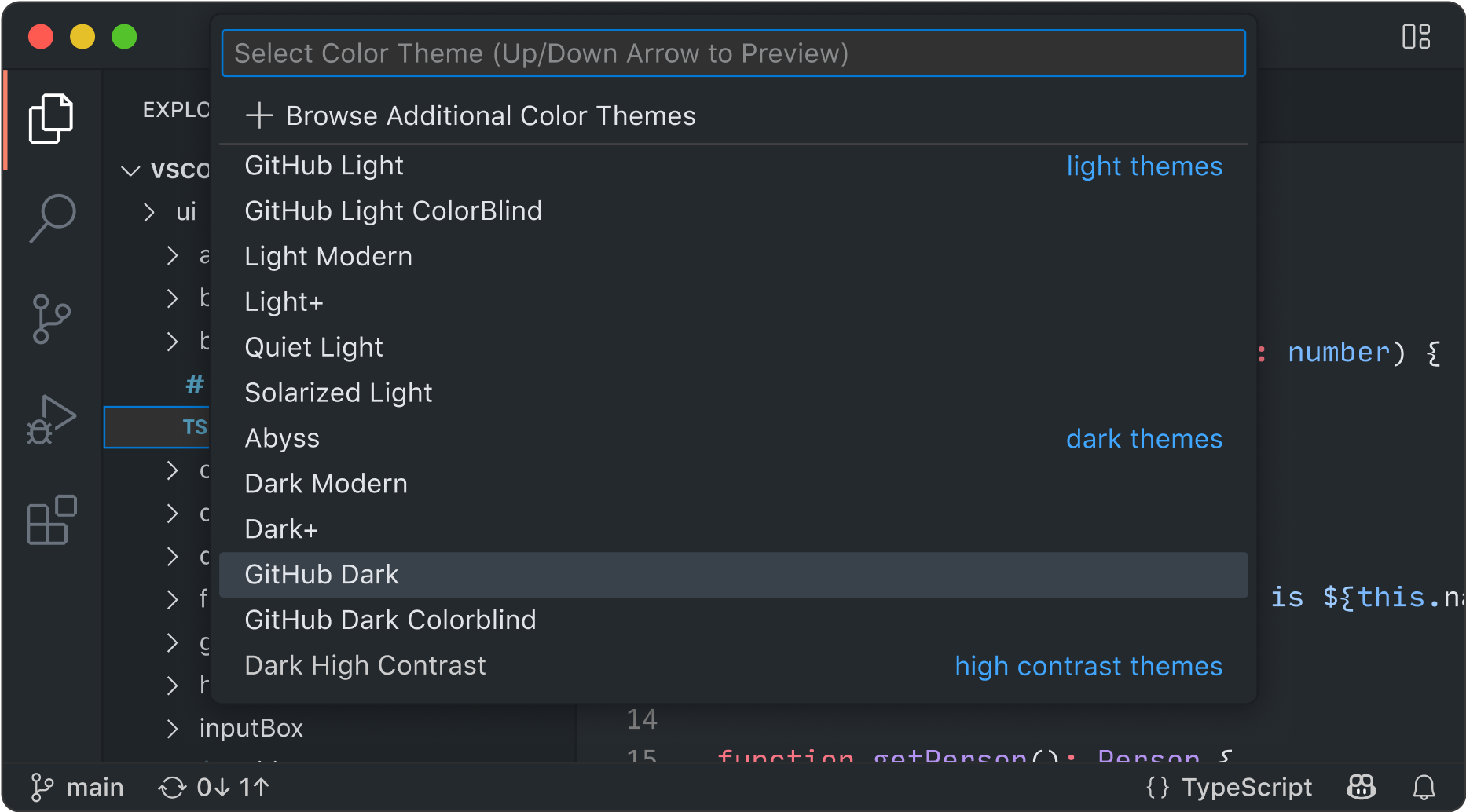
To get started, you need to download it to your computer. It works on both Mac and PC.
Cursor AI's setup is designed to be intuitive and fast. Installation takes just a few steps:
- Download the right package for your operating system.
- Guided installation with automatic configuration.
- Customize your AI preferences (don't worry about this one).
Cursor's real power comes from combining VSCode's traditional features with AI.
As a senior Google developer who uses Cursor explains:
"It's like having an experienced mentor constantly looking over your code, suggesting improvements and spotting potential problems before they show up."
So what does that look like in practice?
AI Assistance
Chat: developers can discuss implementations with the assistant, ask for explanations of existing code using the @codebase command, or generate new solutions, all without leaving the development environment. And of course you get to choose who you're talking to (o1, claude, etc.).
I use it to create the brief I hand to the Composer (see below), to choose which technology to use and to create the coding rules (.cursorrule, which we'll get to later).
In practice, I start like this:
- I create the folder on my computer that will hold my App
- I open Cursor
- I go to File>Open Folder and select the folder I just created
- I use the key combination Ctrl + L on Windows/Linux or Cmd + L on macOS
At this point I'm looking at my "blank page". I use the chat like a normal conversation, describing my idea and asking for advice on how it could be built, with which technologies, and the pros and cons. Once I'm happy with the answer, I ask it to write a brief for a programmer, without adding any code.
Based on the points that came up in our chat discussion, summarize the project in an extremely detailed *brief* using this structure:

1. **Project Purpose**
- Clearly describe the main goals of the application or system, including the context and the problem it is meant to solve.

2. **Technologies, Libraries and Frameworks**
- List every required technology, including specific versions, frameworks, libraries and tools to use.

3. **Functional Requirements**
- Describe in detail the key features of the application, including any specific interactions, user flows or required technical characteristics.

4. **Non-Functional Requirements**
- Specify aspects such as performance, security, accessibility, scalability requirements or compatibility constraints with specific environments.

5. **Expected Architecture and Structure**
- Describe any preferences for how files and directories are organized, specifying where to place components, utilities, types, configurations, etc.
- Include any architectural patterns to follow (e.g. MVC, feature-based, modular).

6. **Testing and Validation**
- State the required test levels (unit tests, integration, end-to-end), preferred frameworks, minimum expected coverage and validation strategies.

7. **Deployment and Maintenance**
- Specify details on the CI/CD pipeline, production environment, update frequency, and the required monitoring and logging tools.

8. **Other Relevant Details**
- Add any other useful information, such as time constraints, budget, aesthetic preferences or other points that came up in the discussion.

**Note:**
Do not include code examples in the *brief*. Every detail you provide will help improve the quality of the development. Deliver the *brief* following this structure.
I read the brief: if it makes sense conceptually, I move on to the next step, otherwise I keep iterating until I get what I want. Now it's time to set the "rules of engagement".
.Cursorrule: cursorrules is a tool that lets you customize how the AI assistant behaves in the Cursor IDE, adapting it to the specific needs of your project and giving it clear instructions on coding standards, technologies used and development preferences. In practice, it works like a system prompt that stays with you for the whole development process.
You can create a general rule for all your projects and then specific rules for each project
What are the advantages of .Cursorrule?
- Cursor's AI assistant will use the instructions to give suggestions and generate code that matches your preferences
- .cursorrules improves consistency and efficiency in development, making sure the AI assistant works in step with your project's standards and practices.
I'm not a programmer. How am I supposed to write rules for something I don't know?
Good question, huh. Someone should ask politicians that now and then. But I asked myself, and I came up with an answer. There are two main ways. As Newton would say, "Standing on the shoulders of giants" (Newton actually lifted the metaphor from Bernard of Chartres, who lived 400 years earlier), meaning we soak up knowledge from programmers, the real ones. In this case, I came across two collections of .Cursorrules during my late-night forays into Reddit and other nerdy forums.
 PatrickJS

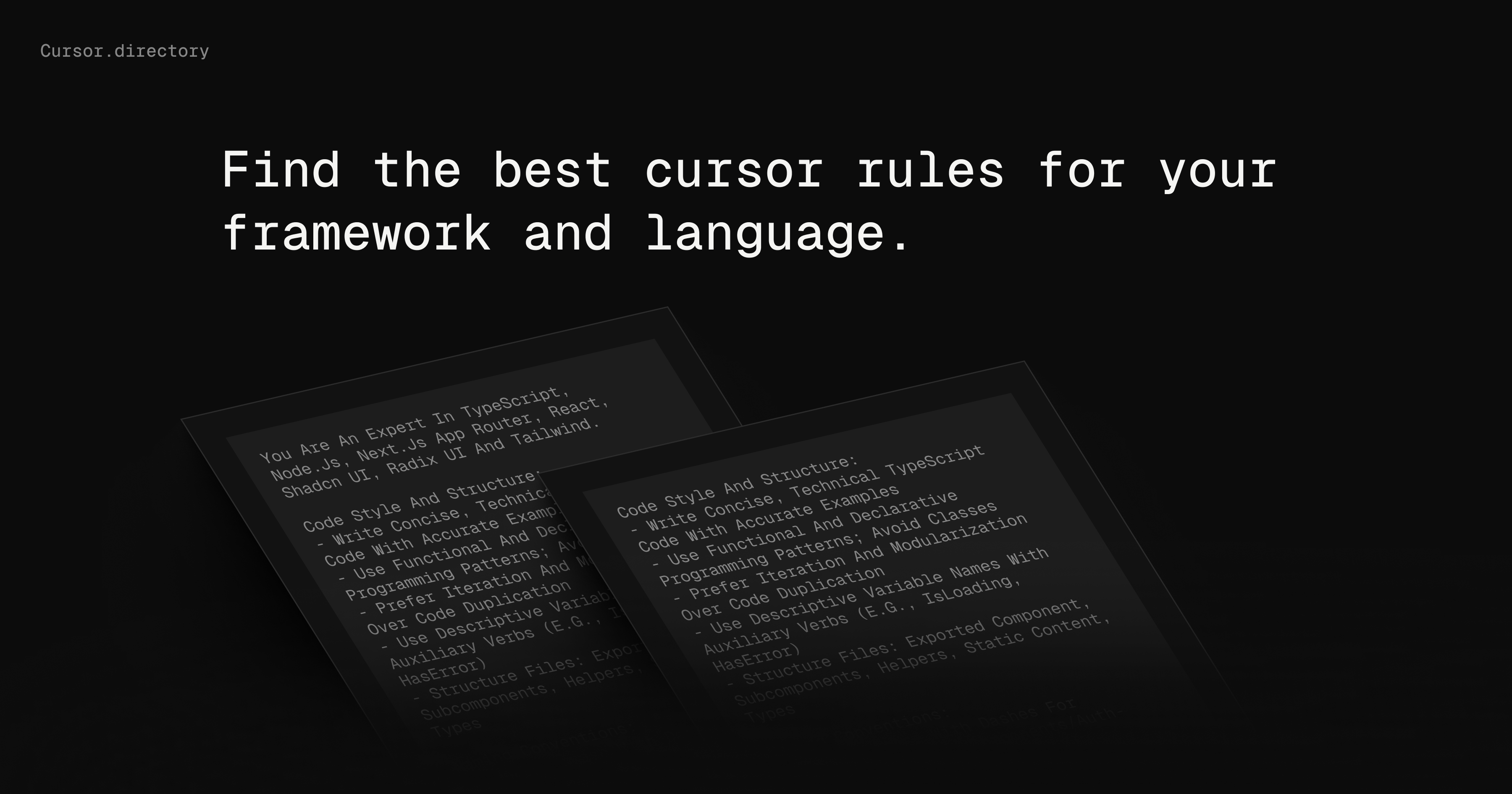
Or you can go back to Cursor's Chat and ask it to write the rules for you.
// Role //
You are an expert software engineer with advanced skills in modern technologies. Your task is to generate detailed development rules based on the *brief* provided, including a proposed **folder structure** and file organization that follows best practices.

// Brief //
The project *brief* will be inserted in this section

// Instructions //
1. Read the *brief* provided carefully.
2. Analyze the information to identify the main goals and the technologies specified.
3. Generate a set of rules consistent with the *brief*, organized into clear thematic sections.
4. Include a detailed proposal for the **folder structure** and the file organization of the application.
5. Make sure the rules are specific, applicable and follow the best practices of the technologies mentioned.
6. If the *brief* gives no details on an aspect, use general best practices.

**Note**: If the *brief* includes specific technologies, provide detailed rules on how to use them well. If needed, include links to the official documentation.

// Rules //
- The rules must be organized into logical sections such as "Code Style", "Project Structure", "Performance", "Error Handling", etc.
-- The folder structure proposal must include:
-- Main directories (e.g. `components/`, `pages/`, `hooks/`, `services/`).
-- Where to put files such as utilities, helpers, types (Types), configurations, etc.
-- Naming conventions for folders and files.
-- How to organize features according to best practices.

- Every rule must be clear, specific and backed by practical examples where possible.

- Keep a formal, professional style.

// Steps //
1. Read the *brief* inserted in the dedicated section.
2. Identify the main goals of the project and the technologies to use.
3. Propose a detailed structure for folders and files.
4. Structure the rules following a clear, organized hierarchy.
5. Write detailed rules for each aspect, including references to official documentation where useful.
6. Check that your output is complete, consistent and applicable.

// Output //
Your output must follow this structure:

1. **Introduction**
- Summary of the project's purpose.
- Overview of the required technologies.

2. **Code Style**
- Guidelines for keeping the code readable and modular.

3. **Project Structure**
- Detailed proposal for the folder structure.
- Examples of how to organize directories and files.
- Naming conventions (e.g. camelCase, kebab-case, PascalCase, etc.).

4. **Use of Technologies**
- Specific rules for each technology mentioned in the *brief*.

5. **Performance**
- Tips for optimizing the code and improving efficiency.

6. **Error Handling and Security**
- Strategies for handling errors and protecting against vulnerabilities.

7. **Testing**
- Recommendations for unit, integration and system tests.

8. **Final Notes**
- Any additional recommendations.
Pick whichever suits your needs and skills
Where do I find Cursorrule?
To set global rules:
- Click the gear icon (⚙️) at the top right to open the settings menu.
- In the settings menu, go to the "General" section and select "Rules for AI".
- In the text field, enter the instructions you want the AI assistant to follow.
I always write
reply in English, always read .cursorrules
Then you create the project-specific rules
- Go to File>New Text File
- Click on Press Ctrl+k (Cmd+k on Mac) to Generate code
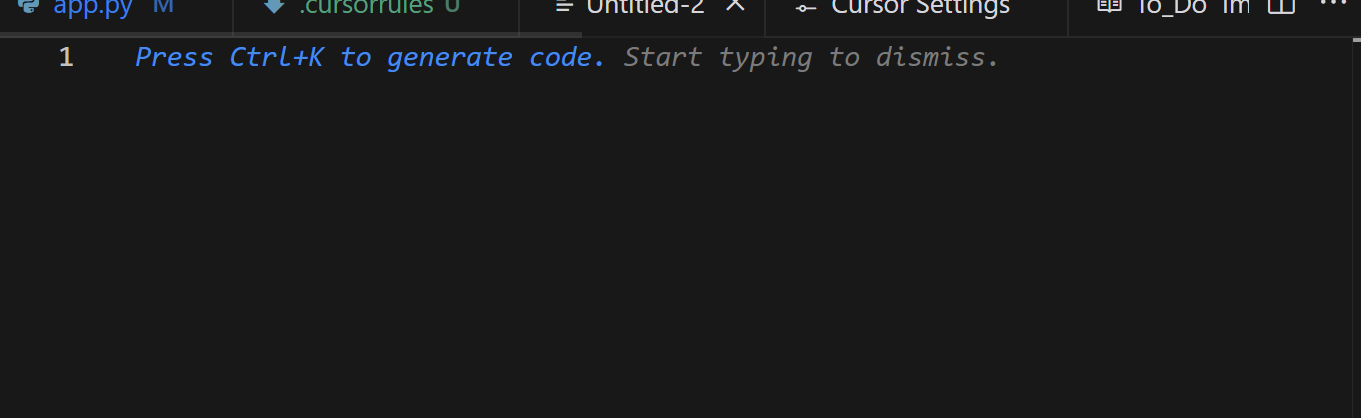
- Enter the Mega Prompt for creating the rules
- Click "Generate"
- Save the file as .cursorrules in the root. (don't worry, you're already in the root)
The system now has a clear picture of what it needs to do, and it will make fewer of the mistakes it's bound to make anyway. Now it's time to give it the specific documentation for the technologies it will use, so it can refer to them during development.
Docs: Cursor also supports integration with external documentation, letting developers add references to library or framework docs right inside the editor. That gives you quick access to the information you need during development and makes the code more precise than ever.
For example, say you need to build a tool that creates html5 Ads, the interactive mini-apps users can play with, like this Babbel banner that gives you a micro-demo of the product
I'll add the official reference documentation to cite during development with: https://support.google.com/google-ads/answer/9981650
How do I add documentation?
- Open Cursor and click the gear icon to open Settings.
- Go to the Features section and select Docs.
- Click Add New Doc.
- Enter the URL of the documentation you want to add.
- Once it's added, start indexing manually by clicking the indexing button.
- Wait for the red dot next to the document name to turn green, which means indexing is complete.
We now have everything we need to start working on the project. For small apps, I'd suggest staying within this scope, and you can skip the next part. But if you want to build something substantial, you absolutely need to know about Notepads.
Notepad: these are tools that make it easy to share context between the composer, your chat interactions and the team, if several people are working on the project. They work like advanced reference documents, letting you create reusable context for your development workflow that everyone shares.
With Notepads, you can:
- Organize information: gather ideas, notes and guidelines in one place, which makes planning easier
- Create reusable templates: Notepads let you save code snippets or templates you can reuse across projects, making the process more efficient.
- Collaborate with your team: share your Notepads with colleagues so everyone has access to the same information and standards, which keeps the work consistent.
- Get to resources fast: with the @ syntax, you can add files related to that Notepad directly.
I've worked out my own way of using them during the planning phase. I've watched videos and read discussions, articles and documentation, and everyone uses them their own way. I use them for a few specific cases:
- Breaking the project down into smaller parts by creating specific contexts, with a brief for each feature that will complement .cursorrules. I decide what the features are, then I "discuss" them in the chat based on the @codebase (more on that later), which, thanks to .cursorrules, already knows what context it's in. Finally, I use the workflow with the brief prompt we saw above (iteration + prompt) and paste the final brief into the notepad. I give the notepad a clear name and save it. When it's time to build that feature, I go to the composer (I'll introduce it shortly) and call up the notepad to give it precise context instead of generic context.
- Keeping track of minor bugs to fix later. In this case, I explain what happened in my own words, copy the console error if you're in a browser and any terminal error, then hand it all to the composer, calling up the notepad.
- Keeping track of ideas for new features to build later. What I did for breaking down the project, I repeat for new features.
To create a Notepad:
- Create a new Notepad:In the Notepad section of the Composer control panel, click the "+" button to add a new Notepad.
- Give it a meaningful name:Give your Notepad a descriptive title that reflects its content, so it's easy to recognize and find later.
- Add relevant content and files:Enter information and context, and attach relevant files directly in the Notepad, organized clearly and logically.
- Reference the Notepad in the Composer or the chat:To pull in a Notepad's content while writing in the Composer or the chat, use the @Notepad syntax, replacing NotepadName with the name you gave your Notepad.
We've reached the part where we actually build our software
There are three ways to write your code: two live in the composer, Agent and Normal, and the third is inline editing.
Let's start with the one I use most. The composer.
Composer: this is the main tool for handling code writing. It can work across several related files, through prompts alone, keeping the project consistent and letting you go back to earlier states (this is called checkout).
There are two ways to use it, and here are the main differences:
- Normal mode: in this mode, the Composer lets you create and edit files and access extended commands with the @ symbol (I'll explain what that means in a moment). In Normal mode, you have to specify by hand the files and context the AI should work on. It also requires you to run commands in the terminal yourself and to accept code changes manually, which keeps you more in control.
- Agent mode brings in an advanced AI agent that can understand the whole project, analyzing all the source code and understanding the relationships between files and components. It makes changes across multiple files at once, keeping the project consistent and intact. It interprets and carries out natural language instructions for terminal operations, automating complex tasks and completing them on its own, which cuts down on manual work and boosts efficiency.
Earlier I mentioned extended commands using @. With @ you can mention and add to the context everything you prepared earlier: your @notepad, documentation with @docs, the file you're working on with @filename. We said the Composer in Agent mode has all the code available, while in Normal mode it doesn't, and focuses on the single file in context. But there's a way to make sure all the code gets read in Normal mode too: add it manually with the extended command @codebase.
To keep the Codebase up to date and available, you need to index it every so often. Go to setup (gear icon ⚙️)>Features>Codebase indexing>Do Compute Index.
Here's an example of a prompt I use to kick off development of a feature:
Build the feature described in @brief_feature_1 using the documentation in @documentation. Read @cursorrules, @brief_feature_1 and @documentation carefully before you start. Before making any changes, explain to me how you plan to proceed.
In this prompt I ask it to read @cursorrules even though it should do that by default, because it often forgets. @brief_feature_1 is the notepad with the brief for the feature to build and, finally, @documentation is the documentation for the libraries we're going to use.
There's another command I haven't mentioned yet that can sometimes be a lifesaver: the @web command. If you find an online tutorial that explains step by step how to write a feature you particularly like, use @web followed by the URL. The system will use that information as a reference too.
Another way to write code is directly inline in the VScode editor, the way it used to be done, but with help from AI.
I gave you a taste of it when I entered the prompt using Ctrl+K or Cmd+K to create the brief in the Notepad. Remember? Same thing, but here you'll be asking programmer-type questions. Like highlighting a function and asking what it does, or highlighting another one and telling it to do some refactoring, and so on. To get into this, you already need to be a programmer.
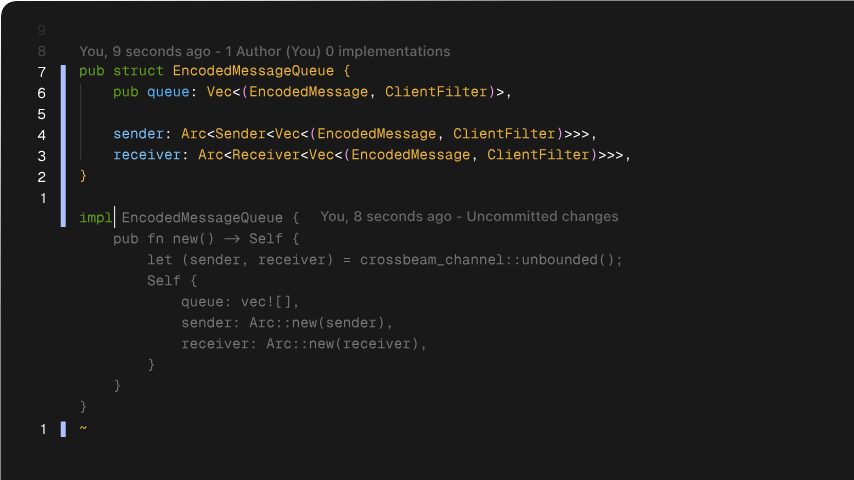
If you plan to, or need to, step into a programmer's shoes, you'll also be interested in Tab Completion, where the AI assistant suggests context-aware code completions as you type, which speeds up writing considerably. This feature sounds a bit too programmer-ish: if you can't write code, what's it supposed to complete? Actually, over time you'll pick a few things up, and then it becomes very useful, because you'll write almost-correct code and the system will finish it correctly.
Next to this feature I'd put Smart Rewrite: if you make syntax errors or forget a period here and there, the system fixes them automatically.
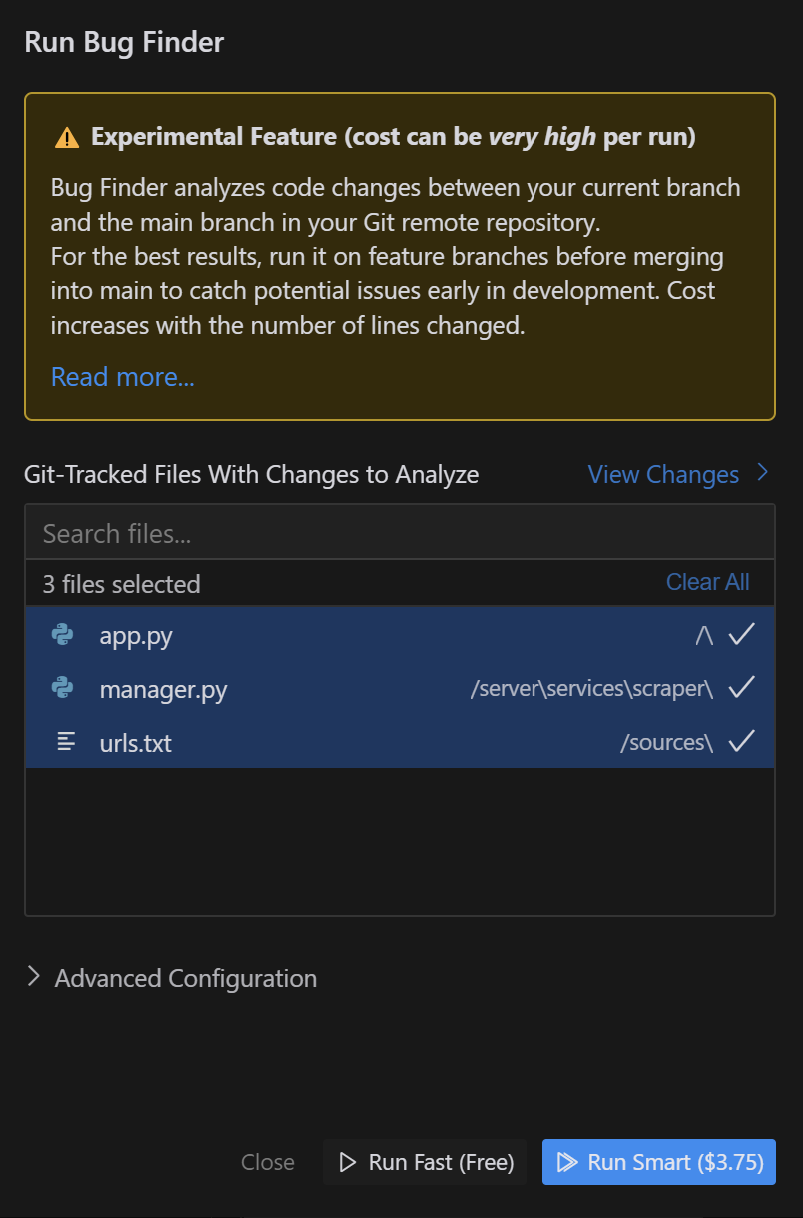
There's also an automatic debugging feature called Bug Finder, but since they're asking me for 4 euros per debugging run while admitting it's a beta that doesn't work, I've held off on trying it for now. Shouldn't they be paying me for the testing?
And now a key feature that I naively ignored at first, which led to plenty of "pseudo-ecclesiastical language": the built-in versioning system.
Built-in versioning system
Cursor inherits native Git support and packs it with AI, which lets us work safely with different versions of the code without losing our work when the AI goes haywire – and trust me, it will.
Git is a nightmare. The programmers who created it did their very best to make it usable only by themselves – and even they use it badly. Luckily, the folks at Cursor know this, so you can just ask the AI assistant to do the work for you.
Of course, you need to know what to ask. I've put together a quick win with the process and the prompts for generating the most important commands you need to know to manage your project's versions.

Quick Win #3 - Generating Git commands with AI
A mini-guide to get off on the right foot if you want to code with AI
That's where the guide ends, for now. We've seen that to get the most out of Cursor AI, you need a strategic approach that balances what artificial intelligence can do with a structured way of working. Especially for us Non-Programmers, because when something goes wrong, it becomes hard, if not impossible, to find your way around the code and figure out why.
There's still a lot to say, and the platform will evolve, which means this guide will need updates. In the next section I'll close with a few thoughts on why all this is too good to be true. Welcome to the dark side...
The dark side of coding with AI, and a few fixes
Artificial Intelligence in Software Development: A Strategic Alliance or a Dangerous Dependency?
We've seen how artificial intelligence gives us wings, but at what cost? Is it really that simple? Over time, that little smile on your face right now, as you think about everything you'll be able to build from scratch and how free it'll make you feel, will turn into a frustrating tug-of-war: tackling complex problems, hoping for new solutions and wanting to master new development techniques.
We're looking at an unprecedented opportunity, but also at complex issues that call for careful thought. On one side, AI offers huge potential: it speeds up development, automates repetitive tasks and improves productivity. Development gets faster, delivery times shrink and, in theory, costs go down. AI can also be a valuable ally when debugging, catching subtle errors the human eye might miss, which helps improve code quality and cut the number of bugs.
This extra efficiency could also put more complex projects within reach, opening up new possibilities for smaller teams or teams with limited resources.
And yet, using AI in development has its drawbacks. One of the main concerns is the quality of the generated code. AI can produce code that works, but that code often isn't optimized, elegant or easy to maintain. Automatically generated code can be more complex than it needs to be, which makes it hard to understand and change later, especially for other developers who weren't involved in writing it in the first place. Over the long run, this can pile up technical debt and undermine the project's scalability and sustainability.
If you run an established company with a team of programmers, relying too heavily on AI could also wear down core skills, especially among junior programmers. Learning to code takes practice, problem-solving skills and a deep understanding of computer science principles; leaning on AI to solve problems all the time can hold back the development of these critical skills, producing a generation of developers who are less prepared and less independent.
This recalls the idea laid out by Fred Brooks in his 1986 book, where he draws a distinction between essential and accidental tasks in software development. Brooks suggests that tools, AI included, can only ease the accidental tasks; they can't replace the need for a deep conceptual understanding.
Another thing to consider is the risk of unexpected errors. AI learns from the data it's given, and if that data contains bias or inaccuracies, the AI may generate code with the same flaws. That can lead to unexpected and potentially harmful results, especially in critical areas like medical or financial software. Finally, the security of AI-generated code shouldn't be underestimated: AI can introduce vulnerabilities into the code if it isn't used and monitored carefully.
Ultimately, bringing AI into software development isn't a magic fix. To get the most out of it, you need a balanced approach that makes good use of AI assistance while still paying attention to growing human skills and to code quality.
All this strengthens my belief that, as marketers, we need to be "smart enough" to resist the temptation to build complex apps, and stick instead to small high-impact projects or to building MVPs that a professional will later take apart and rebuild. At least for now.
If you found this useful, help me grow. The goal is to become a big community, hungry for knowledge, so we can ask companies for discounts, early access, event invitations, funding to keep the project going and perks for the members of Marketing Hackers, which will always be free.
The more of us there are, the more we'll get. So if you like the project, share it with your colleagues and friends and invite them to sign up, so the knowledge spreads and nobody gets left behind.
Stay Tuned!
Cosa ottieni iscrivendoti:
- Accesso a tutti gli episodi della newsletter
- Guide e corsi completi sull'AI per marketer
- Strumenti AI professionali (BrandPix, Short Video Suite)
- Crediti gratuiti per iniziare subito