Want to bring artificial intelligence into your business? Learn how to set up and deploy OpenAI's Generative Pre-trained Transformers (GPTs) to change the way your company operates and hit new goals.
About this mini-course
In this mini-course you'll learn how to set up and deploy a custom OpenAI GPT. The course is extremely concise, and I'll walk you through every step of the process. With the right knowledge and tools, you'll be able to get the most out of what GPTs can do, keeping your operations ahead of the curve and in line with your business goals.
The mini-course works both for beginners and for people who already have Prompt Engineering and programming skills but haven't had a chance to try this chatGPT feature yet.
If you don't know what a Custom GPT is, read below, or skip ahead.
What is a Custom GPT
A Custom GPT is a customized version of OpenAI's ChatGPT trained for specific tasks. These models can be programmed with specific knowledge we provide and with detailed instructions on how to interact with the user, and they can also connect to outside services to take actions. Instead of one generic ChatGPT for everyone, OpenAI lets you build Custom GPTs and share them in the GPT Store.
Where to Find a Custom GPT in OpenAI Chat
You can access a CustomGPT through that GPT's specific link.
After the first time, you can find the Custom GPT by following these steps:
- Go to chat.openai.com and log in to your account.
- In the sidebar, you'll find the CustomGPTs you've used recently
- If the CustomGPT doesn't show up, click "Explore".
- You'll find the CustomGPT in the list of recently used CustomGPTs
Definitions
- GPT: Generative Pre-trained Transformer
- OpenAPI: a standard for application programming interfaces
What you need to get started
- Business goals: a clear, specific definition of what you want to use the GPT for
- Tools and technology: a computer and an account with OpenAI
- Guidelines and regulations: documentation on the relevant standards and laws
- Teams involved: a prompt engineer and a developer
- Budget: a chagpt plus subscription (USD 20 a month)
- Dataset (if needed): the data you'll use as the GPT's knowledge base
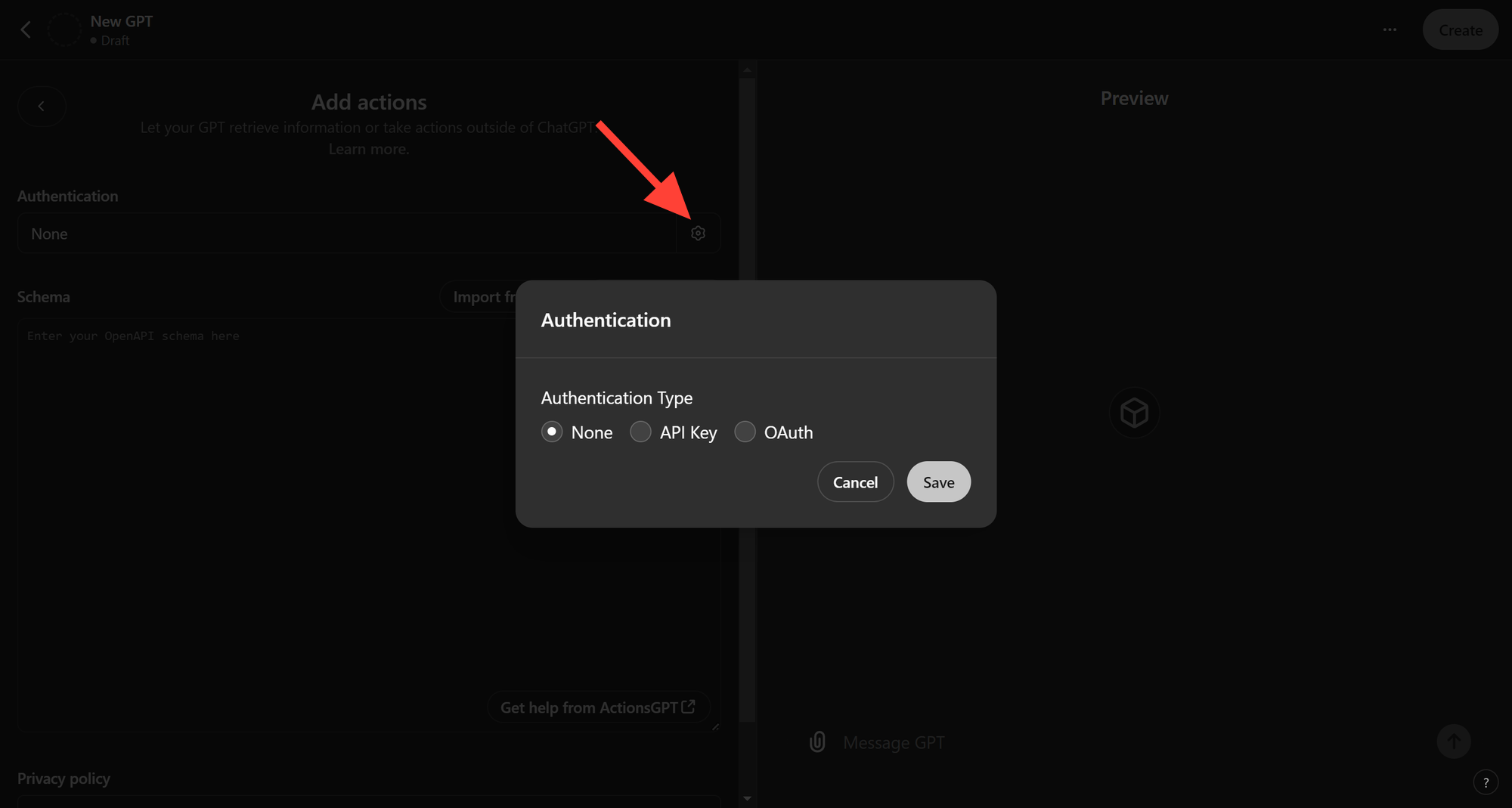
- OpenAPI schema (if needed): a schema for integrating with external services
Output
- A configured, working GPT
- A link for sharing the GPT
Getting the Material Ready
Marketing Team:
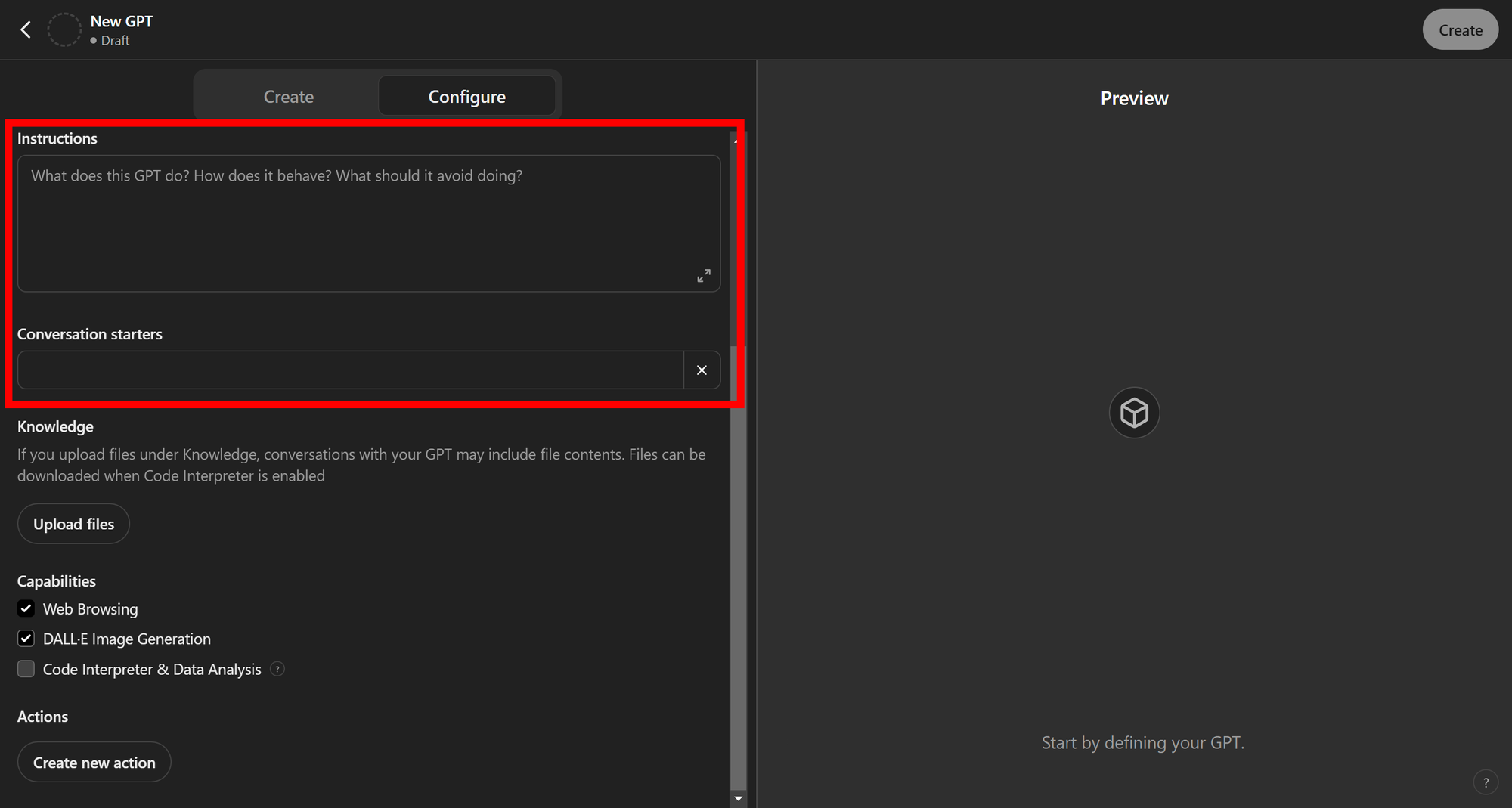
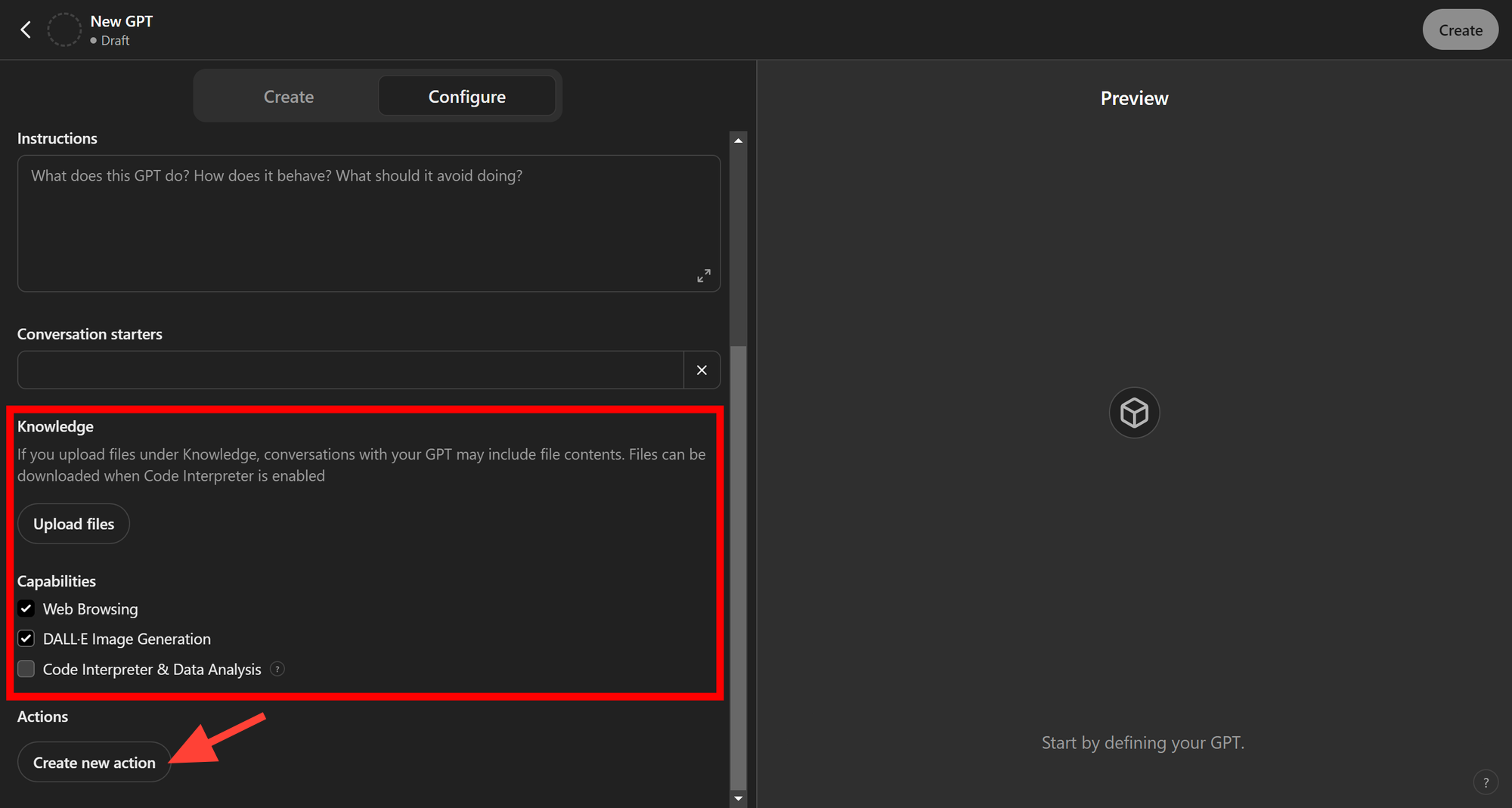
- Defining the goals: the team needs to define exactly what the GPT should do and which functions it needs. For example, whether it has to connect to the internet, connect to company tools or run calculations.
There are three options:- Web browsing: connects to the web to find information
- DALL-E Image Generation: generates images and lets you edit them with the inpaint feature.
- Code Interpreter & Data Analytics: writes python code snippets and runs them.
- Giving the GPT a name, description and profile image: the name should reflect what the tool does so it's easy to find, or, if it's a public GPT built for visibility, so other people can find it. The image needs a 1:1 aspect ratio and will be cropped into a circle.
- Writing the conversation starters: conversation starters are triggers that kick off the conversation with ChatGPT. For a translation tool, for example, one could be "Translate the following text".
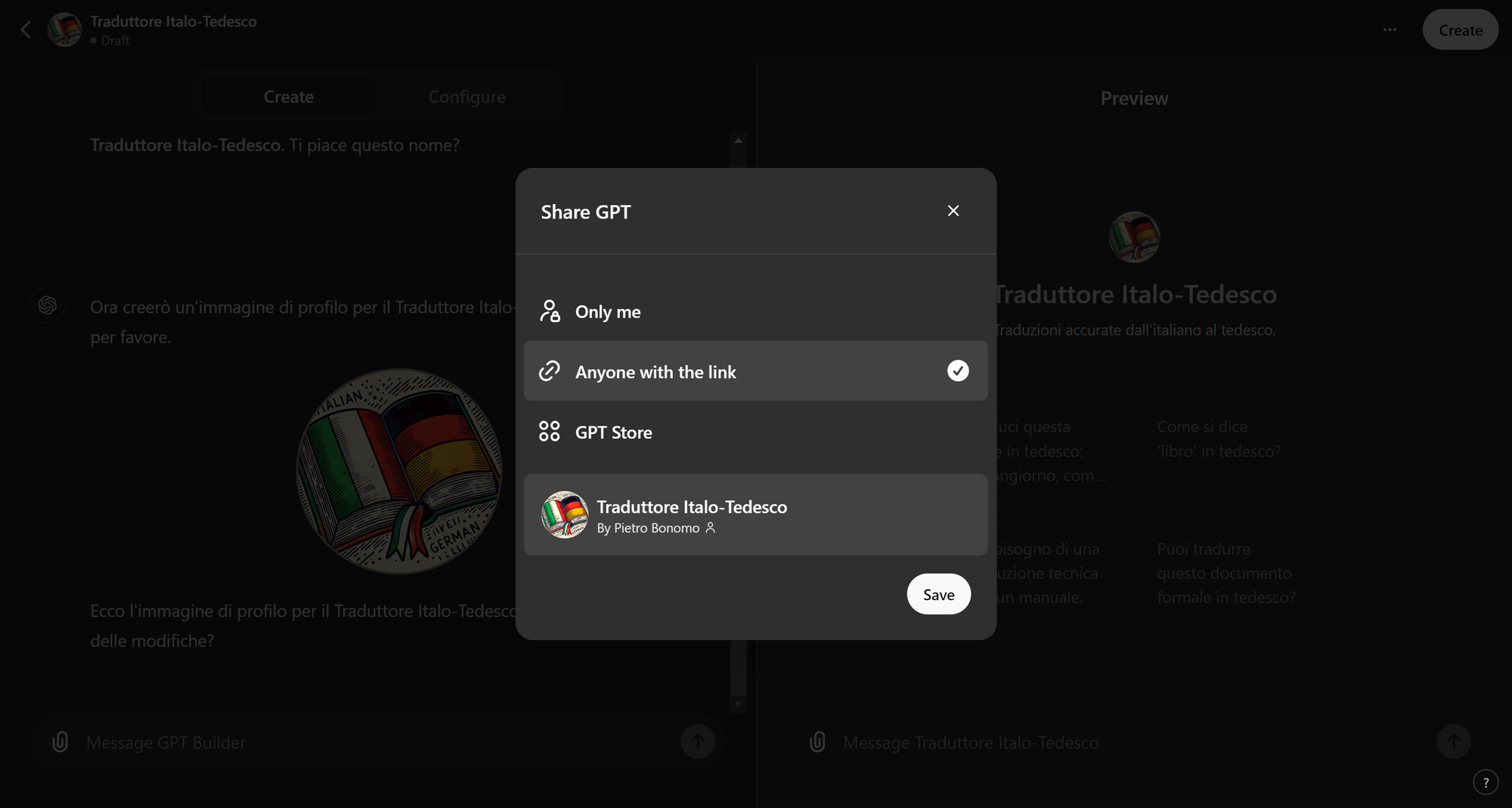
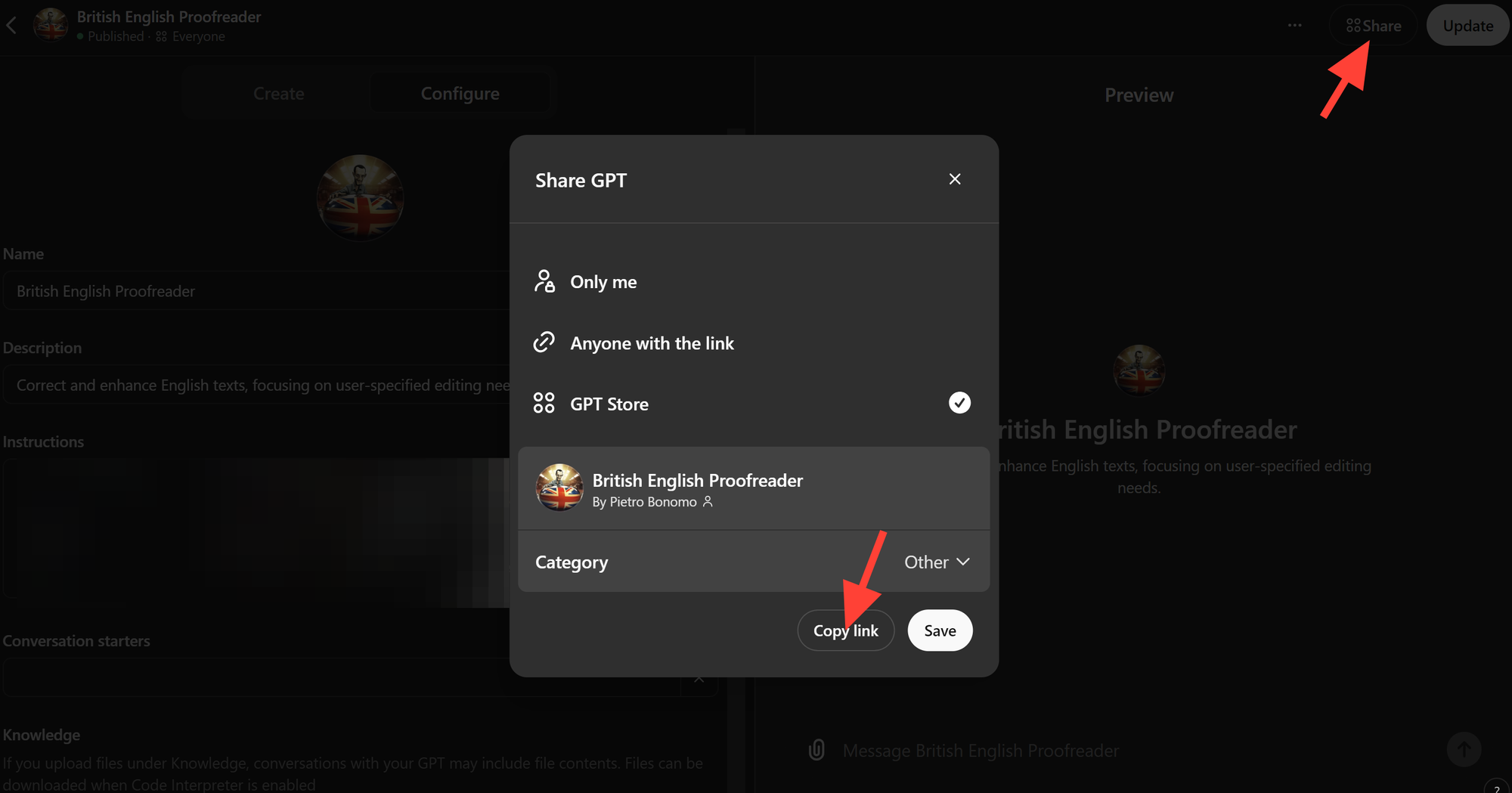
- Choosing how to publish: there are three publishing options.
- Only me: the GPT will be private and available only to you. Ideal for personal tools you use in day-to-day work.
- Anyone with the link: the GPT won't be public, but anyone with the link can use it. Ideal for sharing the GPT with your team.
- GPT Store: Sam Altman promised revenue sharing for GPT creators, and that's why the GPT Store exists. So far it hasn't happened. Either way, it's still a good shot at visibility, since the GPT Store is indexed by search engines and has its own internal search where people might discover you, because the internal results show the author's name and website.
IT Team
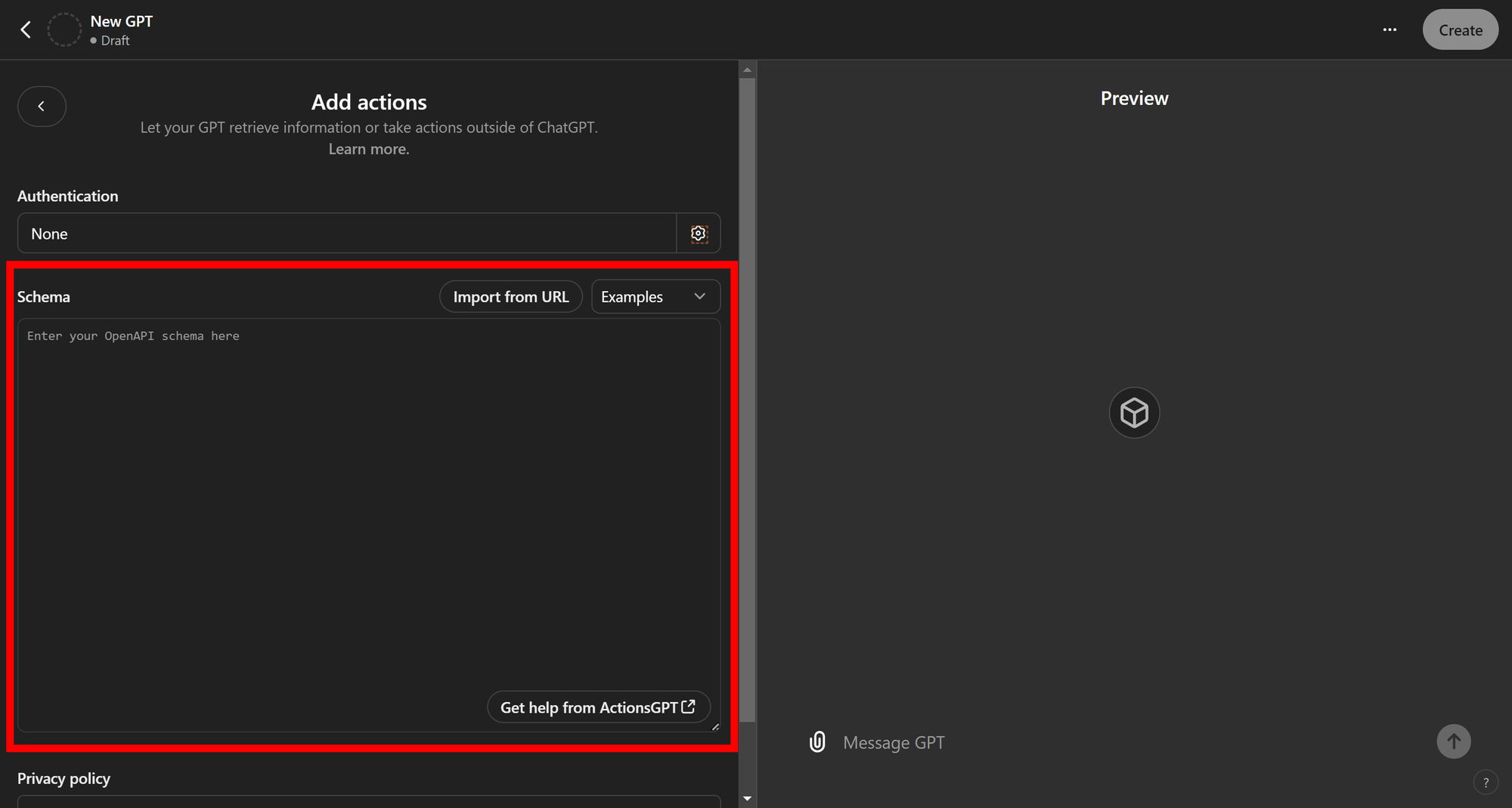
Building the OpenAPI schema for Actions (if needed)
Prompt Engineer
Writing the prompt
Legal Department:
Reviewing the guidelines for regulatory compliance. If you work for a company, there may be rules on how data is handled. Since chatGPT runs in the cloud, we can't be sure how the data is processed. So it's always best to check with your legal department to make sure you comply with company policy and privacy regulations.
Implementation
There are two ways to set up a GPT:
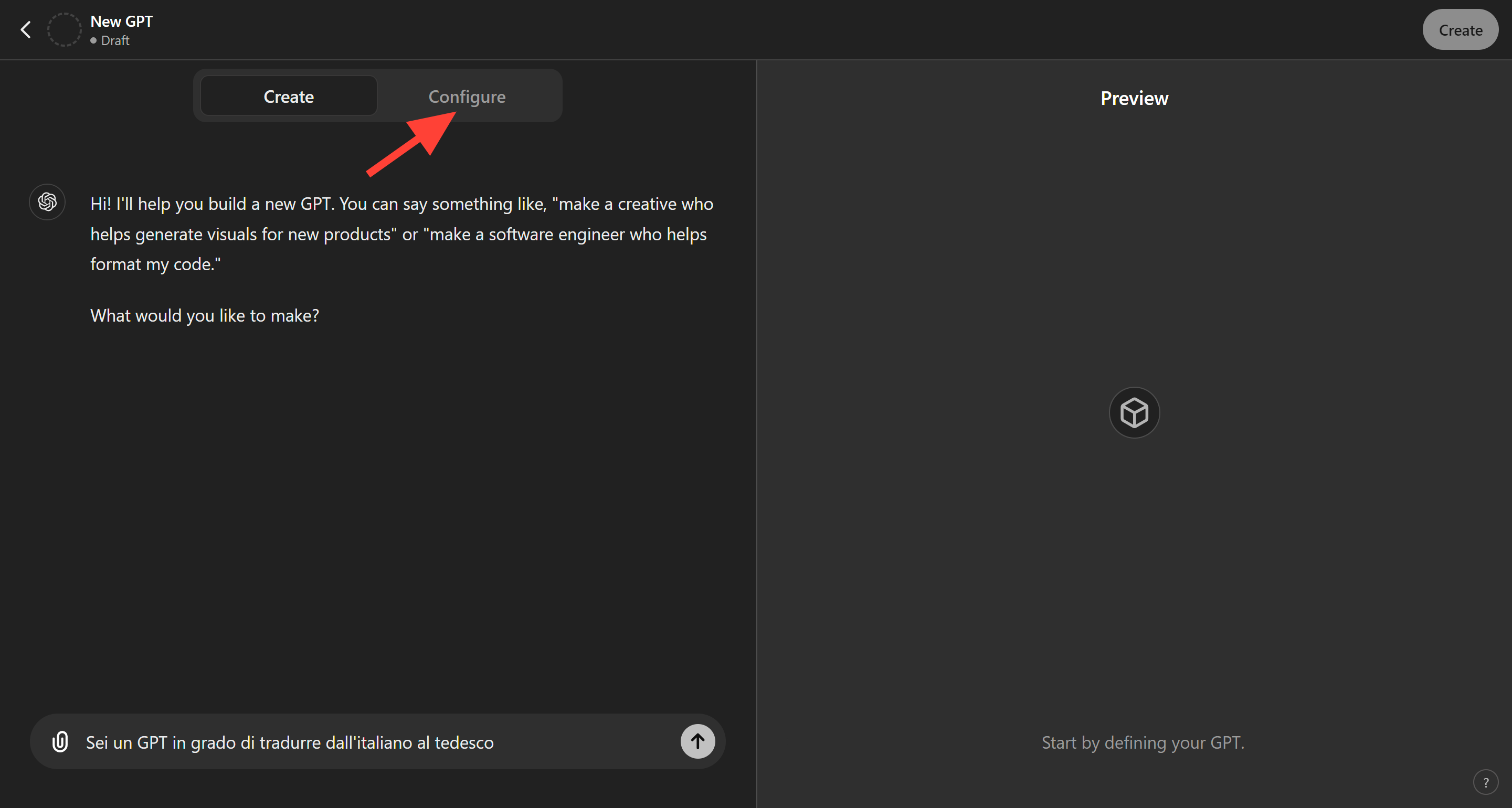
- For people without Prompt Engineering skills: a simple, guided setup that lets you use the tool without advanced technical knowledge.
- For people with Prompt Engineering skills: an advanced setup that lets you get the most out of the tool while keeping errors and hallucinations to a minimum.
Setting up the GPT in "beginner" mode
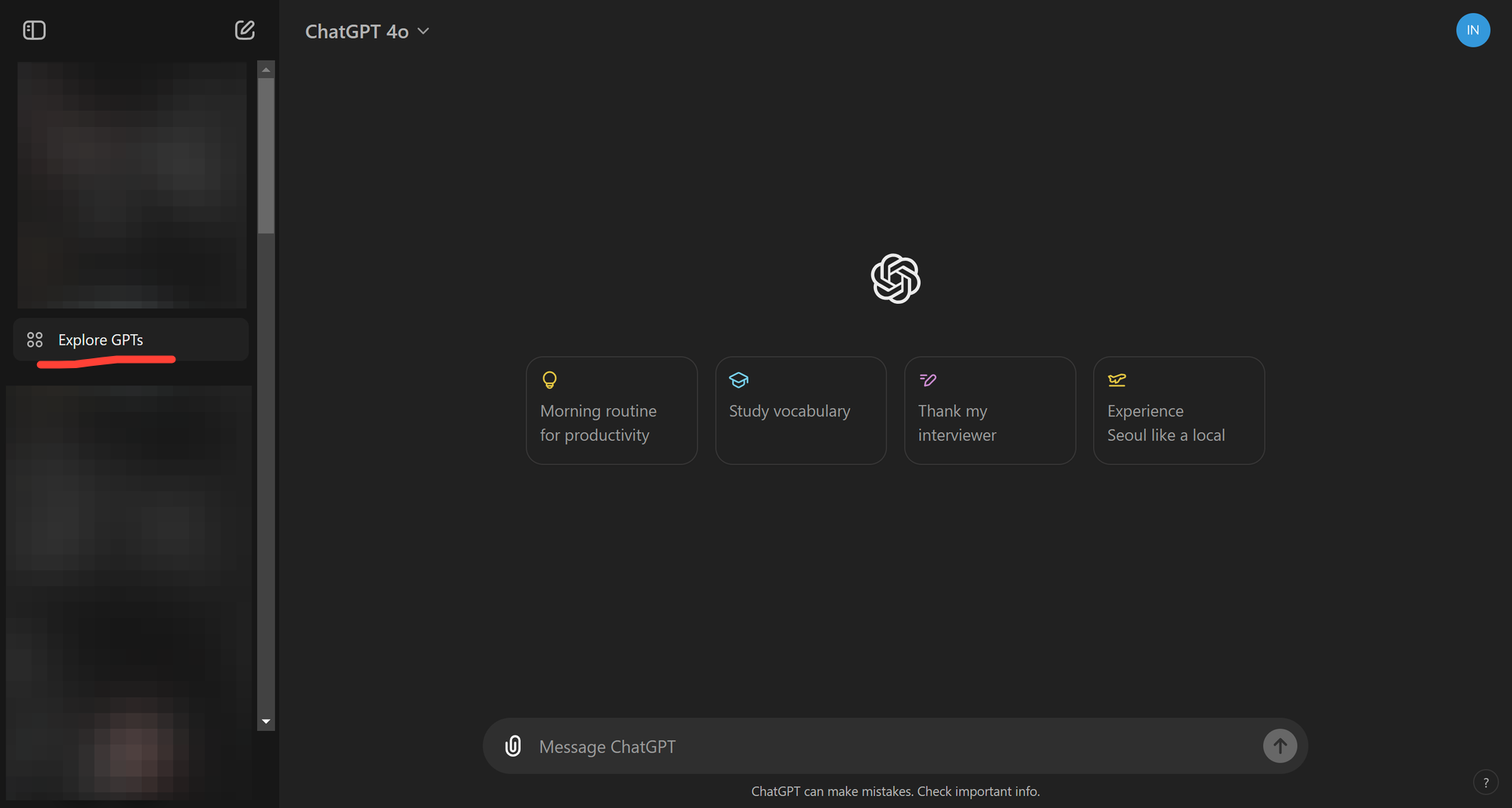
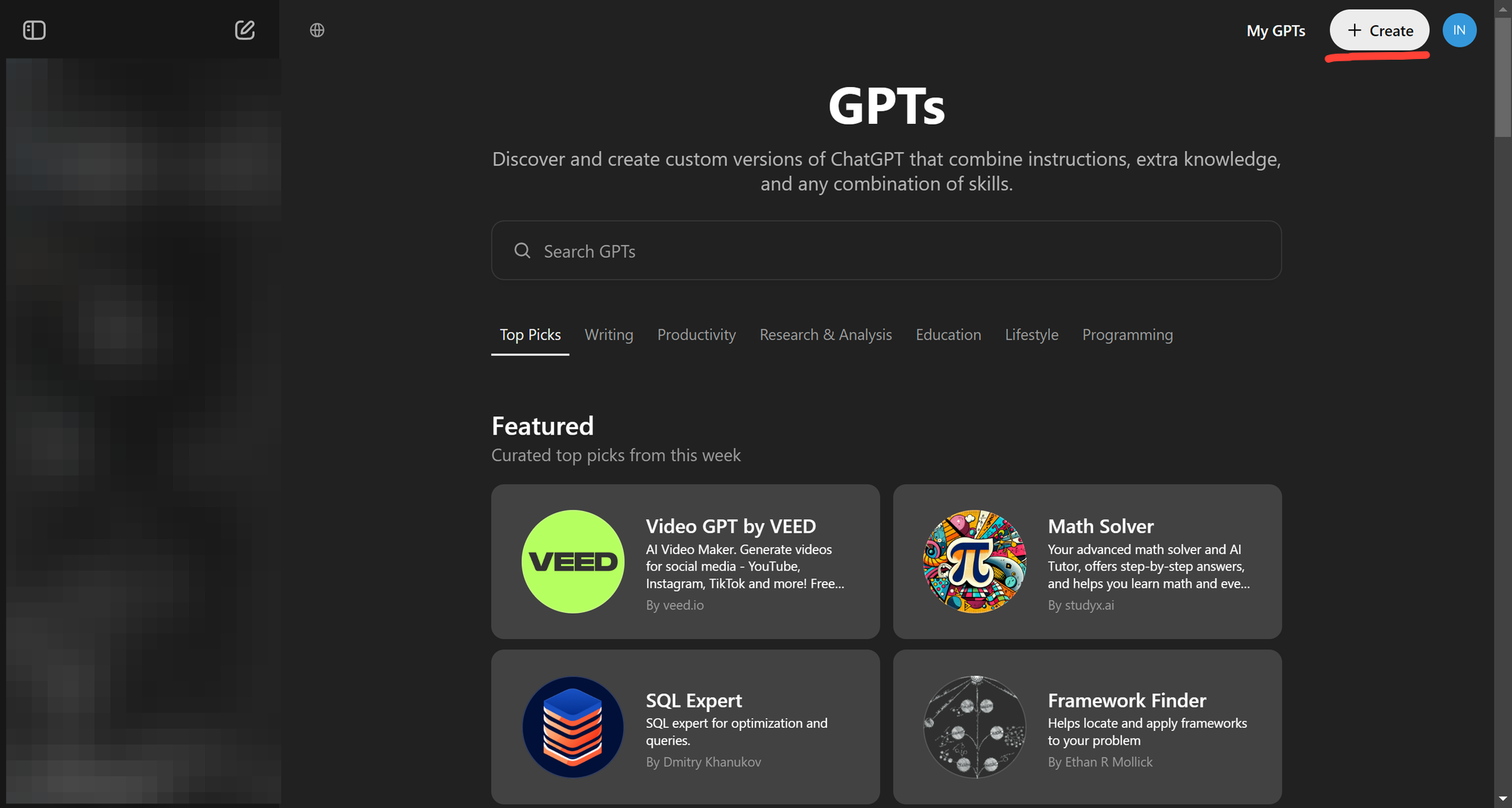
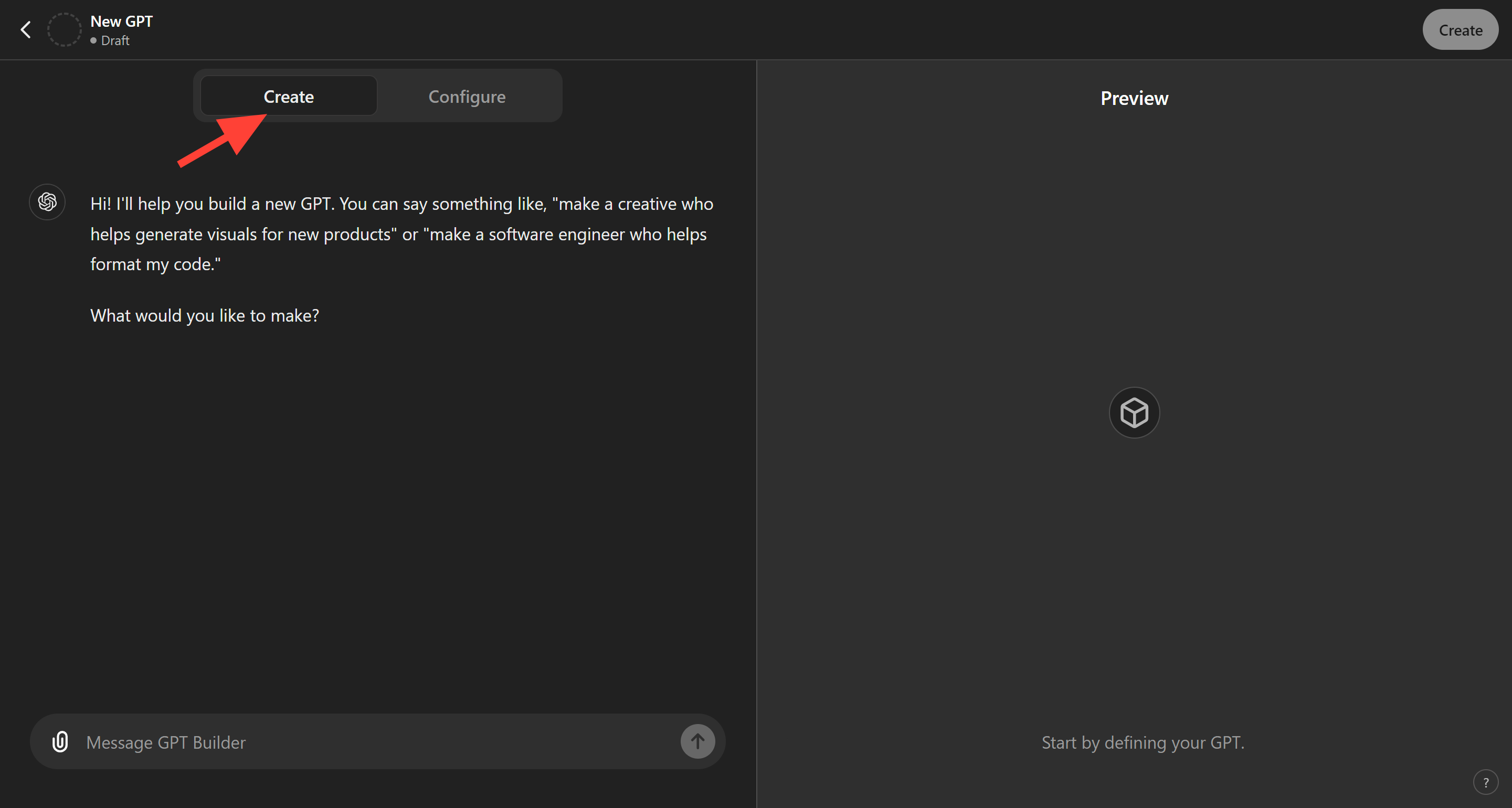
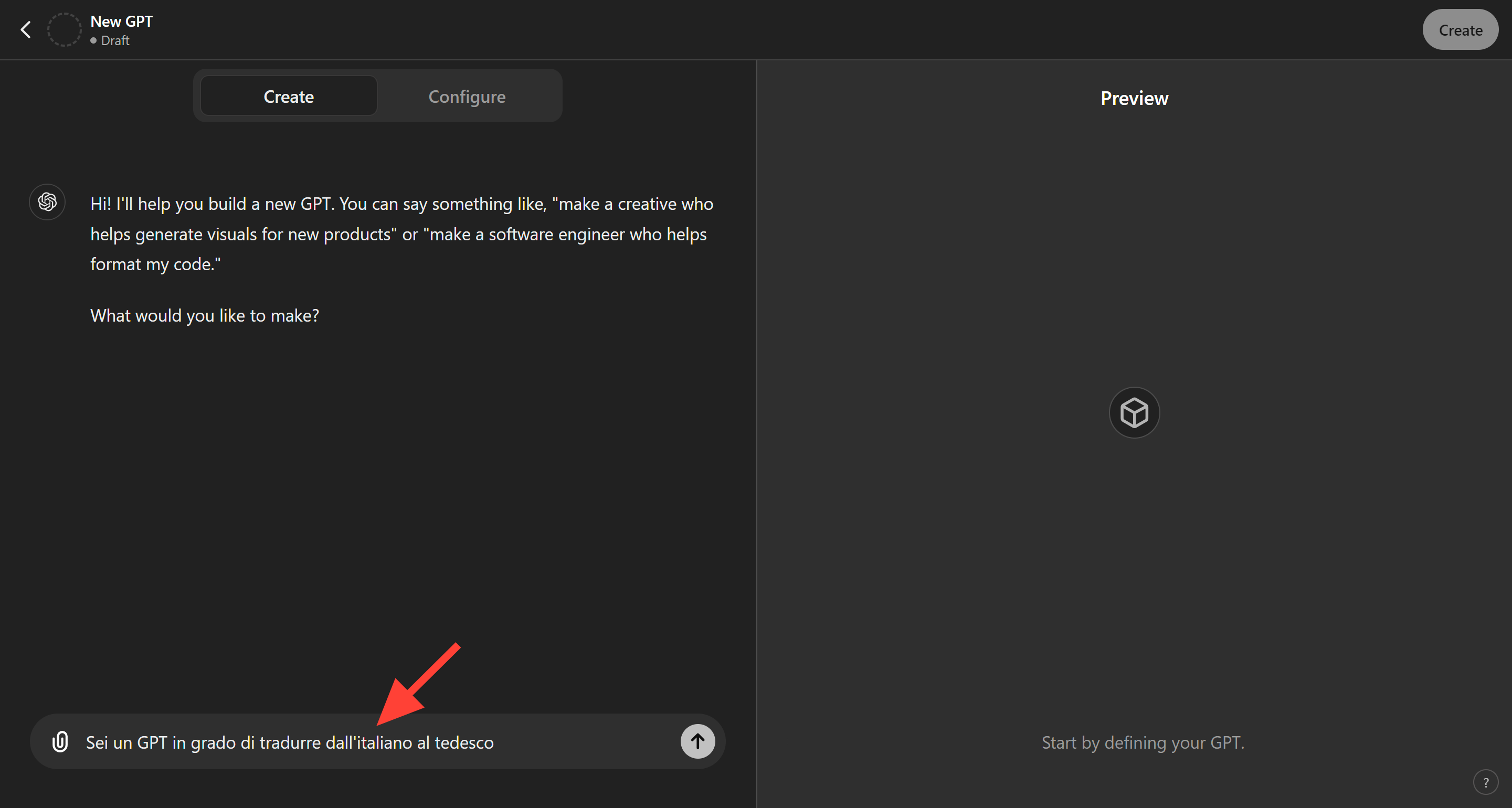
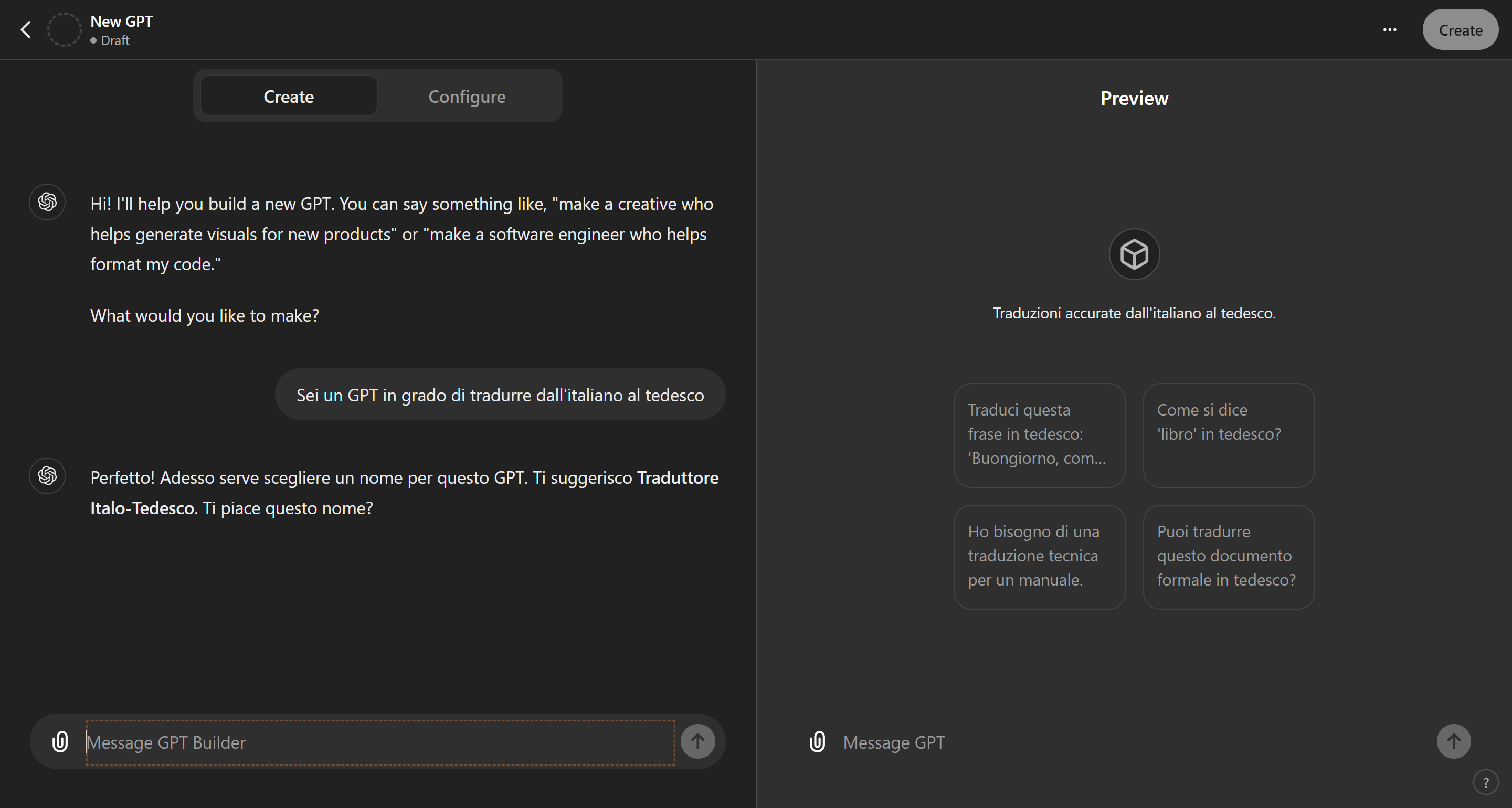
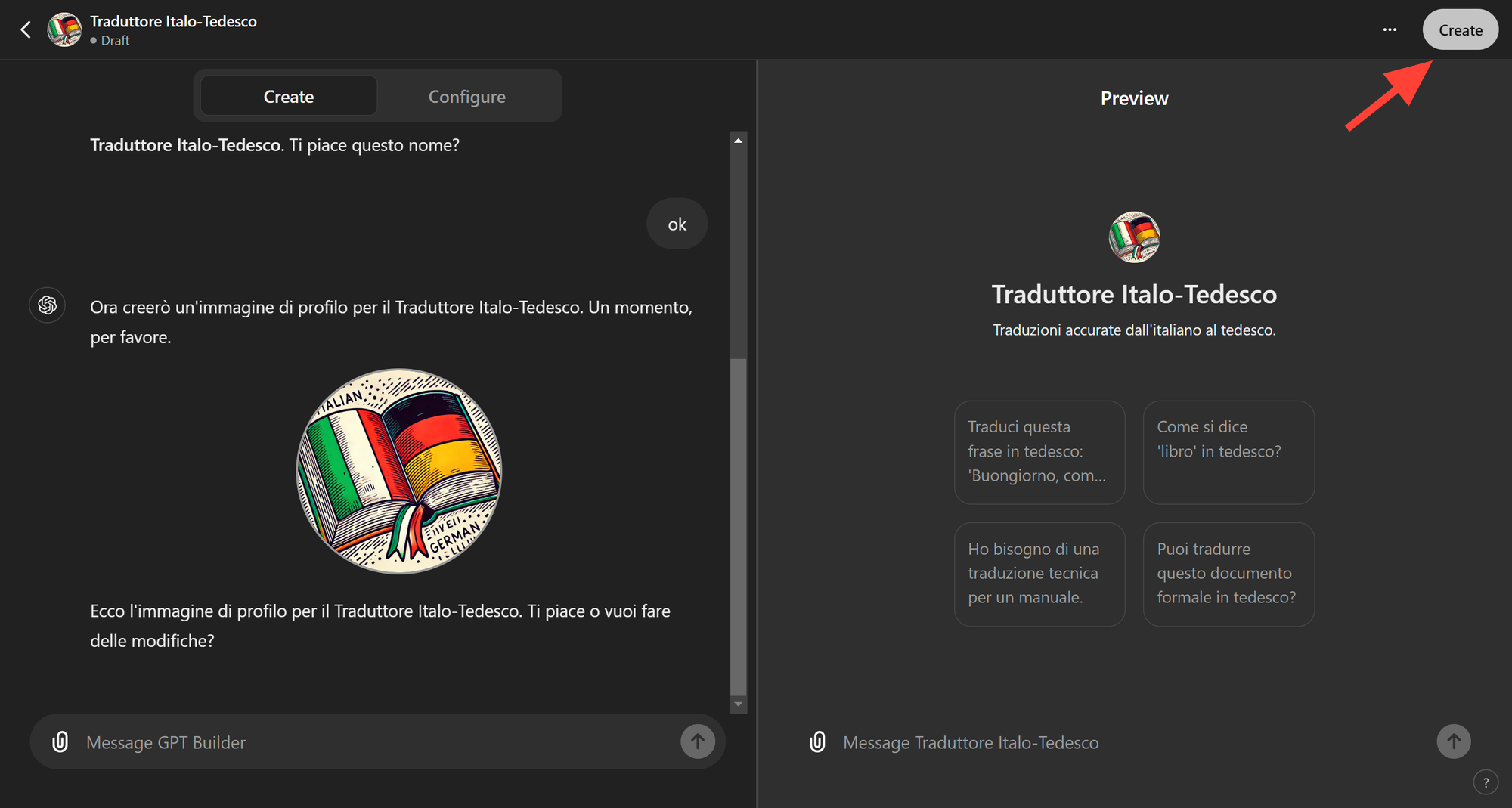
Setting up the GPT in advanced mode
Testing
- Test the OpenAPI schema
- Test the conversation starters
- Run functional tests on the GPT
A few extra hacks for members.
I've noticed that opening the GPT editor and jumping straight into programming leads to confusion and bad results. So I put together my own stack of planning tools and a process, which I'm sharing with you now.
- Use mind mapping software to build your flow. Most of the time I use the Chain of Thought technique, which means breaking the task down into micro-tasks. To do that I use Obsidian to define the steps. It's free, it runs on your computer rather than online, and it's the best "second brain" I've ever tried.
- Write the prompt as if you were writing a program. I use Sublime, a code editor, to write and maintain my prompts, using indentation to mark out the sections more clearly and keep them easier to maintain.
- Test the OpenAPI schema with SwaggerHub. OpenAI doesn't handle this very well and returns cryptic errors that could drive you up the wall.
Cosa ottieni iscrivendoti:
- Accesso a tutti gli episodi della newsletter
- Guide e corsi completi sull'AI per marketer
- Strumenti AI professionali (BrandPix, Short Video Suite)
- Crediti gratuiti per iniziare subito