Best Project Management Software for Small Marketing Teams (2026)
Best project management software for marketing teams at small businesses: Basecamp, Trello, monday.com and Asana compared, plus the SOP to write first.

Updated October 13, 2026. By the Marketing Hackers Resources team. No affiliate links, and no tool paid for its place on this list.
It’s 9:40 on a Tuesday. The owner stops by the marketing desk and asks how the November campaign is coming along. To answer, the marketing manager opens two WhatsApp threads, the agency’s latest email and a spreadsheet holding four versions of the content calendar. A thirty-second answer takes twenty minutes. That is the cost to weigh against a marketing project management subscription. The per-seat price comes second.
The short version. For a small business marketing team, the right project management tool shows every piece of content’s approval status on a single screen, at a yearly cost the owner signs off without a debate. Map the workflow first, then pick the software. Three shortcuts if you need to decide fast:
- You work with an agency or outside freelancers → Basecamp
- You’re 3 in-house people, all on marketing full time → Trello
- You’re 5-8 people and sales is part of the workflow → monday.com or Asana
Process first, tool second
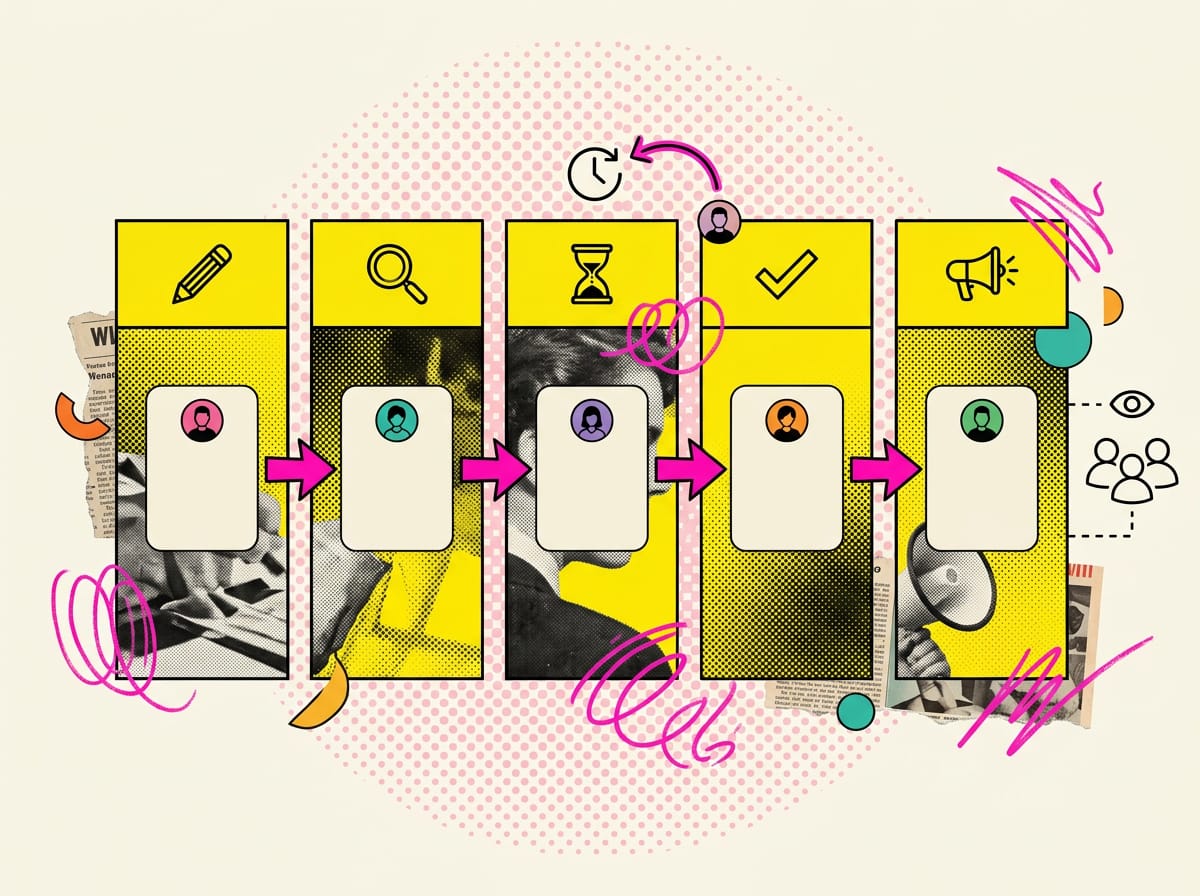
Buy marketing project management software before deciding who approves what, and you end up with a board full of overdue tasks assigned to “everyone”, which in practice means nobody. Whatever mess the tool finds, it copies faithfully. All it adds is speed and color.
The research largely agrees on this. A review of published studies on project management software in Indonesian marketing teams concludes that these tools improve communication because they put project information, assignments and deadlines in one place, which cuts down on misunderstandings and duplicated work. Shared calendars, real-time updates and common documents raise transparency and accountability. Automating repetitive steps frees up time for strategic work.1 Look closely, though, and every benefit on that list assumes a clear assignment, a set deadline and a defined repetitive step already exist. The software gives them a home. Your team still has to define them.
Alexandra Mihalache, a researcher at the Bucharest University of Economic Studies, puts the challenge this way: adopt only the technology the team actually needs to work better, without slipping back into the weak workflow logic of the industrial era.2 For a small business, that means buying the software your process calls for and nothing on top.
The bare-minimum SOP to write before any free trial
Before you sign up for a trial, put these five things on paper:
- The stages a piece of content goes through. Say draft, in review, awaiting approval, approved, published. Five columns are almost always enough.
- Who moves the card from one stage to the next. One name per handoff, a RACI matrix stripped to the bone.
- Who approves, and how fast. If the owner signs off LinkedIn posts, write down how many hours they get, or how long before the card passes to someone else.
- What outsiders can see. Does the agency see the whole project or only its own cards? Does the photographer need a login, or will a link do?
- The meeting the tool replaces. If three months in you’re still holding the same Monday meeting to work out who’s doing what, the tool isn’t earning its keep.
With these five points nailed down, any tool on this list takes an afternoon to set up. Without them, it takes a month and still ends up a muddle.
Speed up the SOP with AI
You already have the raw material: it’s sitting in the marketing team’s group chat. Export the last four weeks from WhatsApp (Chat settings → Export chat, without media), strip out client names and numbers, and paste the text into Claude or ChatGPT with this prompt.
You are an operations consultant for the marketing team of a small business.
Below are 4 weeks of the team's chat. I want to reconstruct how content
actually gets produced.

1. List every type of content that comes up (posts, newsletters, landing pages, etc.).
2. For each one, reconstruct the stages it really goes through, from request
   to publication, and who is involved at each step.
3. Flag every point where a piece of content sat still for more than 2 days
   and who was waiting on it.
4. Propose an SOP with no more than 5 stages, one owner per stage
   and a maximum approval time.
Write in English, as a table, with no introductory remarks.
The table you get back is your first-draft SOP. Edit it by hand: the AI only sees what made it into the chat, and knows nothing about the approvals given in passing by the coffee machine.
How we chose and weighted the criteria

A comparative review published in 2025 by researchers at Cairo University sorts team management software into five families: integrated project management platforms, task and workflow tools, communication and collaboration software, Agile/DevOps tools and resource management systems. It rates them on team scalability, core features, user experience, integrations and how well they adapt to different kinds of project.3 Those are sound criteria for a large, structured company. For a marketing team of one to eight people, we reweighted them as shown below.
| Criterion | Weight | What it measures for a small business |
|---|---|---|
| Approval workflow with outsiders | 25% | How easy it is to get content signed off by someone outside the company |
| Annual cost for the team you actually have | 25% | Twelve months of licenses plus setup hours, in euros |
| Team adoption | 20% | How long until everyone uses it without being chased |
| Owner’s view | 15% | Whether someone who never logs in can grasp campaign status from one screen |
| Exit and migration | 15% | How easy it is to export everything and walk away after a year |
We deliberately left out enterprise features (portfolio management, multi-department budgets, six-tier permissions). In a company turning over €1-1.5 million, they steepen the learning curve and nobody uses them.
A note on method. Mihalache cites survey data showing that organizations running 25% or fewer of their projects in an agile way tend to stick with traditional project management tools, while the benefits and use of a tool rise with the number of agile projects.2 If your marketing runs in short cycles (monthly campaigns, weekly content), a Kanban board is the natural view. If you work on a few big projects with fixed dates, like a trade show or a catalog launch, you need a Gantt chart with task dependencies.
The 7 tools compared for 2026
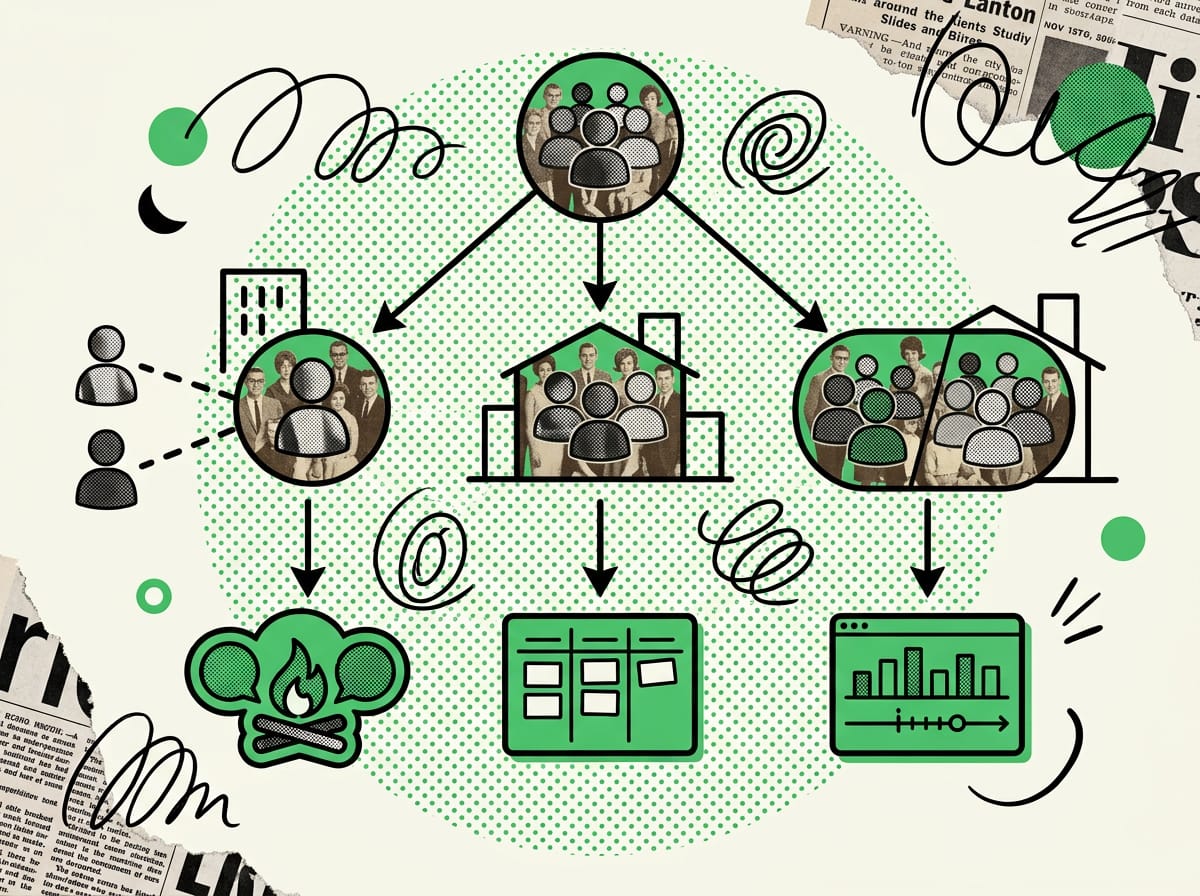
We left prices out on purpose. Price lists change, plenty are quoted in dollars, and a “from X per user per month” figure tells you nothing about what you’ll actually spend. For the 12-month cost, use the formula we set out further down. Run it on the prices shown on the official pricing page the day you decide, and note the date next to the figure.
| Tool | Family | Main view | Strength for small business marketing | Typical drawback | Best fit |
|---|---|---|---|---|---|
| Trello | Tasks and workflows | Kanban cards | Learned in an hour, ideal for the content calendar | Struggles with projects full of dependencies | 2-3 in-house people |
| Asana | Integrated platform | Lists, board, timeline | Clean interface, solid deadline tracking | Advanced views need setting up | 5-8 people including sales |
| monday.com | Integrated platform | Tables, Kanban, Gantt, dashboards | Visual views and automations, good for reporting to the owner | Easy to build too many boards | 5-8 people, several departments |
| Basecamp | Communication and collaboration | Projects with messages, files, to-dos | Working with outsiders in a single space | Bare-bones reporting and Gantt | Manager + agency or freelancers |
| ClickUp | Integrated platform | Every view, highly configurable | Covers almost any use case | Setup can turn into a project of its own | Teams with one person who runs the tool |
| Notion | Docs and databases | Pages, databases, boards | SOPs, briefs and calendar in one place | Approval workflow has to be built by hand | Owner + freelancers, document-heavy teams |
| Wrike | Integrated platform | Projects, Gantt, workload | Structure and control over team workload | Built for bigger teams, overkill for 3 people | Marketing covering several product lines |
The 7 tools, one by one
Trello: the content calendar everyone actually opens
Trello organizes work as cards on a board using the Kanban method, which grew out of Toyota’s lean manufacturing, with columns along the lines of “to do”, “doing”, “done”.4 The Cairo University review names it, alongside Asana, among the most widely used tools thanks to its intuitive interface and flexibility.3
For a three-person marketing department publishing 12-15 pieces a month, it’s often all you need. One column per SOP stage, one card per piece of content, the publish date on the card. It starts to creak when a project has real dependencies, as in “the landing page can’t go live until the photographer delivers and legal approves the disclaimer”. The cards stay disconnected and you’re the one holding the logic in your head.
Trial test. Build the board with your five stages and run ten real pieces of content through it for a week. If nobody has asked “where do I find it?” by Friday, you’re done.
Asana: clear deadlines for growing teams
The same review files Asana under integrated platforms and highlights its user experience.3 In our view, it’s the most balanced option when marketing shares work with sales. The sales rep sees the campaign that will bring in their leads, and marketing sees the trade show date sales has already promised the client.
The weak spot is the advanced views (timeline, workload, portfolio), which only shine after some setup. If you go with Asana, set aside an afternoon to build project templates, meaning a standard campaign with every task already lined up. Skip the templates and every campaign starts from scratch.
Trial test. Build a “monthly campaign” template and duplicate it three times. If duplicating and reassigning takes more than ten minutes, the template is too complicated.
monday.com: the view the owner gets
monday.com combines Gantt charts for planning, Kanban boards for tasks and dashboards for tracking progress, and it’s known for visual tracking and automations.3 For a small business, the last part matters most: a dashboard the owner can open on their phone and read without knowing how anything else is set up.
The risk is board sprawl. Every department builds its own board, every board gets its own columns, and six months later there are four different ways of saying “approved”. If you pick monday, decide on day one who is the only person allowed to create new boards.
Trial test. Build a single dashboard with the quarter’s campaigns and show it to the owner without any explanation. If within a minute they ask something the dashboard should already answer, start again.
Basecamp: when half your marketing team sits outside the company
Basecamp has been studied as collaboration software in university advertising, PR and marketing courses. In a survey of 177 students across seven course sections, two semesters and two universities, most rated it useful for group work.5 The setting is academic, but the situation looks a lot like a small business working with an agency: people from different organizations who have to deliver together with no shared chain of command.
Each project keeps messages, files, to-dos and the calendar in one place. The agency works in the same space, the photographer uploads shots there, and the owner’s approvals stop disappearing into an email forwarded three times. Reporting and Gantt charts are basic, so if you need to analyze team workload, look elsewhere.
Trial test. Invite the agency as a guest on a live project and ask them to deliver a draft. Count how many “just in case” emails land in your inbox on the side. The target is zero.
ClickUp: anything’s possible, so everything has to be decided
ClickUp has every view going (list, board, Gantt, calendar, docs) and an enormous amount of configuration. For a team with one natural organizer who enjoys building automations and custom fields, it’s a very powerful tool.
For everyone else, the setup becomes a project in its own right, with its own delays and its own owner. We’ve often seen teams spend the first month arguing over how many hierarchy levels to use while the content sits waiting. If you choose it, start from your five-stage SOP and ban new features for the first 60 days.
Trial test. Time how long it takes a colleague who has never logged in to find the draft of the next newsletter. Anything over two minutes means the structure is too deep.
Notion: SOPs, briefs and calendar in one place
Notion started life as a space for documents and databases. For an owner working with two or three freelancers, it has one clear advantage: the SOP, the client brief, the tone of voice and the content calendar all sit on the same page, linked together.
The approval workflow, on the other hand, has to be built by hand with properties, filters and views. That works well if whoever sets it up has a clear process in mind; without one, it turns into an archive of forgotten pages. If your work lives in documents and you write a lot, it’s the most natural fit. Anyone juggling 40 tasks a week with overlapping deadlines will be happier in a tool built for tasks.
Trial test. Link an SOP page to the content database and ask a freelancer to follow the SOP without calling you. If they call, the page is missing a step.
Wrike: structure for teams running several product lines
Wrike is an integrated platform designed for larger teams, with a strong focus on individual workload and dependencies between projects. The Cairo University review points out that resource management systems help track people’s availability and avoid overloading them, which makes for a healthier workplace.3
For a three-person marketing team it’s overkill. It makes sense when the same team covers two or three product lines on separate calendars, and the main headache is working out who still has room this week.
Trial test. Load two weeks of real work and look at the workload view. If it shows you something you didn’t already know, you need Wrike. If not, a lighter tool will do.
What does a project management tool really cost over 12 months?
The real 12-month cost is licenses plus setup hours, training hours and a reserve for leaving. The monthly per-user price is only one slice of it. For a small business marketing team, internal hours often weigh as much as the licenses, especially in year one.
Here’s the formula to take to the owner:
- Licenses. Paid users × monthly price of the chosen plan × 12 (check whether the pricing differs for monthly and annual billing)
- Setup. Hours to configure stages, templates and permissions × internal hourly cost
- Training. Hours of hand-holding per person × number of people × hourly cost
- Guests. Check the official pricing page to see whether the agency and freelancers get in free as guests or count as paid users. This is the line that most often blows the budget
- Exit. Estimated hours to export the data and migrate if you switch tools in a year
A hypothetical example to adapt to your own numbers. With a five-person team, a mid-tier plan, 16 hours of setup and 3 hours of training each, you’re at 31 internal hours before paying for a single license. If the price list is in dollars, convert at that day’s rate and put both figures in the budget with the date, because six months from now nobody will remember where the number came from.
The exit line is your cost of migrating between project management tools. To keep it down, check before you sign that the tool exports task titles to CSV along with comments and dates.
The 7-day test to run before you pay
Rankings compare features. To find out how much friction a tool adds to your week, you have to try it with real content. The test we suggest runs for seven working days and measures two numbers.
Clicks to approve a piece of content. Take a real post and move it from draft to approved. Count the approver’s clicks from the moment the notification arrives to the final confirmation. If the approver is the owner, who logs in twice a week, every extra click is one more chance they’ll put it off. More than 5 clicks for one approval is a red flag.
Notifications per task in a week. Leave the default settings and count how many notifications a single task generates, from creation to publication, for each person involved. Tools tend to notify everyone about everything, and after a week people mute them and drift back to WhatsApp. If the number is high, check whether you can cut it down by role before you decide.
Run the test on two tools side by side, with the same content. By the end of the week, those two numbers will tell you more than any comparison table, ours included.
Using AI to set up the test
The test needs ten realistic pieces of content to push through the workflow. Rather than inventing them, have them generated from your actual calendar with a prompt like this one, in Claude or ChatGPT.
I'm the marketing manager at a small business that makes [industry].
The team is: [roles]. We work with: [agency/freelancers].
I need to test two project management tools for 7 days.

Generate 10 realistic content tasks for next month,
mixing: social posts, a newsletter, a landing page, a blog article,
a piece of sales enablement material.
For each task, state: who creates it, who reviews it, who approves it,
whether it involves an outside party, and the deadline.
Include at least 2 tasks with dependencies (one can't start until the other is approved)
and 1 urgent task that lands mid-week.
Output as CSV with headers, ready to import.
Many tools import CSV directly, so you can load the same set into both and compare them like for like. The mid-week urgent task is there to show how the tool handles interruptions, which is usually where the process falls apart.
Which tool fits the 4 typical small business setups
Marketing teams at companies turning over €1-1.5 million nearly always fall into one of these four setups. The matrix starts from who approves and whether outsiders are involved, because those two variables shape the choice more than anything else.
| Setup | Who approves | Outsiders involved | Recommended tool | Alternative |
|---|---|---|---|---|
| 1 marketing manager + agency | Owner | Agency, photographer | Basecamp | Trello with guests |
| 3 in-house people | Marketing manager | Few or none | Trello | Asana |
| 5-8 people including sales | Head of sales + owner | Agency for campaigns | monday.com | Asana |
| Owner + 2-3 freelancers | Owner | Everyone’s external | Notion | Basecamp |
The third setup deserves a few more lines. A case study on Agile project management in the marketing team of a large consumer goods group describes how Scrum and Kanban encourage collaboration between marketing, sales, product and data analytics. The cases it cites report campaigns delivered up to 30% faster than with traditional teams. The same study also lists what holds teams back: cultural resistance, too little training and difficulty scaling the method across the organization.4 The practical takeaway for a small business is that putting marketing and sales on the same board speeds things up, provided people are trained. If the sales rep never opens the tool, the shared board is just a marketing board with one extra name on it.
In the fourth setup, the real problem is almost always documentation. The owner explains what they want out loud every time, and the freelancer delivers something else. A written SOP linked to the tasks is worth more than any automation.
The one-screen report for the owner
Whoever controls the budget rarely logs into the tool. They need three things, readable on a phone in under a minute:
- live campaigns and their launch dates;
- content stuck in approval for more than 48 hours, with the name of whoever is holding it up;
- what went out last week.
monday.com and Asana have dashboards that do this with little setup. With Trello, Basecamp and Notion, a written weekly summary works better. AI saves time here too. On Friday, export the board to CSV and hand it to Claude or ChatGPT with this prompt.
Below is the CSV export of this week's marketing board.
Write a summary for the business owner, 8 lines maximum, in plain English.
1. What was published (short list).
2. What has been stuck in approval for more than 48 hours: title, who needs to approve,
   for how many days.
3. Next week's 3 releases with dates.
No commentary, no introductions, no opinions.
The summary lands by email every Friday at 5pm. The owner stops dropping by the marketing desk to ask “where are we on this?”, and the scene at the top of this article doesn’t happen again.
Do you really need a project management tool if marketing is one person?
If that person works with an agency or freelancers, yes. Project management is about coordinating people, and that still matters when the org chart has a single box. If they do everything themselves, a content calendar shared with the owner is often enough.
Is the free plan enough?
For a team of 2-3 people with a simple workflow, often yes. The limits almost always show up around outside guests, automations and history. Check those three points on the official pricing page before you build your process on a plan you’ll have to leave.
How long does it take a team to adopt the tool?
It depends on how clear the SOP is before you start. You know adoption has worked when the Monday who-does-what meeting disappears and nobody messages you on WhatsApp about a piece of content that already has a card.
Should marketing and sales share one tool?
It’s worth it when the two teams share real deadlines, like trade shows, launches and seasonal promotions. If they run on separate calendars, two separate spaces with a shared dashboard for the owner create less friction.
How does the tool connect to the annual marketing plan?
The tool carries out a plan that has to exist already. First you set goals, campaigns and owners in the small business marketing project plan, then you turn them into templates and deadlines inside the tool you’ve chosen.
The first step is free and takes an hour. Write down the five stages of your SOP and the name of the person who approves each one. If you struggle to fill them in, the bottleneck is the process, and that’s the work we do with marketing teams in our training and SOP programs. If you can fill them in, open two free trials and start the 7-day test on Monday morning.
Further reading
Fonti
Footnotes
-
Impact of Project Management Software on Team Collaboration and Efficiency in Marketing Projects in Indonesia. ajpojournals.org ↩
-
A Comparative Review of Team Management Software in Modern Project Management Practices. doi.org ↩ ↩2 ↩3 ↩4 ↩5
-
Case Study: Agile Project Management In A Global FMCG Marketing Team. xlescience.org ↩ ↩2
-
A Basecamp for Student Group Projects: Analysis of the Use of Project Management Software in the Advertising, Public Relations, and Marketing Classroom. doi.org ↩
FAQ
What's the best project management tool for a marketing team working with an outside agency?
If your marketing team works with an agency or outside freelancers, Basecamp is usually the best fit. Decide first what outsiders should see, though: the whole project, only their own cards, or just a shared link.
Is Trello enough for a 3-person marketing team?
Yes, if all three people are in-house and work only on marketing, Trello is enough. One board with five columns (draft, in review, awaiting approval, approved, published) covers almost any content workflow.
monday.com or Asana: which is better for a small business?
monday.com and Asana make sense once the team grows to 5-8 people and sales is part of the workflow. Pick based on the process your team has already defined, not on the price per seat.
What should you do before choosing marketing project management software?
Write a minimal SOP covering five things: the stages a piece of content goes through, who moves a card from one stage to the next, who approves and how fast, what outsiders can see, and which meeting the tool is meant to replace. Skip this and the software just copies the mess you already have.
Does a project management tool actually improve how a marketing team works?
Yes, because it keeps assignments, deadlines and project information in one place, which cuts down on miscommunication and duplicate work. But you only get those benefits if the team has already defined assignments, deadlines and repeatable steps.