How to Choose Blog Topics That Win Clients: 7 Frameworks
How to find business blog topics that bring in clients: 7 frameworks that turn sales questions, Search Console data and support emails into a content plan.

Monday morning, marketing meeting. There’s an empty slot in the calendar for Thursday and nobody knows what to put in it. Someone suggests a piece on next year’s trends. Someone else forwards a link to a competitor’s latest post. The link wins. Three months later the article has a few dozen visits and hasn’t brought in a single quote request.
The problem started before anyone wrote a word, at the moment the topic was picked. Finding topics for a company blog is a research job, and you already have the raw material in-house: the questions your sales reps hear every week, the queries in Search Console, the support inbox, and whatever visitors type into your site’s search bar.
The seven methods below turn that data into a topic list. At the end you’ll find a way to decide what to write first, and how to get from the list to a calendar. The starting point is the same one behind strategic blogging for SMBs: publishing regularly only pays off if every article answers a question someone is actually asking.
Each section uses the same example. It’s hypothetical and deliberately ordinary: a B2B company with €1.2 million in revenue that manufactures and installs industrial shelving, with two sales reps and one person handling customer support.
The real problem is deciding what to write

Plenty of company blogs stall before anyone types a line. The topic gets chosen without checking whether anyone searches for it, and with no connection to what the company sells. Then the copy gets the blame, or the SEO, or the posting frequency.
The way out is to separate three things that usually get lumped together.
- An idea is a broad theme, like “pallet racking”.
- A topic is a specific question from a specific person, like the warehouse manager who wants to know how often the racking needs inspecting.
- An article is the answer to that question, written in the format Google rewards for that search.
Topic research works at the second level. That’s why the list you need is made of questions, each one tagged with who asks it and where you found it.
Two mistakes come up again and again. The first is picking by search volume, which drags you into broad themes where portals and marketplaces have a years-long head start. The second is picking by taste: writing about what excites the company (the new paint line, the trade fair) and forgetting what the customer cares about.
Academic research arrives at the same place from a different direction. Damir Bouchra and Gaber Hasnaa, at Hassan II University in Casablanca, studied how users decide whether to engage with online content. Among the strongest predictors of a piece’s perceived value is how relevant it is to what the reader needs right then 1. Copying topics that “work” elsewhere brings its own problem. A study of creators on the video platform Douyin found that likes steer topic choice and push content towards sameness 2. A blog that chases its competitors’ topics flattens out in exactly the same way.
Who you’re talking to, and why, is settled by your blog’s editorial strategy. From here on, the job is filling it with topics you’ve verified.
Framework 1. The objections your sales reps hear every week
Every sales objection is a question the customer was already carrying before the call. If your rep hears it ten times a month, other people are typing it into Google without having called anyone yet. It’s the topic source closest to the sale that you have.
According to Nielsen Scarborough data cited by Dixit and Kumari in a 2023 study, 42% of Americans seek advice before making a purchase 3. That figure is about US consumers. In a major B2B purchase the question-asking phase runs even longer, and whoever answers first makes the shortlist.
Where the data lives. Deal notes in the CRM, email replies to quotes, lost quotes with the reason logged and, above all, what’s in your reps’ heads. A thirty-minute interview with each of them beats a month of brainstorming.
How to turn it into topics.
- Ask each rep for the ten questions they hear most often, in the customer’s exact words.
- Group them by type (cost, timing, risk, comparisons with alternatives, what happens after the purchase).
- Note how often each one comes up, even roughly (“almost every deal”, “once a month”).
- Rewrite each question the way the customer would type it into Google.
In the example. The shelving company’s two reps keep hearing the same things. How much does pallet racking cost per linear metre? Do I need planning permission? Can I reuse the racking I already have? How long will the warehouse be out of action during installation? That’s four articles, each one reaching a reader who’s already weighing up a purchase.
With AI. Export your deal notes from the CRM (strip out personal data) and paste them into Claude or ChatGPT with a prompt like this one.
Here are 60 deal notes exported from the CRM of a company that manufactures and installs industrial shelving for B2B customers. Group the customers' questions and objections into categories (cost, timing, risk, comparisons with alternatives, what happens after installation). For each category, say how many times it appears, quote two of the customers' sentences verbatim, and suggest three article titles that answer the question using the customers' own words. Ignore notes that only cover the internal logistics of the deal.When to skip it. If your reps are new or the CRM is empty, the objections you collect are guesswork. Start with Search Console and support instead.
Framework 2. Search Console and your site’s internal search

Search Console shows the searches Google already shows you for. Most people only open it to check whether traffic is going up. Treat it as a question bank instead and it points you to topics where Google already sees you as relevant and you don’t yet have the right page.
Where the data lives. In Search Console: the Performance report, Queries tab, with a date range of at least 12 months.
How to turn it into topics.
- Sort queries by impressions and export the file.
- Filter for queries phrased as questions. In the Query filter choose “Custom (regex)” and paste
^(how|what|why|when|where|which|who|can|does|is). - Look for queries with lots of impressions, few clicks and an average position between 8 and 20. These are the cases where Google thinks you’re relevant and none of your pages answers well.
- For each query, check which URL shows up. If it’s the homepage, or a product page that doesn’t answer the question, you’ve found a topic.
In the example. The company finds it ranks 14th for “how to calculate shelving load capacity” with its pallet racking product page. Nobody has ever written an article on that calculation. One dedicated article and a link from the product page are all it takes.
What visitors search for on your site
The internal search bar is the most overlooked source of all. The people using it are already on your site, couldn’t find what they wanted, and are telling you in writing.
In Google Analytics 4, enhanced measurement records site searches in the view_search_results event. In Explore, build a table with the “Search term” dimension and sort it by event count. Repeated searches that don’t lead to a useful page are ready-made topics. If in our example people keep typing “load test certificate”, there’s a missing page explaining what that document contains and who issues it.
With AI. Export the query CSV and upload it to ChatGPT or Claude.
Attached is the CSV export of Google Search Console queries for the last 12 months (columns: query, clicks, impressions, CTR, position). Exclude any query containing the company name. Group the rest by intent (informational, comparison, price, technical problem) and by theme. For each group, give total impressions, average position, and whether the site already has a page that answers it fully. Put groups with more than 500 impressions and a CTR below 1% at the top.When to skip it. On a new site, or one with a few hundred impressions a month, there isn’t enough data to tell you anything. Come back to this method after six months of publishing.
What do AI Overviews tell you if you read them backwards?
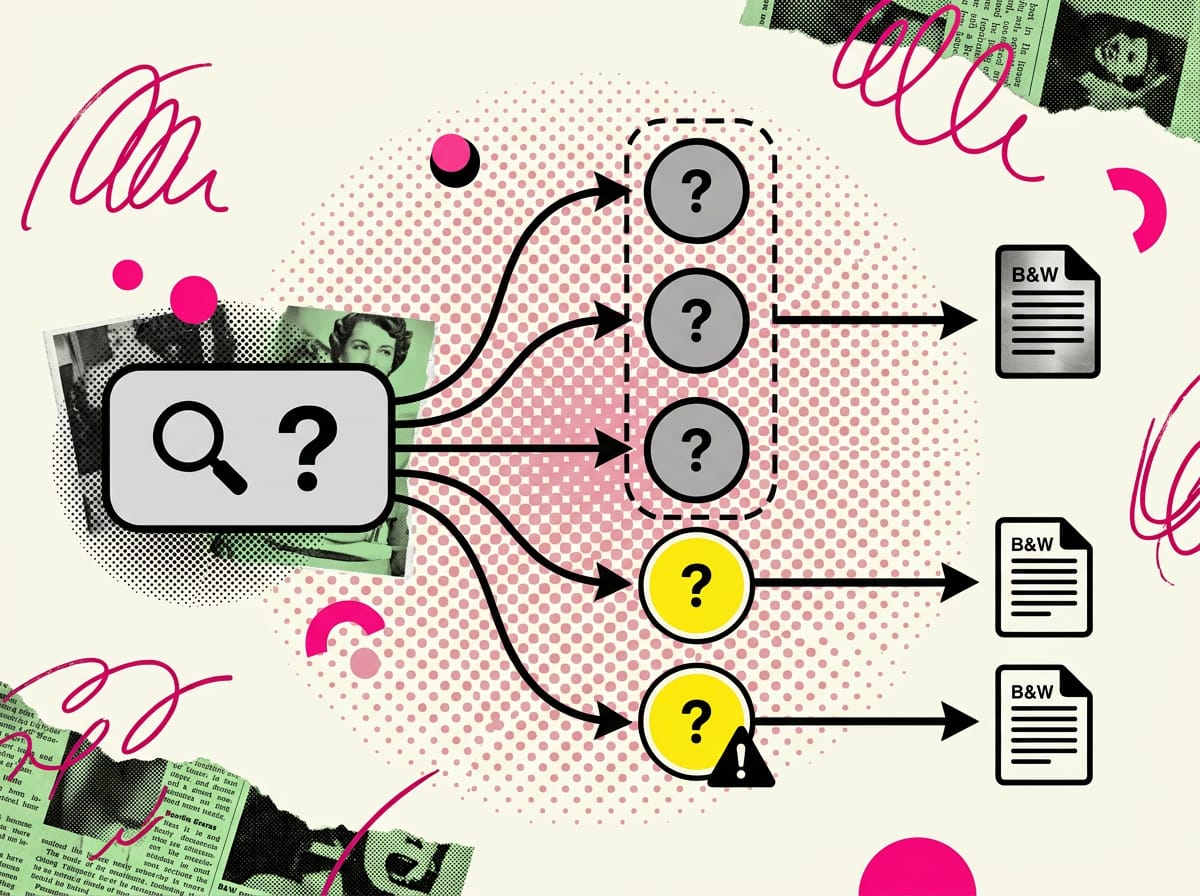
AI Overviews and the “People also ask” box show how Google breaks a search down into sub-questions. Search your customer’s main question, note every subtopic the generated answer mentions, and you have a map of what the reader will ask next. Each one can become a section or an article of its own.
Where the data lives. In Google’s results page (the AI Overview and “People also ask”, expanded several times), in Gemini and in Perplexity. Perplexity also lists the sources it draws on, so you can see who gets cited.
How to turn it into topics.
- Pick five strong questions from frameworks 1 and 2.
- Search them on Google and copy the AI Overview’s subtopics plus the first 8-10 “People also ask” entries.
- Put the same question to Perplexity and note the subtopics and cited sources.
- Split the sub-questions that can live inside one article from the ones with a different intent, which deserve their own page.
In the example. For “industrial racking inspection” the generated answer covers who can carry out the inspection, how often it has to be repeated, and what happens if a damaged upright turns up. That last one is an article in its own right. The person reading it has just clipped the racking with a forklift: an urgent problem and a budget to spend.
With AI. In Perplexity, put yourself in the customer’s shoes.
I'm the purchasing manager at a logistics company with a 3,000-square-metre warehouse. I need to decide whether to replace pallet racking we've been using for twenty years. List the questions I should ask myself before requesting a quote, in order of importance, and for each one tell me which sources cover it best.When to skip it. For very technical niche searches there’s often no AI Overview at all and the questions box is thin. Internal data will serve you better there.
Framework 4. Support tickets, emails and chats
People who’ve already bought ask the questions tomorrow’s customer will ask before ordering. Support collects material for two kinds of article every day. Retention articles help current customers solve problems on their own. Pre-sales articles show people weighing up a purchase that you know what you’re talking about.
Where the data lives. The support inbox, the ticketing system if you have one, the website chat, call notes. In a small business it’s often all in one inbox, and that’s perfectly fine.
How to turn it into topics.
- Export six months of emails or tickets.
- Remove names, addresses, phone numbers and contract references before doing anything else with them.
- Pull out the distinct questions and count how often each one recurs.
- Flag the ones a prospect would also ask before buying.
In the example. The support person gets the same requests every month. Can a beam level be moved? Where’s the load rating sign? What do you do if a pallet overhangs? The first question matters to people about to buy, too, because they want to know how flexible the system will stay over time.
With AI.
Below are 120 emails received by customer support over the last six months, already stripped of names, email addresses and phone numbers. Extract every distinct question, rewrite it the way a customer would type it into Google, and say how many emails contain it. Then separate the questions a prospect might ask before buying from the ones that only concern existing customers.When to skip it. If most tickets are about defects or specific complaints, turning them into public articles risks putting an unsolved problem in the shop window. Fix the problem first, then write.
Framework 5. The job the customer is trying to get done
Nobody wakes up wanting to buy shelving. The customer has a job to get done, what marketers call the job to be done, and shelving is just one way to do it. Write about the job and you reach the reader before they know which product they need, while they still have no supplier in mind.
Where the data lives. Interviews with recent customers, ideally recorded and transcribed. Five twenty-minute interviews are enough to surface the recurring jobs. The useful questions are simple. What happened that made you start looking? What had you tried before? What were you worried about?
How to turn it into topics.
- For each interview, note the starting situation, the outcome they wanted, the obstacles they feared and the alternatives they considered, including doing nothing.
- Keep the jobs that come up in at least two interviews.
- For each job, write down the questions the customer asks in the first weeks of looking.
In the example. Three jobs emerge: fitting more pallets into the same building without extending it, passing a safety audit, and moving the warehouse without halting shipments. That produces topics no catalogue covers, such as how to reconfigure aisles to gain pallet positions, or how to plan a warehouse move in phases.
With AI. Upload the transcripts to Claude, which handles long documents well.
Here are transcripts of five interviews with customers who bought shelving in the last two years. For each one, identify the situation that triggered the search, the outcome the customer wanted, the obstacles they feared, and the alternatives they considered before us, including doing nothing. At the end, list the jobs that recur in at least two interviews and suggest two article topics for each.When to skip it. If you sell something people only rebuy as a replacement, and the customer already knows what they need and is just comparing price and lead time, this method produces topics a long way from the purchase. Start from objections instead.
Framework 6. Competitor search results, read with a method
Looking at what competitors publish is useful as long as you compare the pages Google shows for one specific question. Browsing their blogs and copying their headlines leads straight into the sameness trap described above. Comparing results pages exposes three kinds of gap.
- Missing topic. No result answers the question.
- Not enough depth. Everyone covers it in two lines, with no examples or numbers.
- Wrong format. The question calls for a table or a checklist and only finds generic prose.
How to turn it into topics.
- For each candidate question, open the top five organic results.
- Copy each one’s heading structure.
- Note which sub-questions they cover and in how much depth.
- Keep the topic only if you find at least one of the three gaps.
In the example. For “industrial racking inspection” the top results explain the regulations in the abstract. None offers a printable checklist for the weekly in-house check. That’s a format gap, and a small company that knows its customers’ warehouses can fill it better than a generalist portal.
With AI.
Here's the heading structure (H1, H2, H3) of the top five Google results for the search "industrial racking inspection". For each sub-question, say how many results cover it and in how much depth (one line, a paragraph, a section with examples). Then list the questions none of the five covers and the ones all of them only skim. Our reader is the warehouse manager at a small manufacturing company.When to skip it. If page one is taken up by marketplaces, product listings and government sites, the intent is commercial or regulatory and a blog post will struggle to get in. The gap is real, and filling it costs more than it returns.
Framework 7. The articles you’ve already published
Every article that answers three questions raises five more. Your archive generates topics, and writers already lean on it without thinking about it. A team of researchers from Penn State University and Telecom Italia analysed around 370,000 posts published on 2,275 blogs between December 2009 and May 2010. In the network of citations between posts, 86% of links point to posts by the same author, and a culture post is 30 times more likely to cite another culture post than one on a different subject 4. Writers build on their own work and stay in their lane. Do it deliberately and every article sets up the next one.
How to turn it into topics.
- In Search Console, filter by page and open the queries for an article that’s getting impressions.
- Sort the queries into ones the article answers, ones it only half answers, and ones with a different intent.
- The second group becomes an expansion of the article. The third becomes new articles, linked from the relevant paragraph.
In the example. The article on pallet racking costs is getting impressions for “used racking cost” and “industrial racking hire”. Those are two new articles with a different intent from the first, and the link falls naturally out of the paragraph on costs. The update itself should also go back through the SEO checklist for blog articles.
With AI.
Attached are the text of our article and the list of Search Console queries that page received impressions for over the last six months. Tell me which queries the article already answers, which it only partly answers, and which need a separate article because they have a different intent. For that last group, suggest a title and say which paragraph of the existing article the link should go in.When to skip it. With fewer than ten articles published, or articles that get no impressions, you don’t have an archive to work from yet.
How do you choose blog topics when you have 40 ideas?
Score each topic from 1 to 3 on four criteria: closeness to the sale, proof the question exists, chance of ranking, and effort required. Add up the points. Topics scoring 10 or more go into this quarter, 7 to 9 stay on the list, and anything lower gets dropped without regret.
| Criterion | 1 point | 2 points | 3 points |
|---|---|---|---|
| Closeness to the sale | Generic informational theme | Reader is evaluating a solution | Reader is choosing a supplier |
| Proof of demand | Internal idea, unverified | Appears in one source | Appears in two or more sources (sales, Search Console, tickets) |
| Chance of ranking | Results dominated by portals and marketplaces | Mixed results | Weak, outdated or wrong-format results |
| Effort | Needs material you don’t have | Needs an internal interview | You can write it from what you already know |
Proof of demand is the criterion that makes the difference. A question your rep hears every week that also shows up in Search Console is worth more than any idea born in a meeting. In the example, “how long will the warehouse be out of action during installation” scores 3 on every criterion and goes straight to the top.
Getting from the ranked list to the calendar is mechanical. At one article a week you need 12 topics a quarter. For a B2B small business, a sensible mix is six topics close to the sale, four tied to customer jobs and two updates of existing articles. The right publishing frequency for a small business depends on the hours you genuinely have. Each chosen topic then goes into an article brief covering the question, the reader, internal sources and format.
If you don’t want the research to depend on one person’s memory, write it down in your company blog SOP. Who runs it, your own team or an outside supplier, is a choice between an in-house and an outsourced blog that you should make with the numbers in front of you.
How often should you redo topic research?
Once a quarter, in the week before you lock the calendar. Internal sources change faster than you’d expect: new lost quotes, new queries in Search Console, new questions for support. Half a day every three months keeps the list current without turning into a project of its own.
Between sessions, keep a shared document open where sales and support log new questions as soon as they hear them, in the customer’s exact words. By the next session half the work is already done. In the shelving example that document fills itself, because two reps and one support person collect more questions in a month than the company can turn into articles. That’s how you know the blog finally has a source of topics that won’t run dry.
Sources
Footnotes
-
Content marketing and website users engagement: The impact of relevant content on the web on user engagement behaviors. pen.ius.edu.ba ↩
-
The Impact of User “Like” Signals on Content Topic Selection Behavior of Douyin Creators under a Multi-Factor Recommendation Mechanism. doi.org ↩
-
RELEVANCE OF CONTENT MARKETING IN THE ERA OF DIGITAL MARKETING. journlra.org ↩
-
[PDF] Understanding Behavior, Impact and Types of Bloggers Kang Zhao. biz.uiowa.edu ↩
FAQ
How do I find blog topics for my business?
Start with the data you already have: the questions and objections your sales team hears every week, your Search Console queries, support emails and the terms people type into your site's search bar. Turn each one into a specific question, and note who asked it and where you found it.
What's the difference between a blog idea, a topic and an article?
An idea is a broad theme, like "pallet racking". A topic is a specific question from a specific person, such as how often pallet racking needs to be inspected. The article answers that question, in the format Google rewards for that search.
Should I pick blog topics based on search volume?
Not on its own. High-volume generic topics are dominated by big portals and marketplaces with years of head start, and a small business will struggle to outrank them. Specific questions tied to what you actually sell tend to pay off more.
Can I copy blog topics that work for my competitors?
It's risky. Chasing competitors' topics makes your content sound like everyone else's, and an article copied from a competitor often misses the questions your own customers are asking. What matters more is how well a topic fits what your reader needs right now.
Why doesn't my business blog generate quote requests?
The problem often starts with topic choice, before any writing happens. If a topic isn't checked against real customer questions and has no link to what you sell, the article gets little traffic and no leads, even if it's well written.